
What is Player Self Refresh?
Player Self Refresh allows players to refresh themselves in game without needing staff assistance.Players can run the Discord command /erlc refreshme to trigger a refresh of their ERLC player. Self refresh gives players a quick way to fix their own avatar, bugs etc without requiring staff intervention.
How to use Player Self Refresh
You can configure Player Self Refresh from your
ERLC Integration → API page, located beneath Weather and Time Sync.
ERLC Integration → API page, located beneath Weather and Time Sync.
Configuration Options
1
Enable Player Self Refresh
Turn this on to allow players to use the /erlc refreshme command.
When enabled, Melonly will refresh the player in game instantly.
When enabled, Melonly will refresh the player in game instantly.
2
Required Discord Roles
Choose which Discord roles are allowed to use the self refresh command.
Players must have at least one of the selected roles in your linked Discord server.
Players must have at least one of the selected roles in your linked Discord server.
3
Cooldown
Set the cooldown in minutes between refreshes.
The minimum cooldown is 2 minutes.
The minimum cooldown is 2 minutes.
How the /erlc refreshme Command Works
When a player runs /erlc refreshme in your Discord server:- Melonly checks if the player is in game
- Melonly verifies the player has a required role
- Melonly checks the cooldown
- The player is refreshed in game.
Player Self Refresh Overview
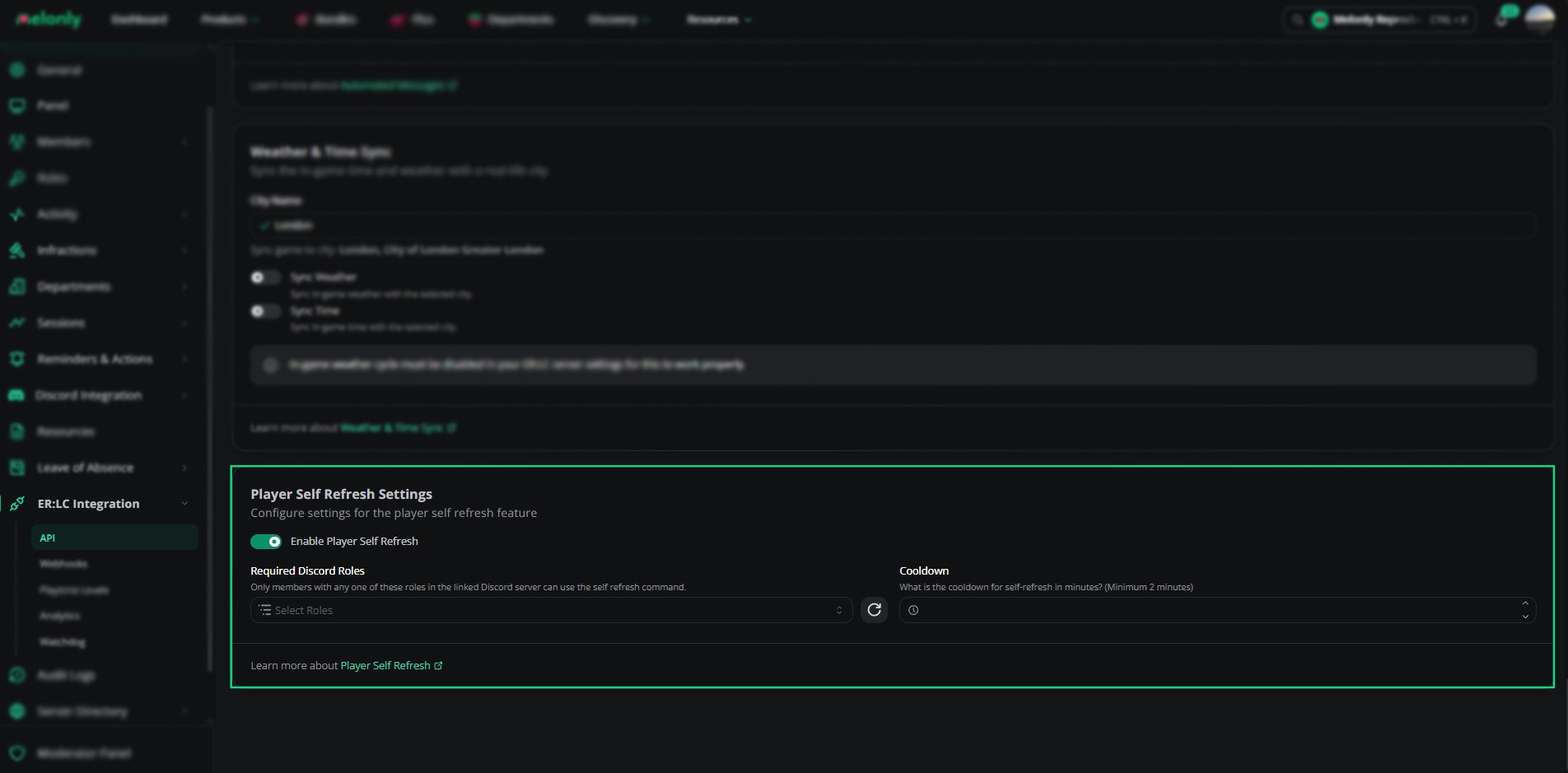
Player Self Refresh Settings
Example Use Cases
- Players refresh to update their avatar.
- Staff reduce workload by letting players fix their own issues
Need help?
Still have questions? Join our Discord server for support from the Melonly Team.