
What are Automated Messages?
Automated Messages allow Melonly to send scheduled or triggered messages inside ERLC.These include announcements, hints, reminders, and automated checks such as membercheck and vehiclecheck. All automated messages are powered by Melonly Reminders, which provide a flexible system for timed messages, repeating messages, and automated in game actions.
How Automated Messages Work
A reminder can:- Send an in game announcement
- Send an in game hint
- Send a private message
- Repeat on a schedule or run once
- Trigger automatically based on conditions you configure
You can configure Automated Messages from your
Dashboard → Reminders and Actions page.
Dashboard → Reminders and Actions page.
Reminder Types
Melonly Reminders support several message and action types:Announcement
A large message displayed to all players.Hint
A smaller message that appears at the top of the screen.Private Message
A direct message sent to a specific player.In Game Actions
Actions that run automatically, such as:-
:membercheck
Checks if all players in game are members of your Discord server.
Can automatically kick non members if configured. -
:vehiclecheck
Checks if players are driving vehicles they are allowed to use.
Can automatically kick or warn players driving restricted vehicles.
Example Automated Message Use Cases
- Send a reminder every 10 minutes to follow server rules
- Run :membercheck every 5 minutes to ensure only members of your Discord Server are in game
- Run :vehiclecheck every 7 minutes to enforce vehicle restrictions
- Send automated announcements during events
- Remind players to join the Discord server
- Send a private message to staff when a shift begins
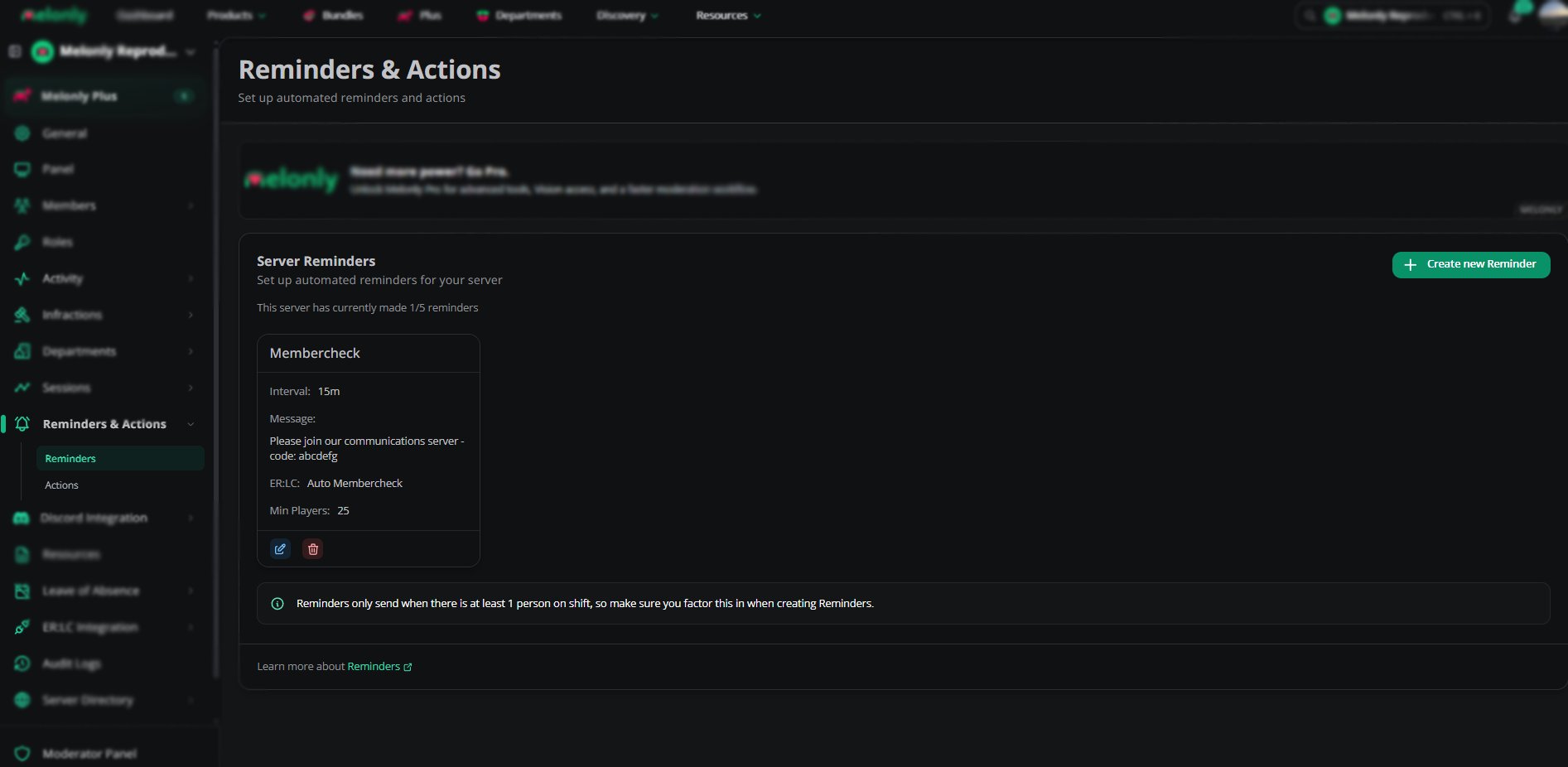
Automated Messages Overview
Automated Messages
Creating an Automated Message
1
Open the Reminders Page
Go to Dashboard → Reminders and Actions.
2
Create a New Reminder
Choose the type of message or action you want to automate.
3
Configure the Trigger
Select when the reminder should run.
Options include timers, intervals, or specific conditions.
Options include timers, intervals, or specific conditions.
4
Choose the Action
Select whether the reminder sends a message or runs an in game action such as :membercheck or :vehiclecheck.
5
Save the Reminder
The automated message will now run based on your schedule.
Example Reminder Configurations
Automated Member Check
Runs :membercheck every 5 minutes and kicks non members.Automated Vehicle Check
Runs :vehiclecheck every 3 minutes to enforce vehicle restrictions.Rule Reminder
Sends a hint every 10 minutes reminding players to follow server rules.Event Announcement
Sends an announcement every hour during an event. Reminders only run when there is at least 1 staff member on duty
Need help?
Still have questions? Join our Discord server for support from the Melonly Team.