
What are Vehicle Restrictions?
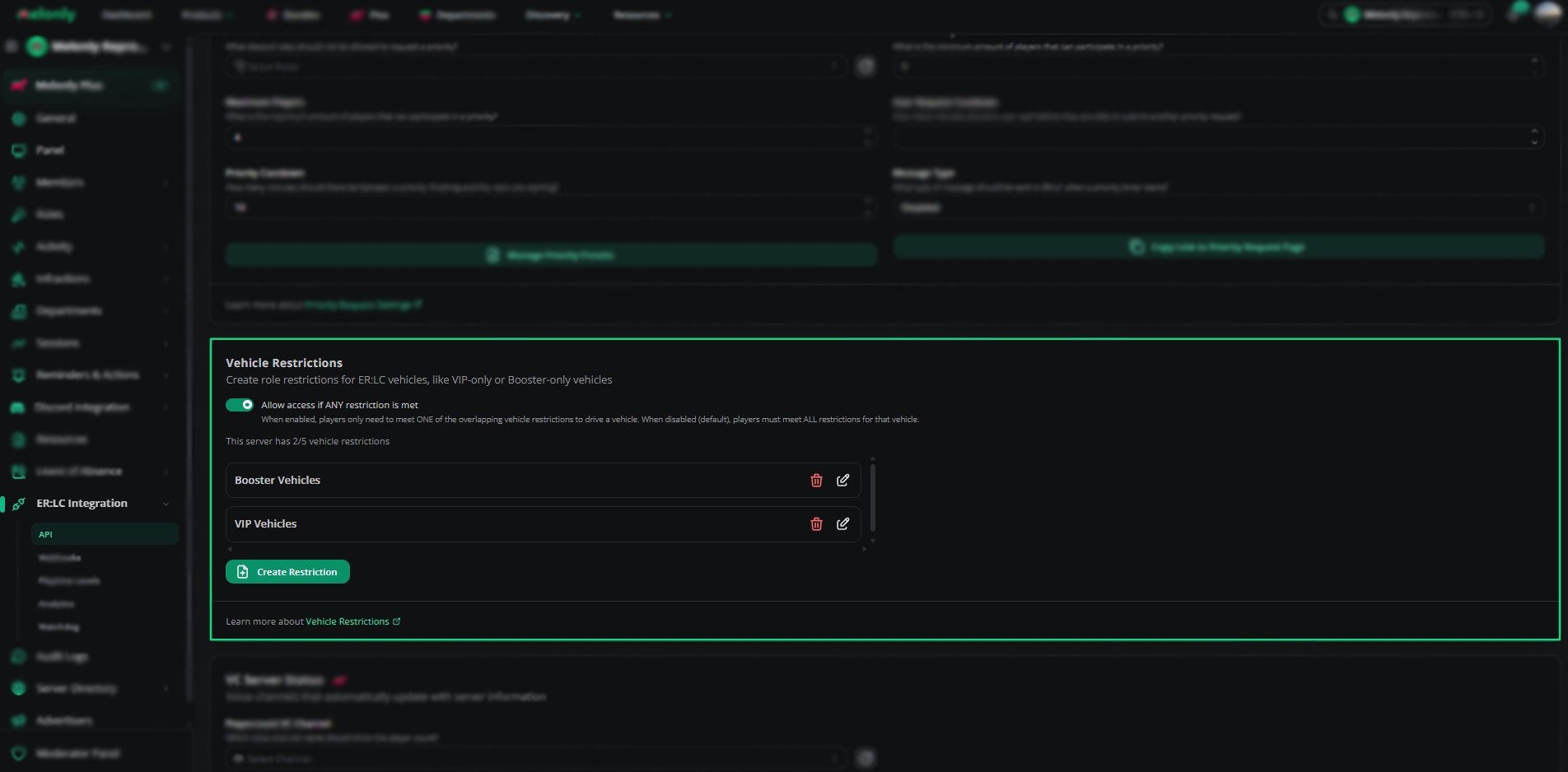
Vehicle Restrictions allow you to lock specific ERLC vehicles behind Discord roles.Players who do not meet the required role will be flagged in the panel or reminded in game.
This is useful for VIP vehicles, Booster vehicles, department vehicles, or any vehicle you want to limit to certain groups.
How to use Vehicle Restrictions
You can configure Vehicle Restrictions from your
ERLC Integration → API page, located beneath Priority Requests.
ERLC Integration → API page, located beneath Priority Requests.
Configuration Options
1
Allow Access if ANY Restriction is Met
Enable this if you want players to meet only one of the overlapping restrictions to drive a vehicle.
When disabled, players must meet all restrictions that apply to that vehicle.
When disabled, players must meet all restrictions that apply to that vehicle.
2
Create a New Restriction
Click Create Restriction to open the Vehicle Restriction Editor.
Each restriction contains a name, a required Discord role, and a list of allowed vehicles.
Each restriction contains a name, a required Discord role, and a list of allowed vehicles.
3
Edit or Delete Restrictions
Existing restrictions can be edited or removed at any time.
Editing allows you to update the role or change the allowed vehicles.
Editing allows you to update the role or change the allowed vehicles.
Using the Vehicle Restriction Editor
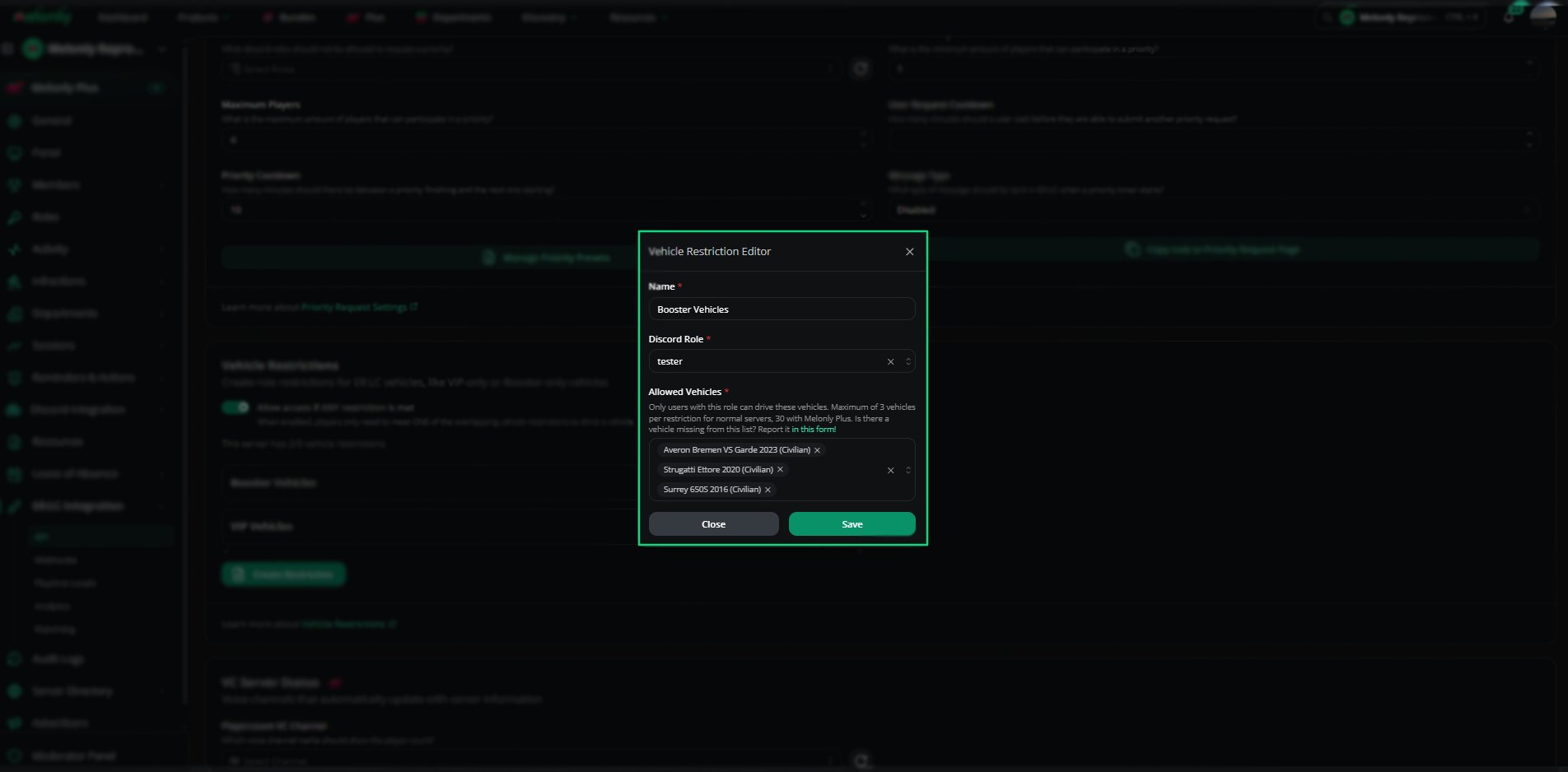
The Vehicle Restriction Editor allows you to create and manage restrictions with full control.1
Name the Restriction
Enter a clear name such as VIP Vehicles or Booster Access.
This helps staff understand the purpose of the restriction.
This helps staff understand the purpose of the restriction.
2
Select a Discord Role
Choose the role that players must have to drive the vehicles in this restriction.
Only players with this role will be allowed to use the selected vehicles.
Only players with this role will be allowed to use the selected vehicles.
3
Choose Allowed Vehicles
Select up to 3 vehicles for normal servers or up to 30 vehicles with Melonly Plus.
These are the vehicles that will require the selected role.
These are the vehicles that will require the selected role.
4
Save the Restriction
Click Save to apply the restriction.
It will appear in your list of active restrictions.
It will appear in your list of active restrictions.
Vehicle Restriction Editor
Example Use Cases
- Create VIP only vehicles for supporters
- Restrict department vehicles to trained members
- Allow Booster exclusive vehicles
- Limit high performance vehicles to trusted roles
- Flag players who attempt to drive restricted vehicles without permission
Need help?
Still have questions? Join our Discord server for support from the Melonly Team.