
Top Bar

On Police, Fire, EMS, DOT and Dispatch, the top bar has two rows. The top row holds your main actions, and the second row holds drafts, new records, your favourite windows and your unit.
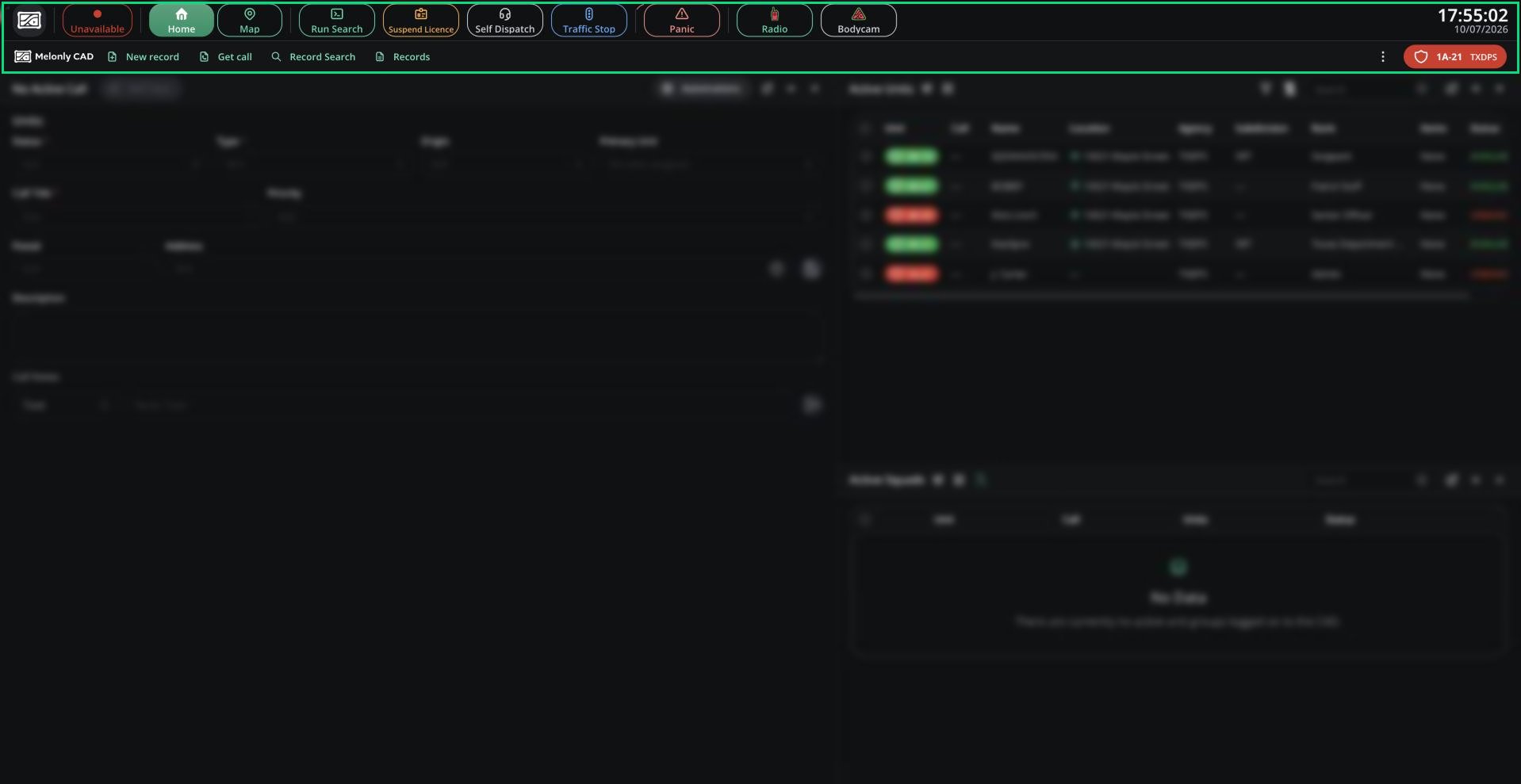
The Police panel top bar with both rows visible: CAD menu logo, status, Home/Map tabs, Run Search, Suspend Licence, Self Dispatch, Traffic Stop, Panic, Radio, Bodycam, clock; then New record, Get call, Record Search, Records and the unit chip

Top bar

When a signal applies to your panel, a red banner appears under the top bar and a reminder tone plays until it ends. Civilian, Law and DMV use a simpler bar with the CAD menu in the centre. See Civilian, Law and DMV for their buttons.

CAD Menu

Click the logo at the top-left (or the panel name, on Civilian, Law and DMV) to open the CAD menu.
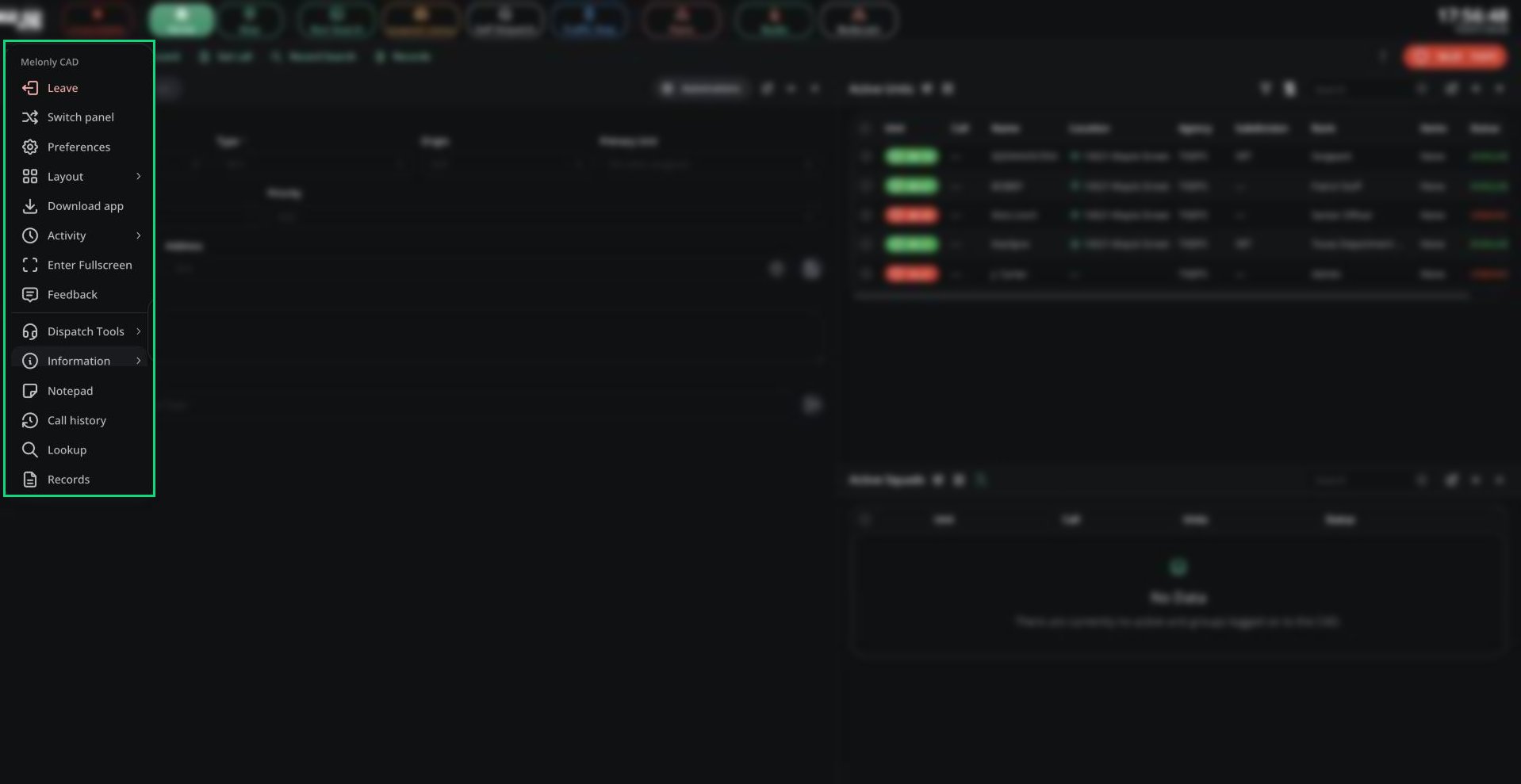
The CAD menu open on a Police panel, showing Leave, Switch panel, Preferences, Layout, Download app, Activity, Enter Fullscreen, Feedback, Dispatch Tools, Information, Notepad, Call history, Lookup and Records

CAD menu


Need help?

Still have questions? Join our Discord server for support from the Melonly Team.
Last modified on October 8, 2026