
What is a Traffic Stop?
A traffic stop creates a Police call at your location in one step. You run the plate first, and the call is filled in with the vehicle’s details for you. You need to be able to self dispatch, and you can’t already be on a call.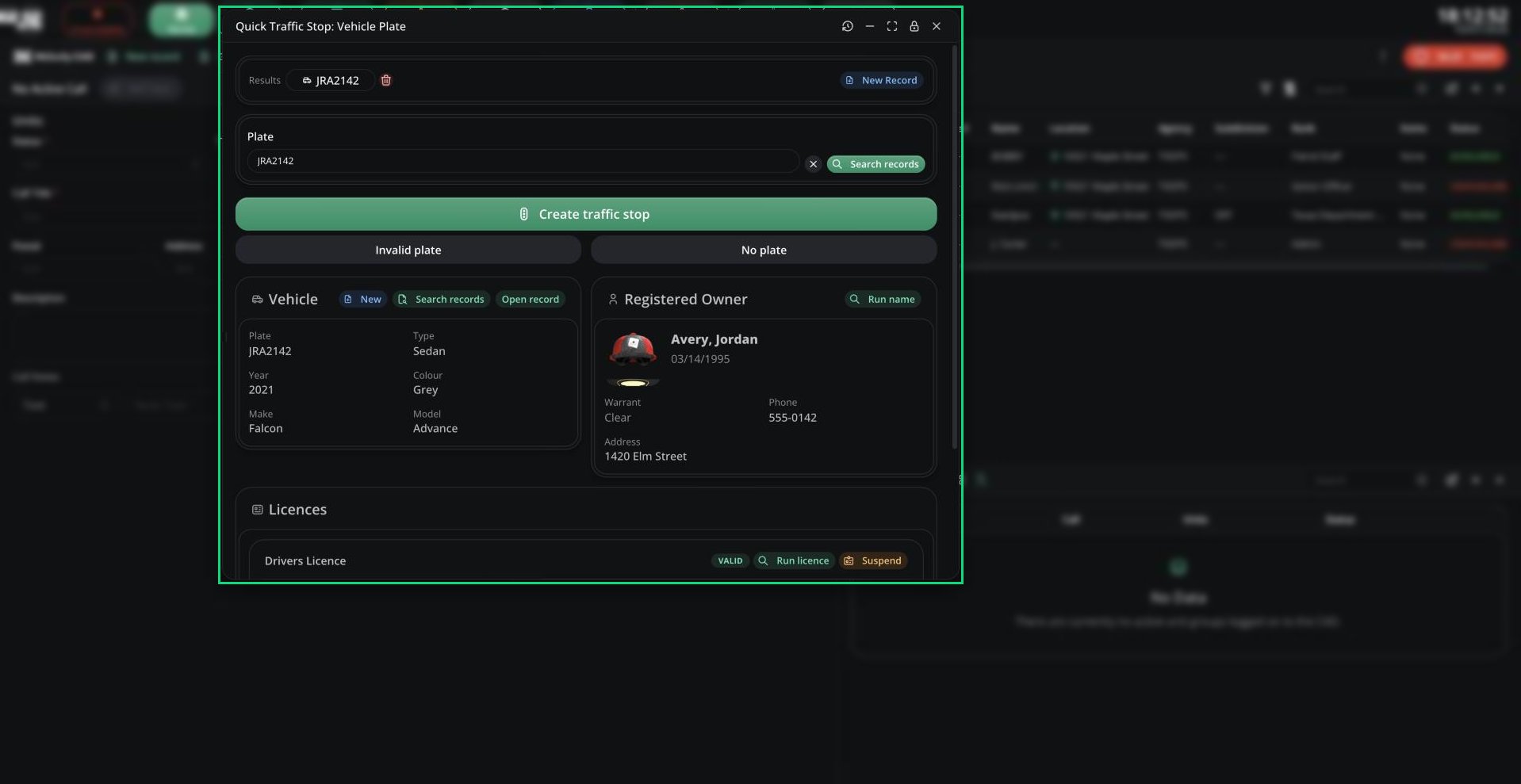
Quick Traffic Stop
Starting a Traffic Stop
1
Run the plate
Click Traffic Stop in the top bar, then search the plate in the run window that opens.
2
Create the call
Click Create traffic stop if the plate came back. Otherwise choose Invalid plate or No plate.
What the Call Includes
- The title is based on the plate, for example “Traffic Stop (ABC123)”.
- The description includes the vehicle’s details.
- It uses your current location and your server’s traffic stop 10-code.
Need help?
Still have questions? Join our Discord server for support from the Melonly Team.