
What are CAD Permissions?
CAD permissions decide which panels you can open and what you can do there. Most are ticked on department ranks, in the same rank editor as your other department permissions. Everything you hold on a server is combined.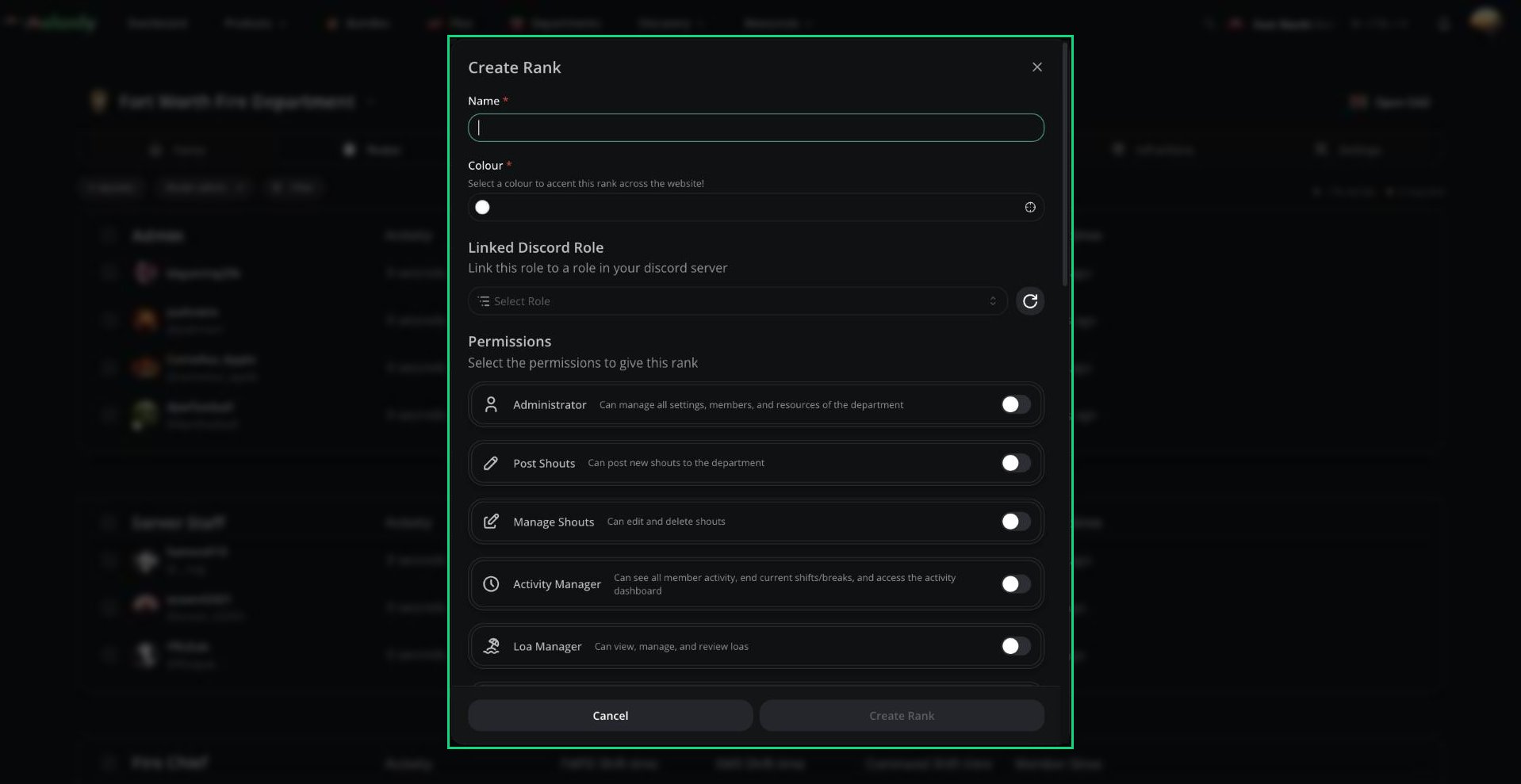
Rank permissions
Where Permissions Come From
- Panel permissions only appear on ranks of the matching department type. For example, Fire permissions only appear on Fire department ranks.
- CAD Admin, Law and Radio permissions can go on a rank in any department.
- DMV Panel can only be ticked on ranks in an Other type department.
- Join codes can’t give CAD Admin, DMV Panel or Radio permissions.
- Changing a department’s type removes CAD permissions that don’t fit the new type.
Permission Reference
CAD Admin
CAD Admin
Police
Police
Fire, EMS and DOT
Fire, EMS and DOT
Each of these has the same five permissions, for example Fire Panel, Fire Panel Create, Fire Panel Edit, Fire Panel Delete and Fire Panel Supervisor.
Civilian
Civilian
Only the person who created a character can edit or delete it. Renewing your own licence or registration needs no extra permission.
Dispatch
Dispatch
DMV
DMV
Law
Law
Radio
Radio
See Radio.
Supervisor Permissions
The Supervisor permission for Police, Fire, EMS or DOT gives you extra control on panels of that type:- Self-dispatch, even if your server has self-dispatching turned off.
- Create calls and assign other units on your panel.
- Manage other units: set their status, trigger panic, and manage groups, timers and tones.
- Create, rename and disband unit groups.
- Use Dispatch Tools: tone board, signal manager, timers and live map.
- Edit other units’ identifiers and view their bodycams.
- Fill in supervisor-only fields (dark red background) on records, see who wrote a record, and use the Supervisor Centre tab in the Records Centre.
Records and Warrants
Permissions by record type
Permissions by record type
- Warrants filed from the Police panel start as pending until someone on the Law panel approves them. Only active warrants show alerts on name and plate runs.
- On the Police panel, the only warrant status change is Close Warrant, which needs Police Panel Close Warrant.
- Fire, EMS and DOT members can’t use BOLO templates unless they also have Police Panel Create or Dispatch Panel.
- Outside the DMV panel, you can only change licences, vehicles and DMV records on characters you own.
Panel Access
Radio-only pages need the same permission as their panel.
Agency restrictions
Admins can limit a service panel to certain agencies in Customization. An agency counts as yours if it isn’t linked to a department, or if you’re in the department it’s linked to. When you create a unit, you can only pick agencies that are yours. If an agency is linked to a department where you hold a rank, your unit’s rank is filled in from it.Other join requirements
Your server can also turn on Require Clock-In, Require Bodycam, or turn off Self Dispatching. See Config and Joining the CAD.Need help?
Still have questions? Join our Discord server for support from the Melonly Team.