
What is Suspend Licence?
Suspend Licence lets you suspend a licence on its own, without writing a record. You pick a suspension charge, and its duration and points are applied straight away.You need the police panel suspend licence permission.
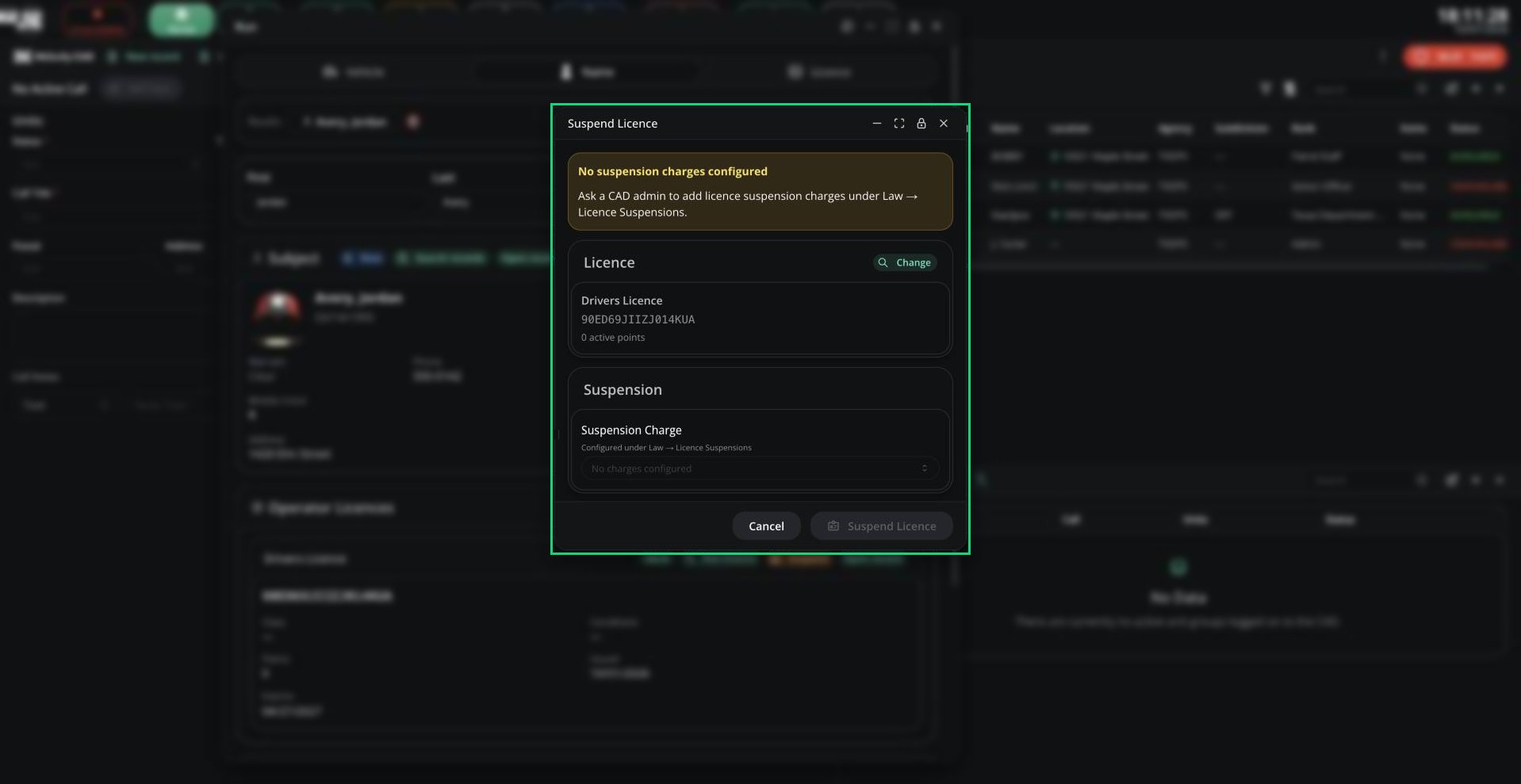
Suspend Licence
Suspending a Licence
Open the window from Suspend Licence in the top bar, the Suspend button on a licence in run results, or the suspend icon on a licence record.1
Choose the licence
Click Search on the Licence card and find the licence by number or holder name. You’ll see its points and whether it’s already suspended.
2
Pick a suspension charge
Choose a Suspension Charge. It shows how many RP days it lasts and how many points it adds.
3
Confirm
Click Suspend Licence.
Ending a Suspension
To end a suspension early, open the licence in the same window, tick End Active Suspension and click End Suspension.Good to Know
- Suspension charges are set up by your admins in Law.
- Durations are in RP days. Real time is RP days divided by your server’s timescale (7 by default).
- Revoked licences can’t be suspended.
- You can also suspend a licence as part of a record. See Charges.
- Judges and court staff can suspend licences from the Law panel.
Need help?
Still have questions? Join our Discord server for support from the Melonly Team.