Documentation Index
Fetch the complete documentation index at: https://docs.melonly.xyz/docs/llms.txt
Use this file to discover all available pages before exploring further.
The Sessions module manages your ER:LC sessions end-to-end — start polls, analytics, channel locks, area-of-play enforcement, and fully customizable embeds.
Set up sessions
Open the Sessions page
Open your server in the dashboard and click Sessions in the sidebar.
Enable the module
Click Enable the Sessions Module to unlock configuration.
Configure
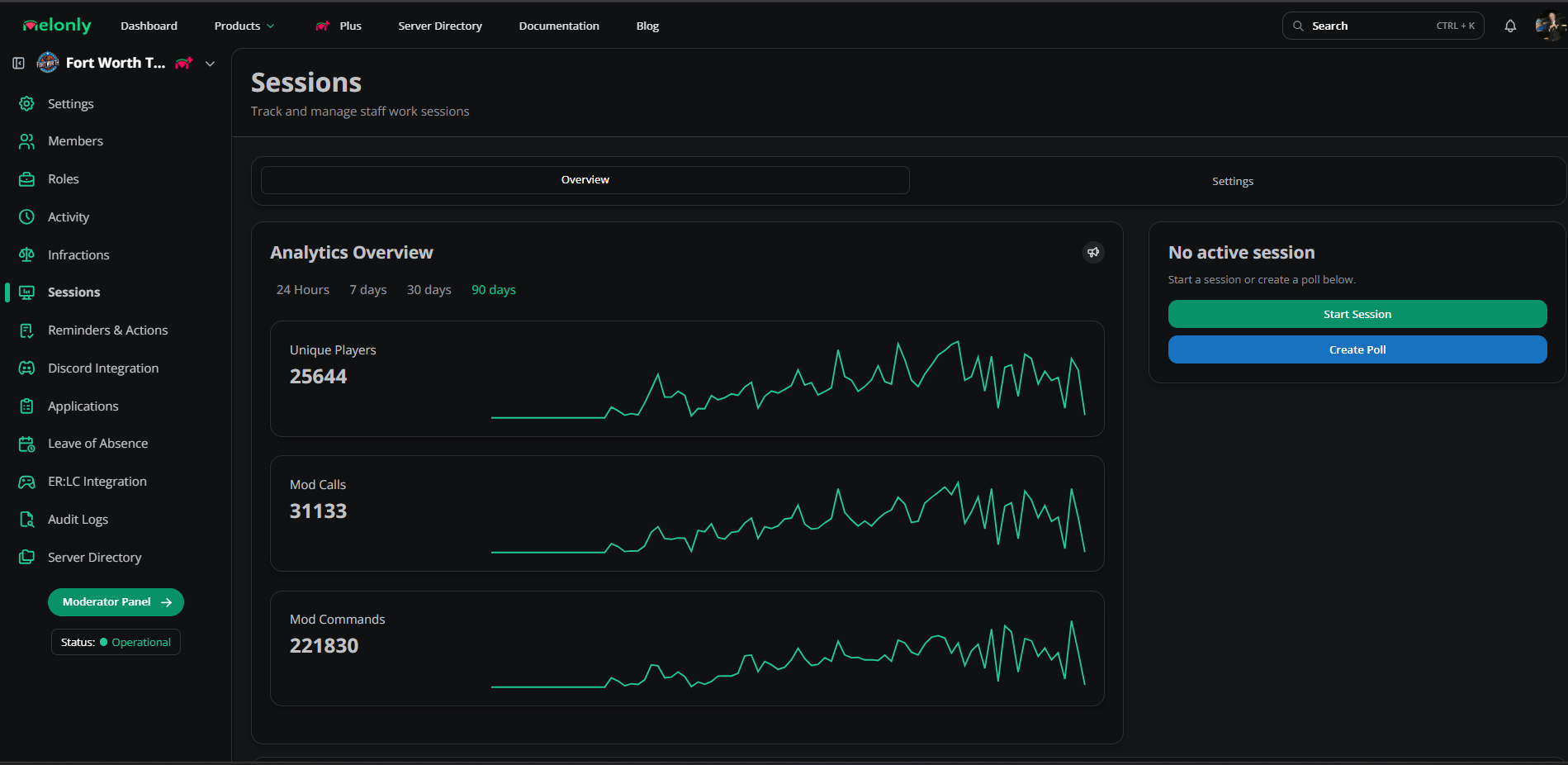
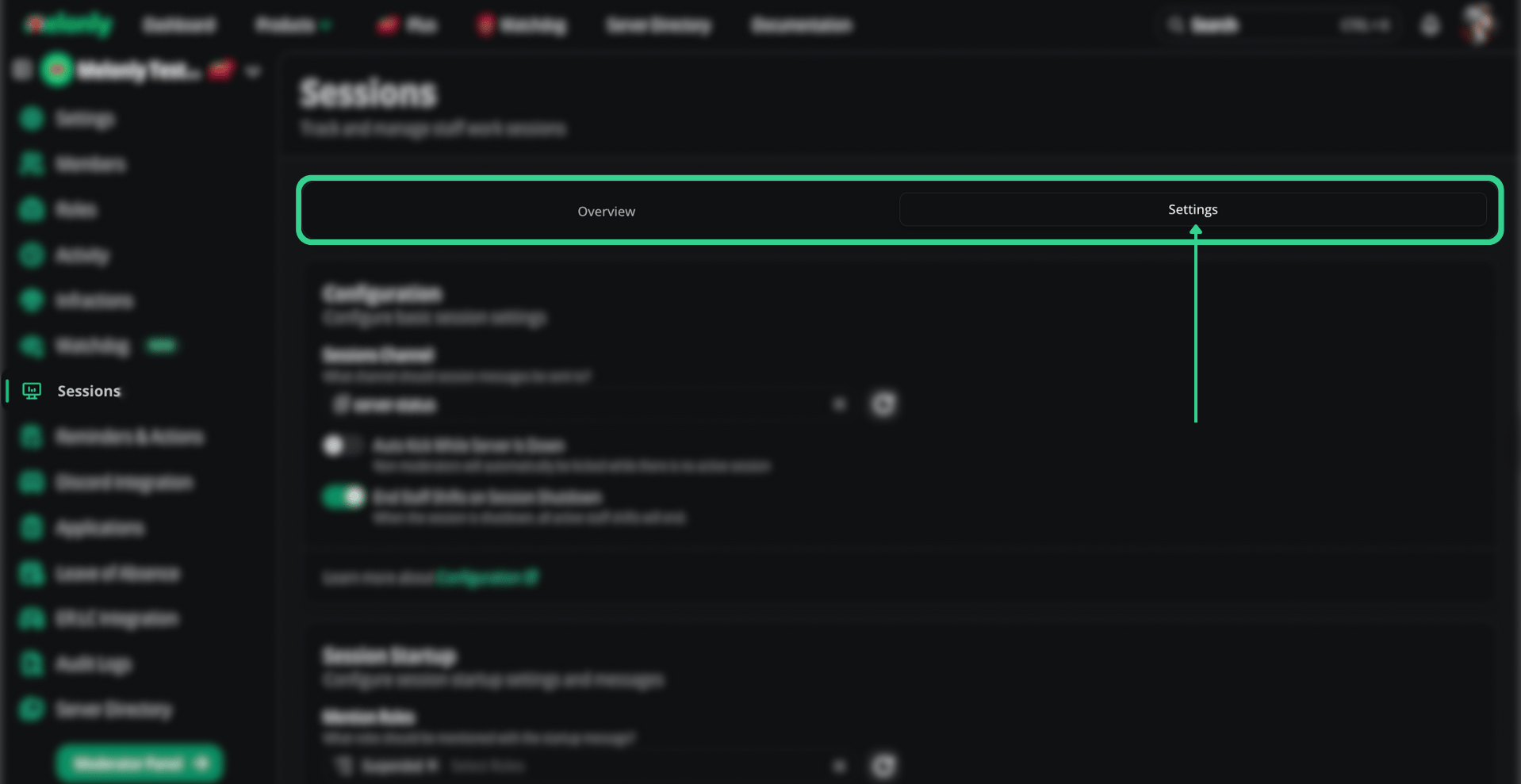
The Sessions tab now has an Overview (analytics, controls, history) and Settings (full configuration).
Overview
Analytics
Live player counts, total playtime, and activity graphs.
Session management
Start sessions, create polls, schedule sessions, and review history from one page.
Scheduled sessions
Scheduled sessions appear here automatically with date, time, and the staff member who scheduled them.
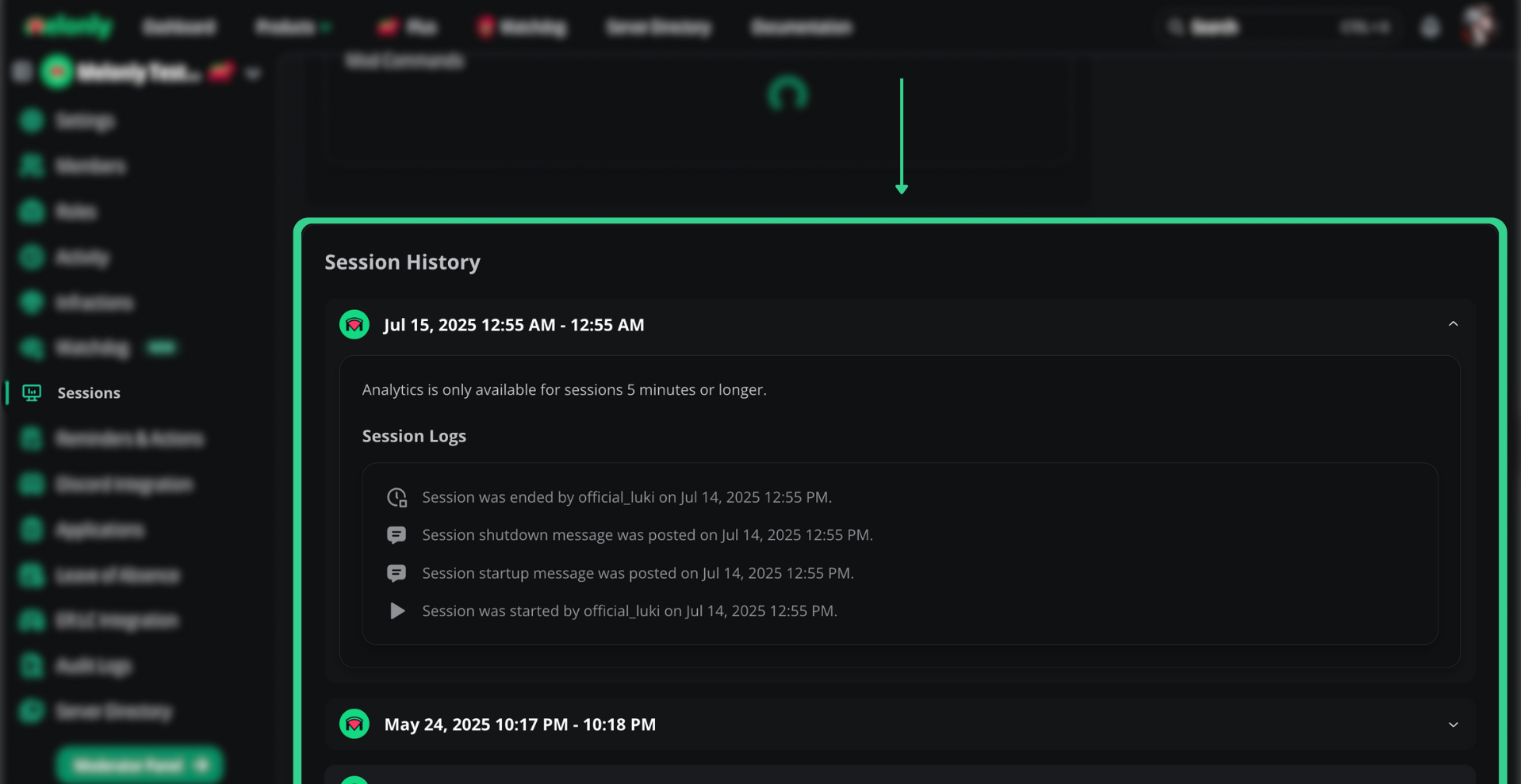
History
Past sessions for review and optimization.
Settings
Open the Settings tab on the Sessions page to configure each section.
Basic
| Setting | Description |
|---|
| Sessions Channel | Channel for session messages |
| Auto Kick | Kicks non-mods when no session is active |
| End Staff Shifts | Ends every active shift when a session ends |
Startup
| Setting | Description |
|---|
| Mention Roles | Roles pinged on session start |
| Custom Startup Message | Fully customizable embed |
Session poll
| Setting | Description |
|---|
| Default Minimum Votes | Votes needed to trigger a session |
| Mention Roles | Roles pinged in the poll |
| Mention Voters | Pings voters in the session message |
| Custom Poll Message | Fully customizable poll embed |
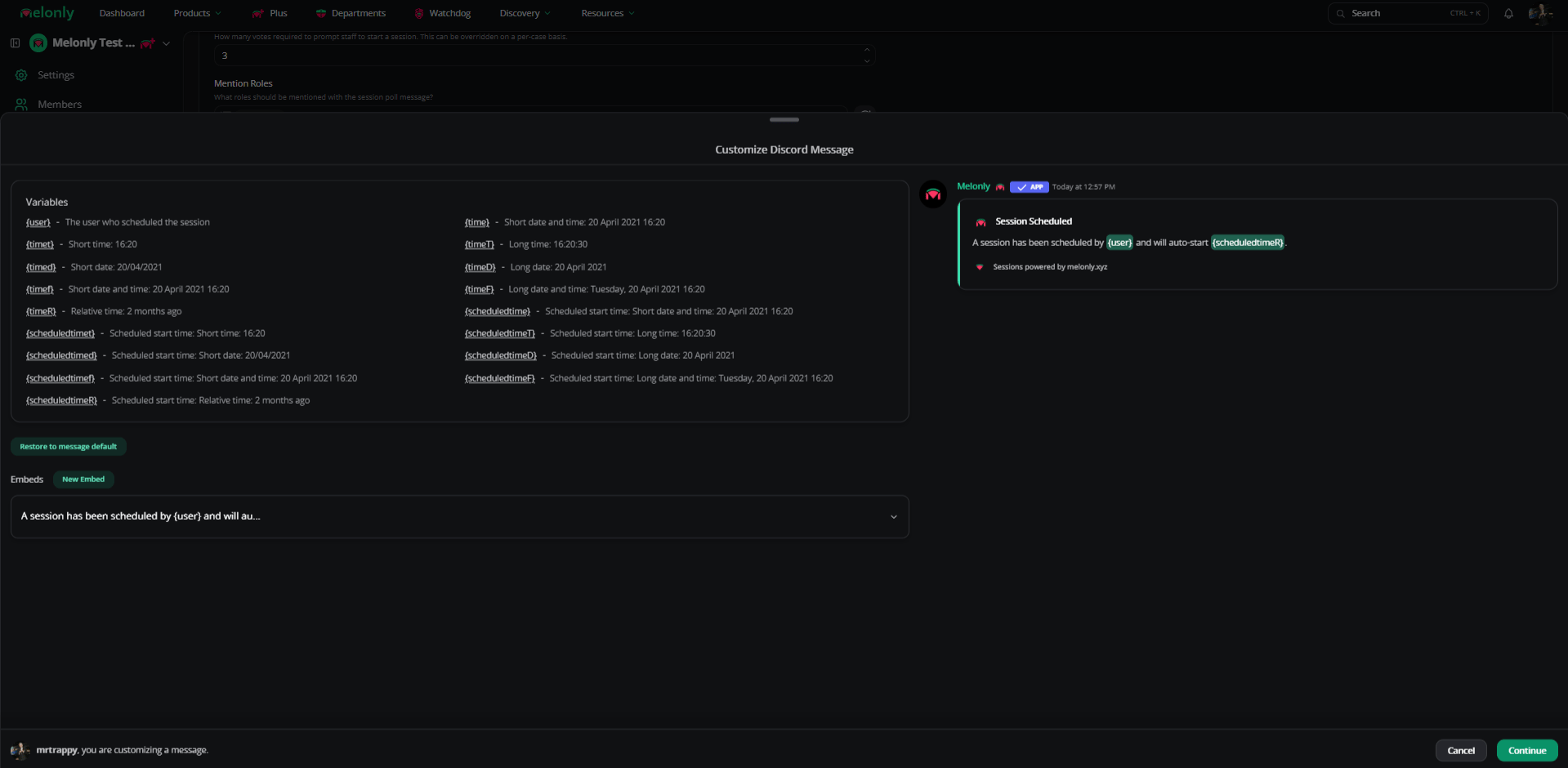
Schedule session
Customize the embed posted when someone schedules a session.
Full session
| Setting | Description |
|---|
| Auto Full Message | Auto-posts when the server fills |
| Custom Full Message | Custom embed |
Shutdown
| Setting | Description |
|---|
| Auto End Session | Ends session when server is empty |
| Auto Shutdown Server | Announces and kicks players |
| Custom Shutdown Message | Customizable embed |
Boost messages
| Setting | Description |
|---|
| Mention Roles | Roles pinged on a session boost |
| Custom Boost Message | Customizable embed |
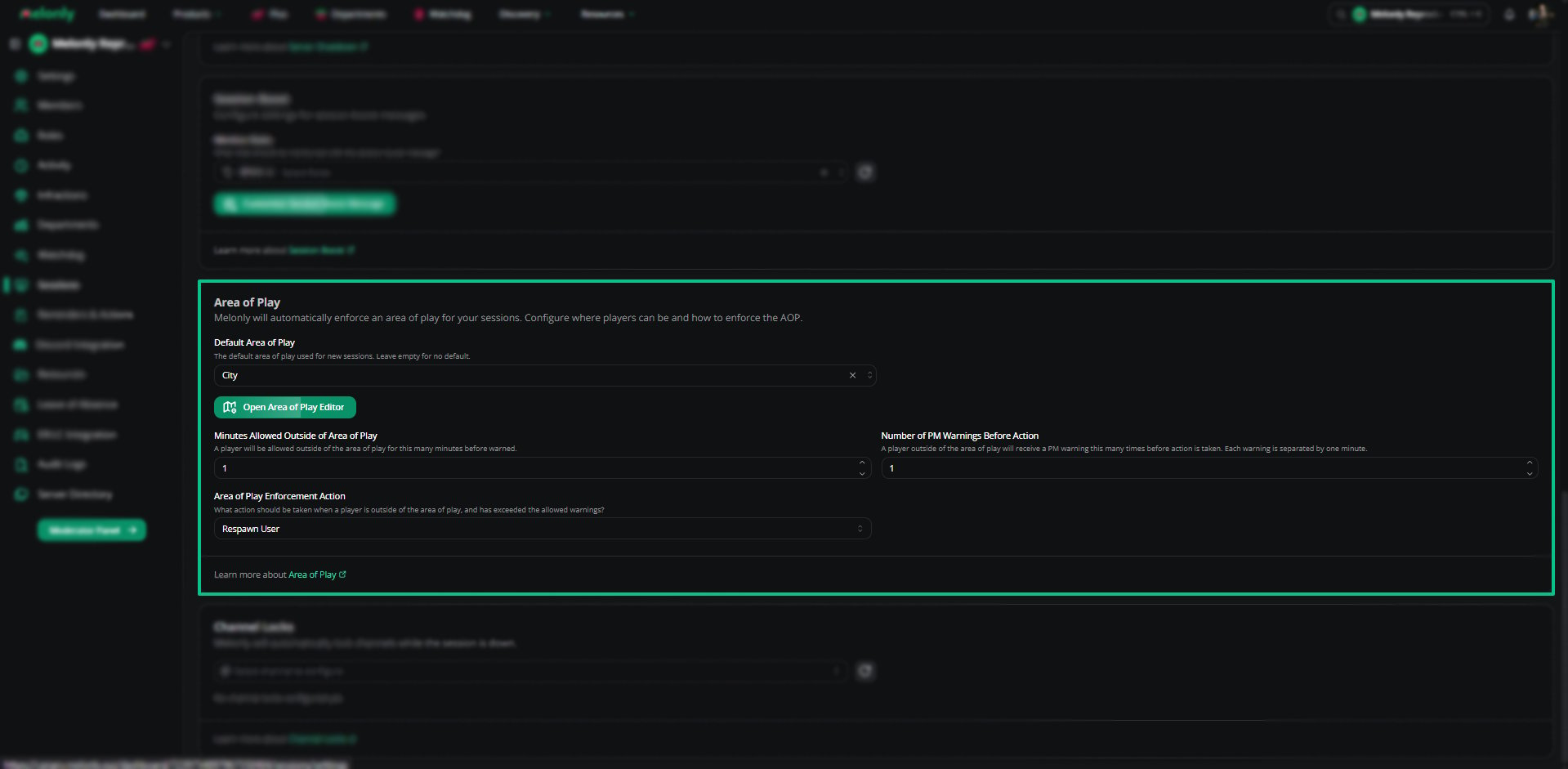
Area of Play
| Setting | Description |
|---|
| Default Area of Play | Default AOP enforced during sessions unless overridden at launch |
| Open Area of Play Editor | Opens the AOP editor — see edit location maps |
| Minutes Allowed Outside AOP | Time before warnings are issued |
| Number of PM Warnings Before Action | DM warnings before enforcement kicks in |
| Enforcement Action | What happens after warnings: kick, ban, or wanted-from |
Channel locks
Automatically lock channels during downtime.
Embed variables
Use these in any custom embed.
| Variable | Value |
|---|
{user} | Mentions the poll creator |
{code} | Server join code |
{joinlink} | Server join link |
{maxplayers} | Server’s max player count |
{servername} | Server name |
{votes} | Current vote count |
{votesrequired} | Votes needed to start the session |
{time} | Date and time (short) |
{timet} | Time only |
{timeT} | Full time with seconds |
{timed} | Date only (short) |
{timeD} | Full date |
{timef} | Short date and time |
{timeF} | Long date and time |
{timeR} | Relative time (e.g. “2 months ago”) |
Scheduled session variables
| Variable | Value |
|---|
{scheduledtime} | Short date and time |
{scheduledtimeT} | Long time |
{scheduledtimed} | Short date |
{scheduledtimeD} | Long date |
{scheduledtimeF} | Long date and time |
{scheduledtimeR} | Relative time |
Need help?
Still have questions? Join our Discord server for support from the Melonly team.