
Roles control what each staff member can do across your dashboard, mod panel, and ER:LC integration.Documentation Index
Fetch the complete documentation index at: https://docs.melonly.xyz/docs/llms.txt
Use this file to discover all available pages before exploring further.
Create a role
Open the Roles page in the dashboard sidebar and click Create Role. Name the role and choose its permissions. With Melonly Plus, you can link a Discord role so members are automatically added.Permissions
| Permission | Description |
|---|---|
| Warn | Warn users from the mod panel |
| Kick | Kick users from the mod panel |
| Ban | Ban users from the mod panel |
| Ban BOLO | Place ban BOLOs on users |
| Note | Add notes to users |
| Issue Infractions | Issue infractions, suspensions, and terminations |
| Infractions Settings Manager | Configure the infractions module |
| Administrator | Full access except the danger zone |
| Delete Log | Delete a user’s logs |
| Reset Previous Punishment Count | Reset a user’s previous-punishment counter |
| Hide Logs | Hide logs from view (if enabled in settings) |
| Delete Action | Delete executed actions |
| Manage Shifts | Manage other members’ shifts |
| ER:LC Moderator | Use ER:LC moderator commands via VSM |
| ER:LC Administrator | Use ER:LC administrator commands via VSM |
| ER:LC Co-Owner | Use ER:LC co-owner commands via VSM |
| Settings Page | Edit Settings (Plus) |
| Members Page | Edit Members |
| Roles Page | Edit Roles (Plus) |
| Activity Page | Edit Activity (Plus) |
| Reminders & Actions Page | Edit Reminders & Actions (Plus) |
| Discord Integration Page | Edit Discord Integration (Plus) |
| Resources Page | Edit Applications (Plus) |
| Manage LOAs Page | Edit Manage LOAs (Plus) |
| ER:LC Integration Page | Edit ER:LC Integration (Plus) |
| Audit Logs Page | View Audit Logs (Plus) |
| Server Directory Page | Edit Server Directory (Plus) |
Edit a role
Open the Roles page and click an existing role. Every property — including the name — can be changed. Click View Members to see who currently holds the role.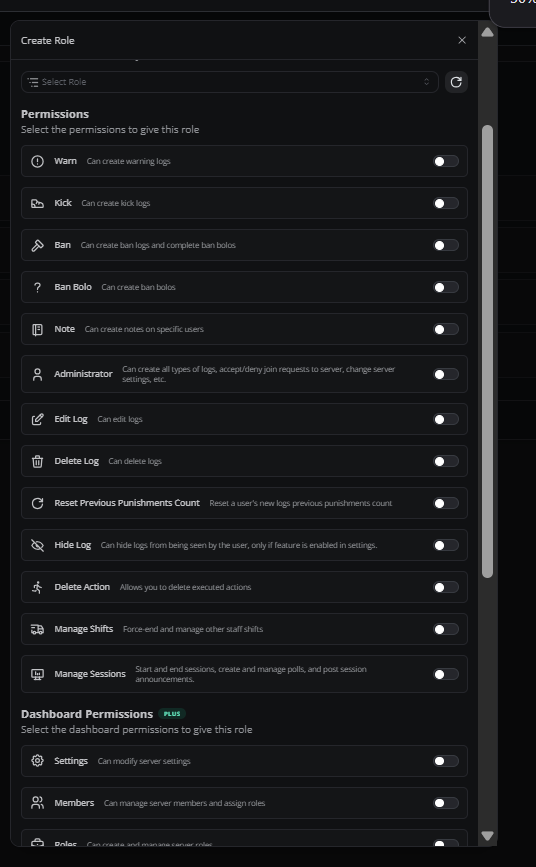
Role hierarchy
Melonly’s roles work like Discord’s. A role higher in the list outranks roles below it. Members at the same level can’t approve each other’s LOAs or moderate one another.Need help?
Still have questions? Join our Discord server for support from the Melonly team.