Documentation Index Fetch the complete documentation index at: https://docs.melonly.xyz/docs/llms.txt
Use this file to discover all available pages before exploring further.
Discord integration links Melonly events — shifts, moderation, LOAs, voting, and more — to channels and roles in your Discord server.
Set up integration
Open Discord Integration
Go to the Discord Integration page in your Melonly dashboard.
Pick a server
Select the Discord server you want to connect.
Configure tabs
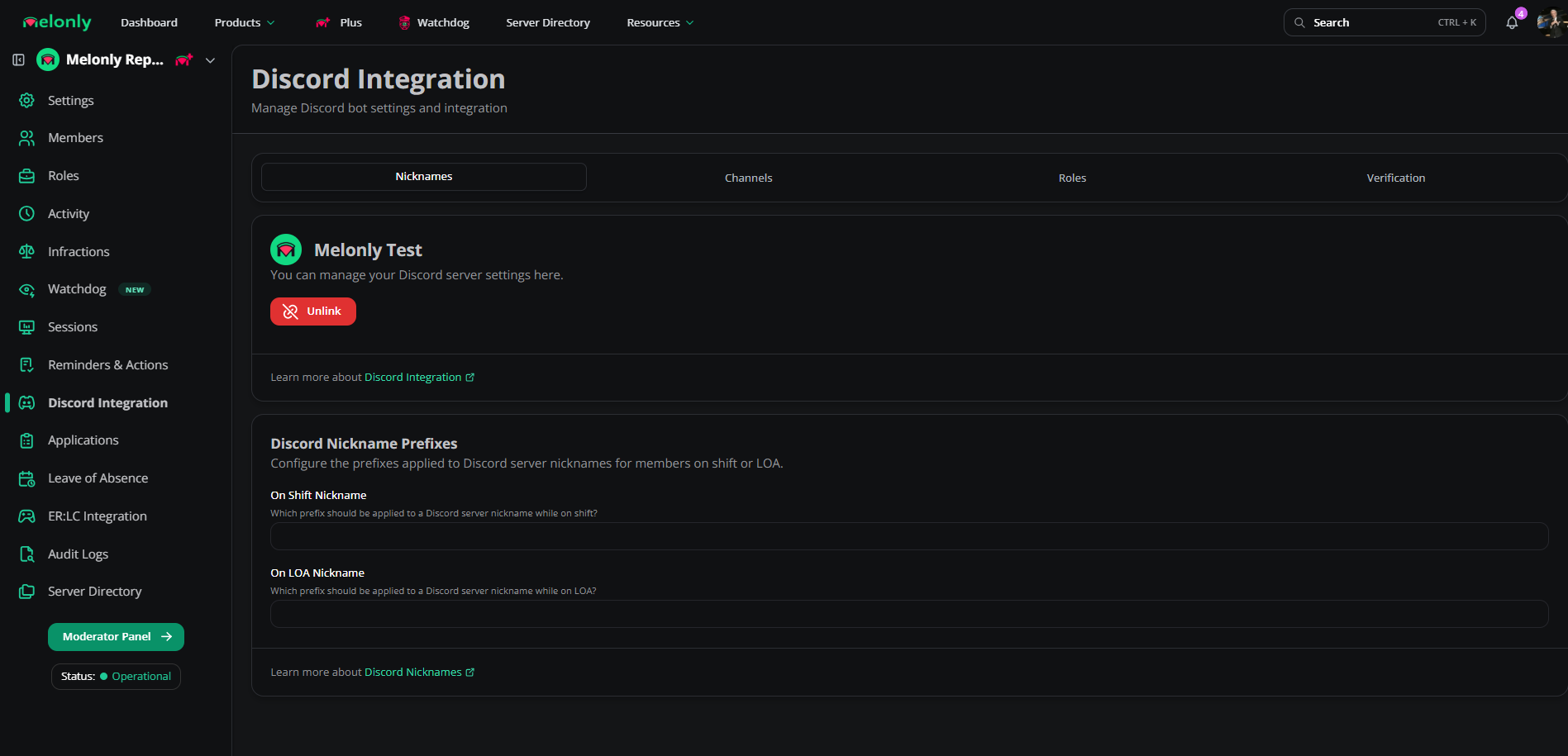
Use the three tabs (Channels, Roles, Nicknames) to map Melonly events to Discord. Once a channel is set, Melonly posts a confirmation embed there.
Channels Channel What gets sent Shift Logs Every shift event Moderation Logs Log create / edit / delete actions Leave of Absences LOA submissions and updates Voting Channel Server-directory votes Reviews New reviews and their content Audit Logs Administrative actions in the Melonly panel Activity End Wave Channel End of each activity wave
Roles Role When it’s assigned On Shift While a member is on shift On Break While a member is on break LOA While a member is on leave LOA Submission Mention Pinged when an LOA is submitted Voter Given to users who vote in the directory
Nicknames Nickname When it’s applied On Shift Prefix added while on shift On LOA Prefix added while on leave
Channel overrides Split log types into separate channels — for example, one channel for moderation logs (bans, warnings) and another for audit logs (role updates, panel changes).
Verification Melonly’s verification system links Discord accounts to Roblox identities.
Setting Description Verification Enabled Master toggle for verification Auto Verification Auto-verifies users who already verified with Melonly Roblox Username Sync Syncs Discord nicknames to Roblox usernames Verify Channel Channel for welcome messages or static buttons Main Verification Type Primary verification flow Command Enabled Enables the /verify command
Verification types Type How it works Direct Message DMs the user a verification prompt Static Button Users click a button in the verify channel Slash Command Users run /verify Welcome Channel Pings the user in a welcome channel
Requirements Requirement Description Roblox Group User must be in a specified Roblox group, optionally with a minimum role Roblox Age User’s Roblox account must meet a minimum age
Need help? Still have questions? Join our Discord server for support from the Melonly team.