
Verification connects a Melonly user to a Roblox account so servers can confirm identity, sync roles, and trust the account behind every action. It’s built into Melonly — no separate bot required.Documentation Index
Fetch the complete documentation index at: https://docs.melonly.xyz/docs/llms.txt
Use this file to discover all available pages before exploring further.
Verification system
Read the full setup and configuration guide for Discord-based verification.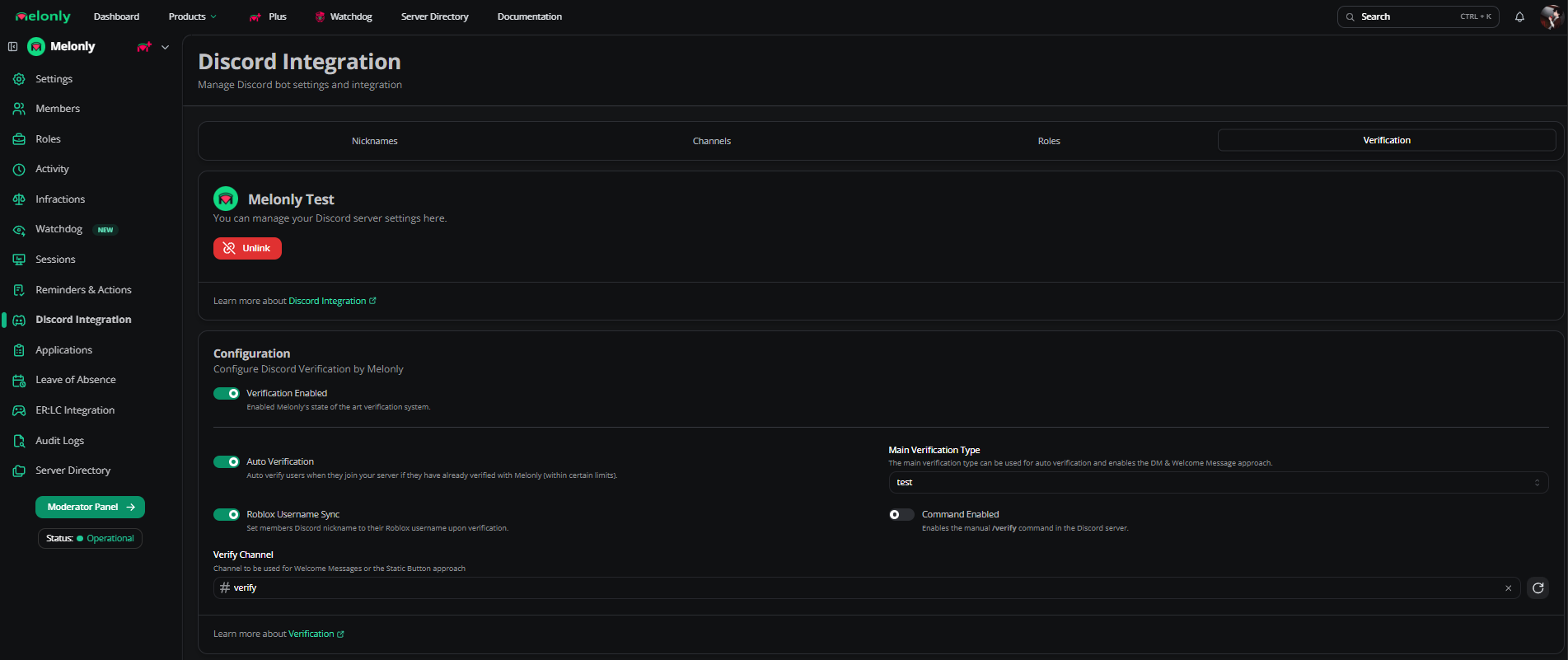
”You are not allowed to use this application”
This error means your Roblox account doesn’t meet Melonly’s age requirements. You must be at least 13 years old to use Discord and Melonly. If your Roblox account reports an age under 13, you’re blocked even if you’re older in real life.Step 1: Check your Roblox birthday
- Open your Roblox Settings.
- Under Personal, check your listed birthday.
- In the top-right corner near your avatar, your account age shows as either 13+ or <13.
If the birthday is wrong
Roblox doesn’t allow birthday changes for accounts under 13, and they block those accounts from using third-party apps like Melonly.- You can’t change the birthday yourself if the account is under 13.
- Roblox only updates ages when required by law (such as GDPR).
- This restriction is set by Roblox — Melonly can’t override it.
Your options
| Region | What you can do |
|---|---|
| EU | File a GDPR Right to Rectification request through Roblox support. |
| Outside EU | Check your local data-rights laws for similar options. |
| No legal option | Create a new Roblox account with the correct birthday. |
Step 2: Regional age requirements
Even with a 13+ Roblox account, your country may require a higher minimum age.If your country isn’t listed below, the minimum age is 13+.
| Minimum age | Countries |
|---|---|
| 14+ | Austria, Bolivia, Bulgaria, Cyprus, Ecuador, Israel, Italy, Lithuania, North Macedonia, South Korea, Spain, Ukraine |
| 15+ | Australia, Costa Rica, Czech Republic, France, Greece, Norway, Peru, Saint Vincent and the Grenadines |
| 16+ | Bahamas, Belize, Canada, Croatia, Dominican Republic, Germany, Gibraltar, Grenada, Guatemala, Guyana, Haiti, Hungary, Ireland, Jamaica, Jordan, Luxembourg, Nepal, Netherlands, New Zealand, Poland, Romania, Saint Lucia, Slovakia, Slovenia, Suriname, Trinidad and Tobago, Turkey |
| 17+ | Kuwait |
| 18+ | Argentina, Armenia, Barbados, Bangladesh, Chile, Colombia, El Salvador, Iceland, India, Kazakhstan, Kyrgyzstan, Malaysia, Mexico, Moldova, Morocco, Pakistan, Panama, Philippines, Puerto Rico, Serbia, South Africa, Sri Lanka, Switzerland, Taiwan, Tajikistan, United Arab Emirates, Uruguay, Uzbekistan, Venezuela, Vietnam |
| 20+ | Azerbaijan, Hong Kong, Japan, Paraguay, Saudi Arabia, Thailand |
| 21+ | Egypt, Indonesia |
Why Melonly can’t override this
Need help?
Still have questions? Join our Discord server for support from the Melonly team.