
What are Off-Duty Command Alerts?
Off-Duty Command Alerts notifie your team when a staff member uses moderation commands while they are not on shift.This helps prevents misuse of commands, and ensures staff follow your shift policies. When enabled, Melonly will send an alert to a chosen Discord channel whenever an off-duty staff member runs a restricted command.
How Off-Duty Alerts Work
When a staff member uses a command:- Melonly checks if they are currently on shift
- If they are off shift, Melonly sends an alert to your selected channel
- You can choose which roles get pinged
- You can whitelist commands and roles that should not trigger alerts
Configuration Options
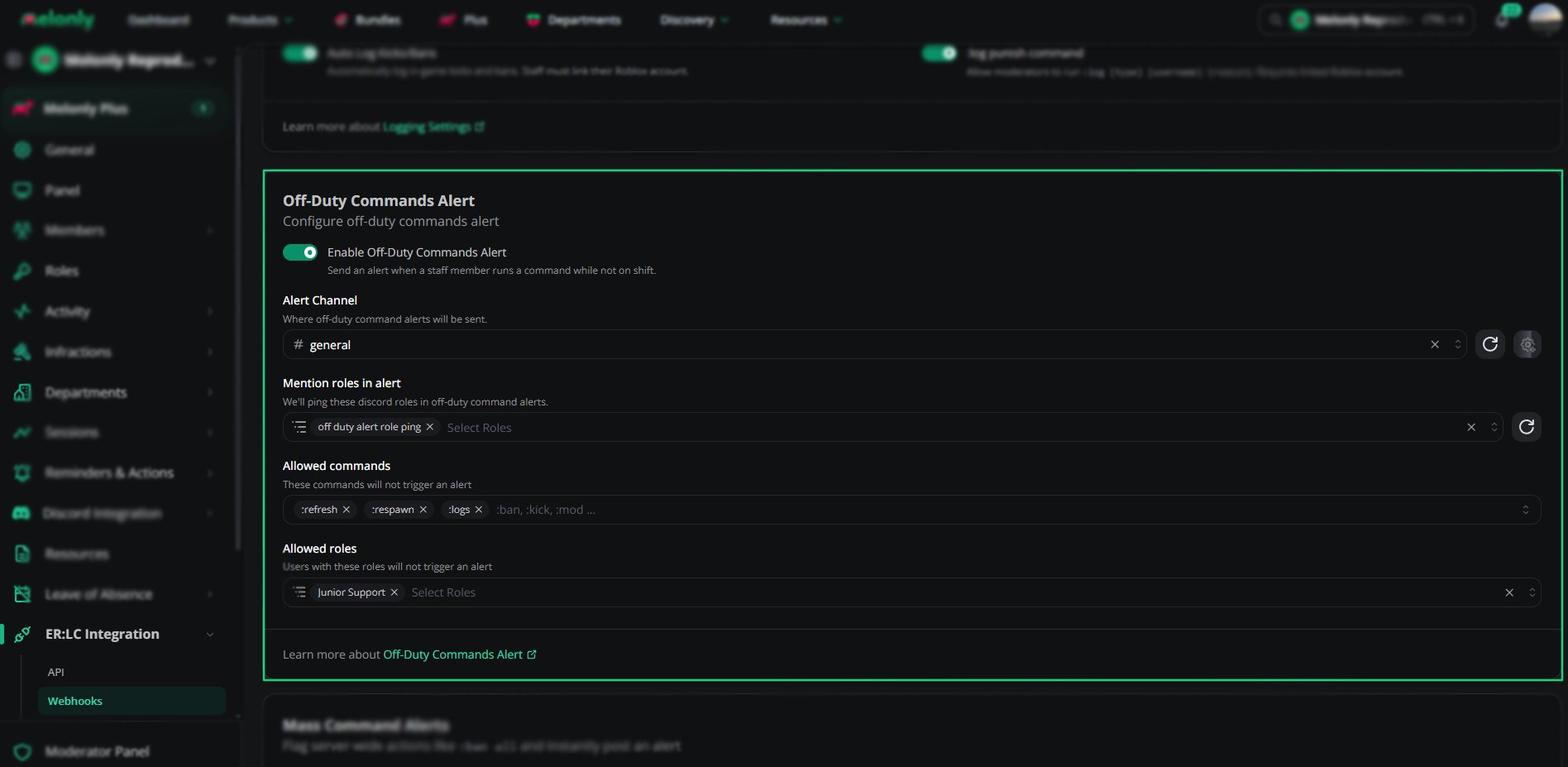
Off-Duty Commands Alert Settings
Settings Overview
How to Configure Off-Duty Alerts
1
Enable Off-Duty Commands Alert
Turn on the master toggle to activate the feature.
2
Select Alert Channel
Choose the Discord channel where alerts will be sent.
This is typically a staff or moderation channel.
This is typically a staff or moderation channel.
3
Choose Mention Roles
Select up to 5 roles that should be pinged when an alert is triggered.
4
Add Allowed Commands
Add commands that staff are allowed to use off duty without triggering an alert.
Examples include :refresh, :respawn or other harmless commands.
Examples include :refresh, :respawn or other harmless commands.
5
Add Allowed Roles
Add roles that should never trigger alerts, even if off duty.
Useful for senior staff accounts.
Useful for senior staff accounts.
Example Use Cases
- Notify supervisors when staff use moderation commands off shift
- Prevent misuse of commands by staff
- Maintain accountability and transparency
- Ensure shift policies are followed
- Allow harmless commands without triggering alerts
Need help?
Still have questions? Join our Discord server for support from the Melonly Team.