
What are Shifts?
Shifts allow moderators to log their activity in a structured and trackable way.Each shift records start and end times, duration, and the shift type used. Shifts help you understand staff performance, review activity history, and ensure moderators meet your requirements.
You can also manually create shifts when staff forget to clock in.
How Shifts Work
Moderators start and end shifts on the Moderator Panel or by using the Discord Command during activity waves.Melonly tracks online time, break time, and shift duration automatically. Shift types allow you to categorise shifts for better organization.
Shift reports can be attached to shifts to provide additional context or documentation. Administrators can edit or delete shifts when needed.
Configuration Options
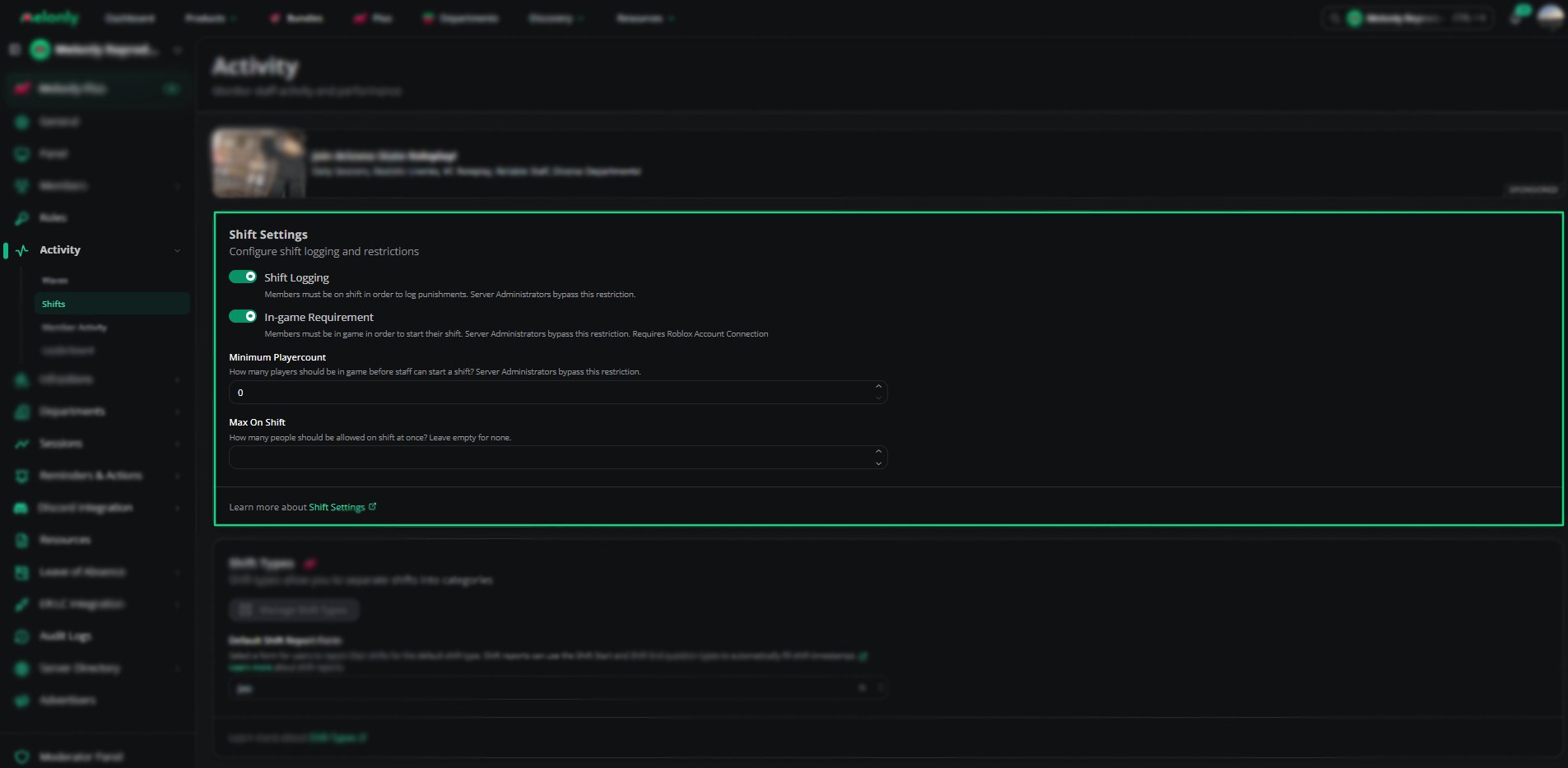
Shift Settings
Shift Types
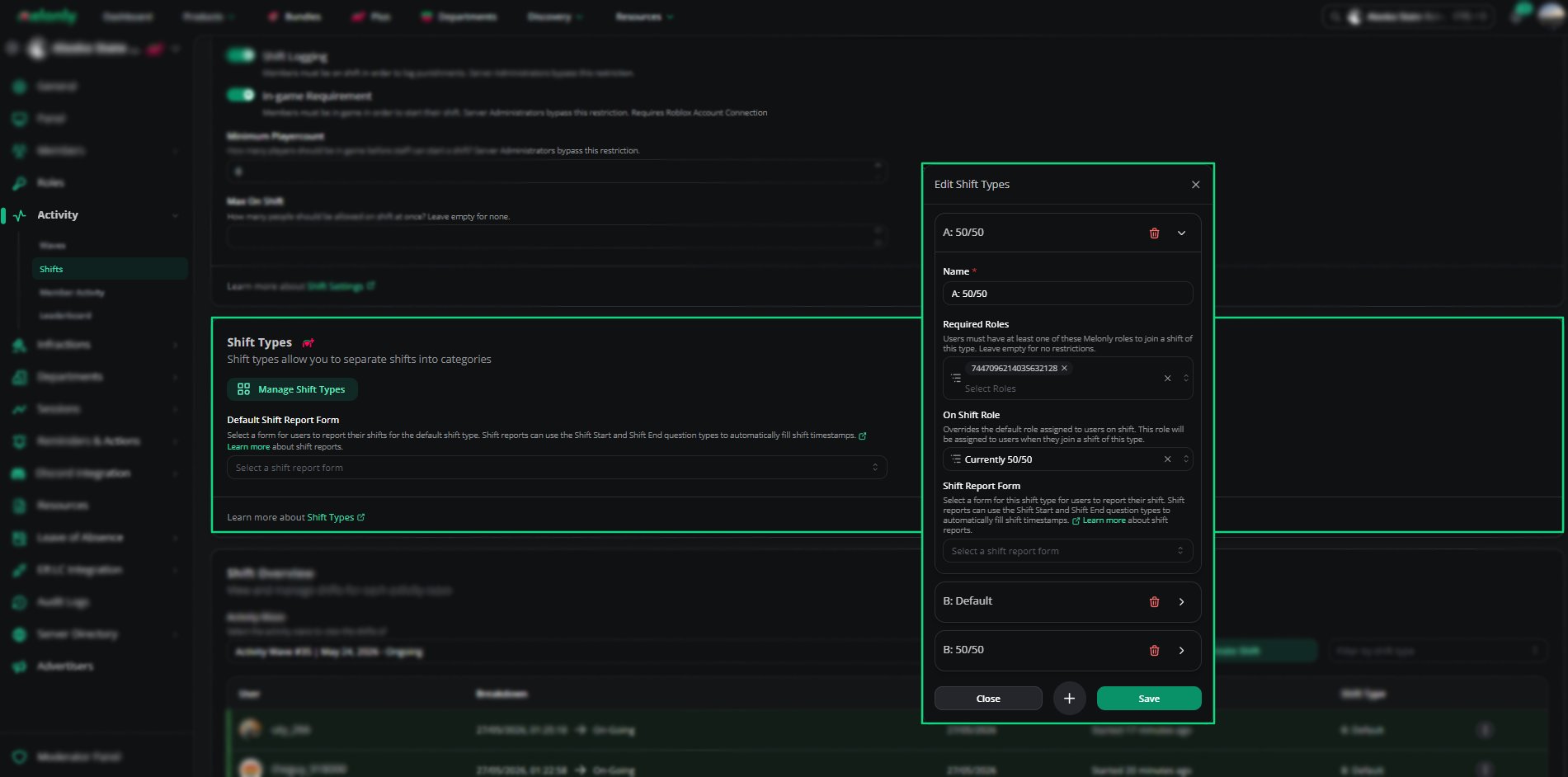
Shift Types
They help you organise activity and filter shifts more easily. You can also configure subtracted report types for shift types that should not count toward total time.
Default Shift Report Form
You can set a default report form for each shift type.Shift reports can use the Shift Start and Shift End question types to automatically capture timestamps. Important:
The form must be created on the Resources page before it can be selected here.
Shift Overview
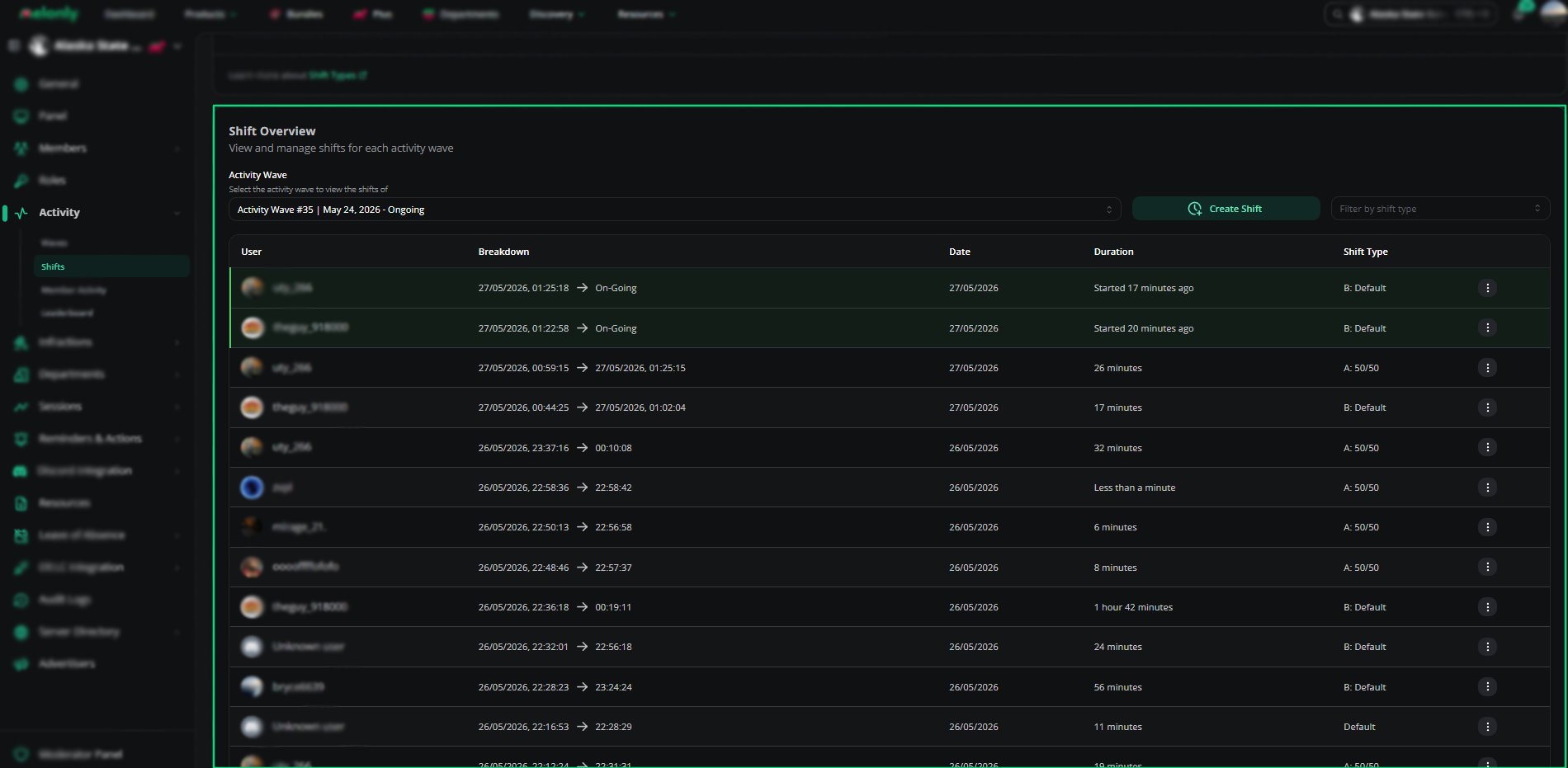
Shift Overview
How to Configure
1
Set Shift Logging Rules
Configure shift logging, in-game requirements, and playercount restrictions in the Shift Settings panel.
2
Create Shift Types
Add shift types to categorize staff activity. Use subtracted types when needed.
3
Select a Default Shift Report Form
Create a form on the Resources page, then select it as the default report form for each shift type.
Example Use Cases
- Categorising shifts by type
- Requiring staff to be in game before starting a shift
- Limiting how many staff can be on shift at once
- Using shift reports to document activity or server status.
Need help?
Still have questions? Join our Discord server for support from the Melonly Team.