
What are Tones?
The Tones page lets you replace the CAD’s sounds, add your own tones for the Tone Board, and set up signal presets. Open Customization → Tones in the CAD admin panel. Changes are kept as a draft until you click Save Changes (Ctrl + S). New sounds upload when you save, up to 10 files per save.
Tones
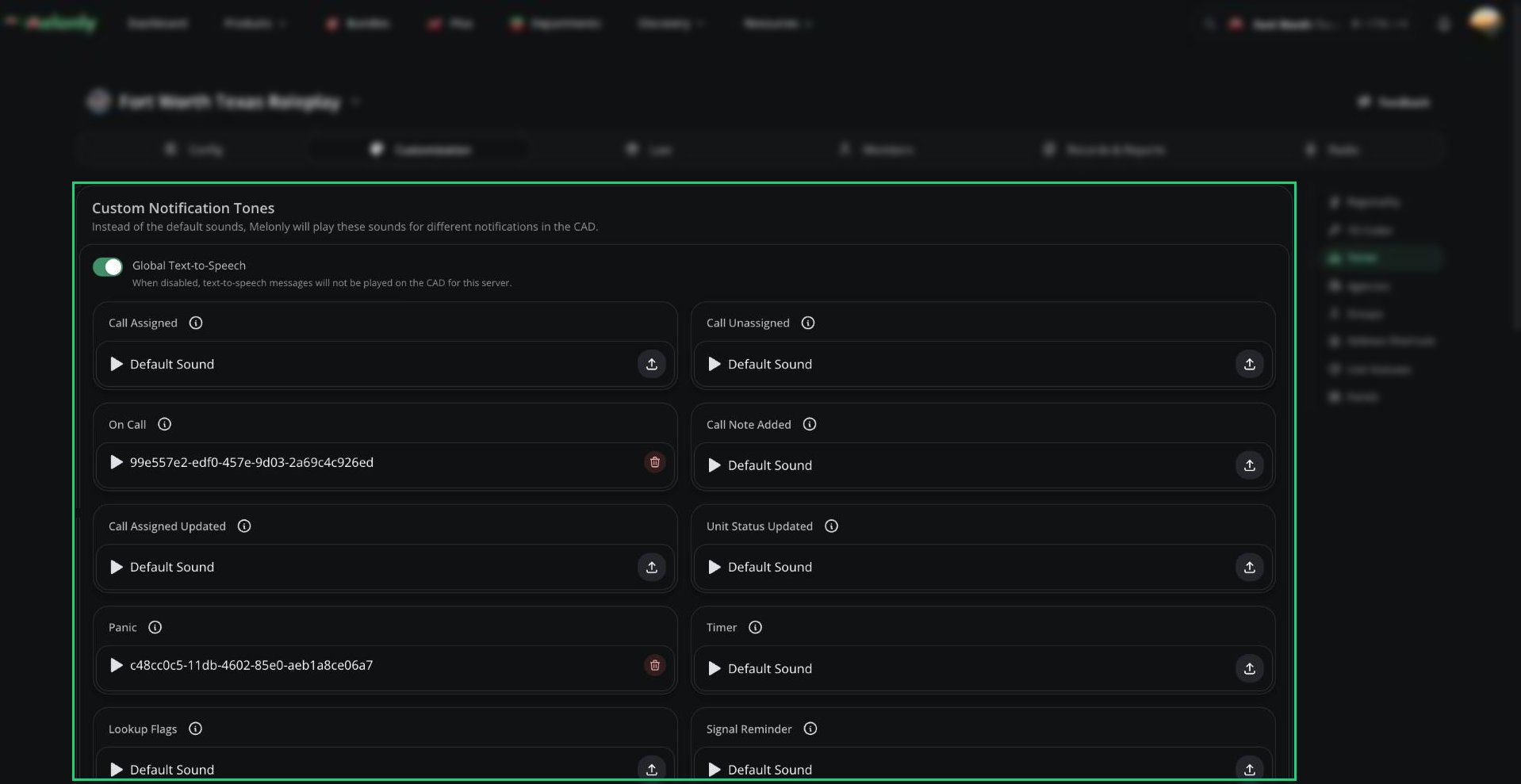
Custom Notification Tones
Upload an audio file on any event to replace its default sound for everyone on your CAD. Remove it to go back to the default. Each user’s own volume settings still apply. For when each tone plays, see Notification Sounds. Global Text-to-Speech is on by default. Turn it off to stop all spoken alerts (call assignments, new calls, group changes, panic) on your server. Dispatch AI’s voice isn’t affected. Users can also turn TTS off just for themselves in Preferences.Custom Tones
Custom tones are sounds units and dispatchers can send from the Tone Board, for example over a radio channel. You can have up to 30.1
Add a tone
Click New custom tone and give it a name.
2
Add the sound
Upload a sound, and pick a colour and icon.
3
Save
Click Save Changes. A tone without a sound file is removed when you save.
Signal Presets
Signal presets are ready-made signals (like a Signal 100) that load in one click from the Signal Manager. You can have up to 30.Need help?
Still have questions? Join our Discord server for support from the Melonly Team.