
What are Priority Requests?
Players submit priority requests to run a scene, such as a robbery or pursuit, that needs the server’s attention. Staff review each request from the panel and approve or deny it.Priority requests must be turned on under Dashboard → ER:LC → Priority Request Settings.
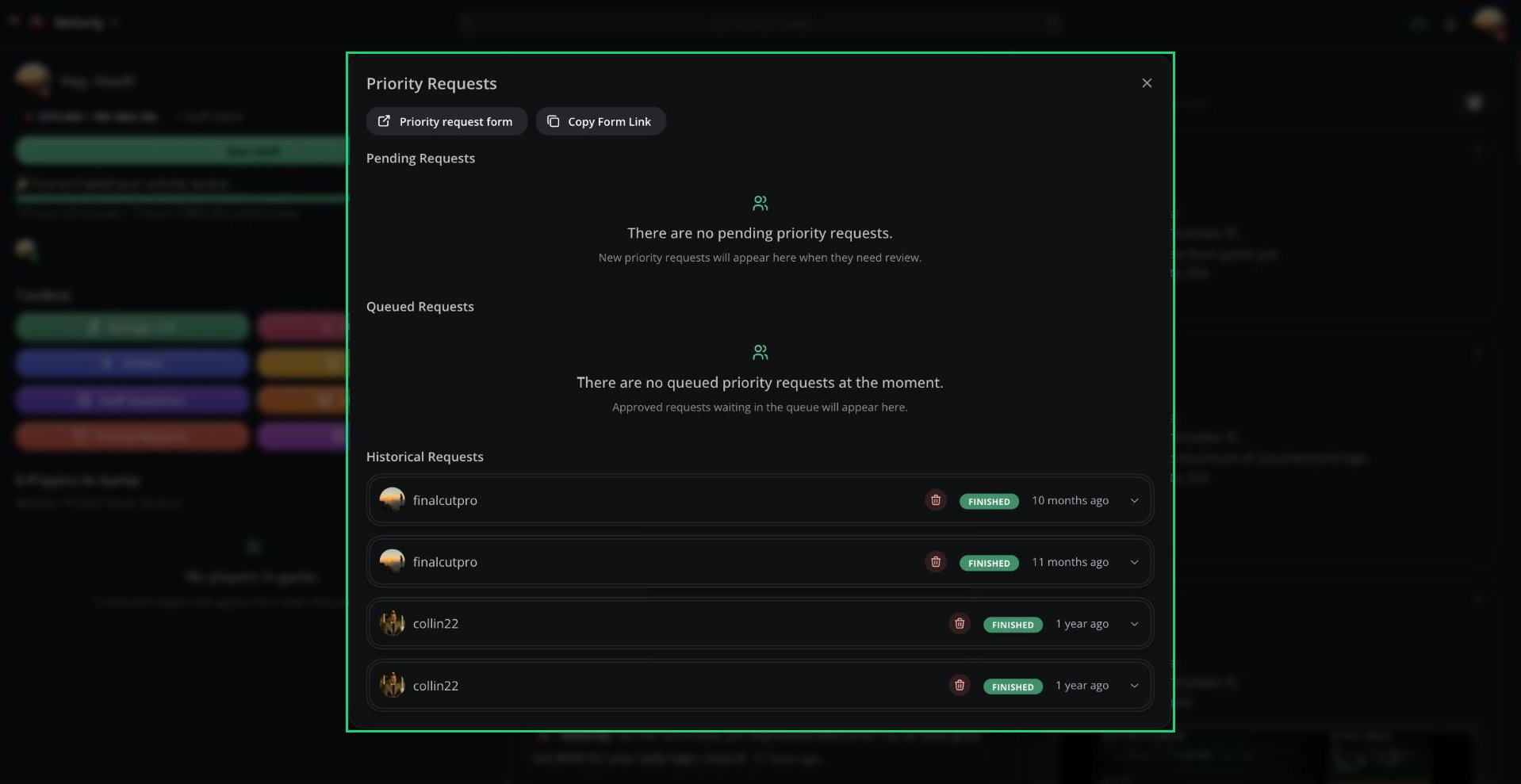
Priority Requests
Opening Priority Requests
- Click Priority Requests in the Toolbox.
- Click the pending priority requests button above the game feed.
- Search Manage priority requests in the Command Palette.
- Click Manage Priority Requests on the Discord request message.
Reviewing a Request
1
Open the request
Expand a request under Pending Requests to see its description and the players involved.
2
Set the timer
Set the Priority Timer Duration, from 1 to 30 minutes.
3
Write a decision
Enter a Decision. The player can see it.
4
Approve or deny
Click Approve or Deny.
Request Status
If your server has a priority cooldown, the queue shows how long is left.
Cancelling and Deleting
Need help?
Still have questions? Join our Discord server for support from the Melonly Team.