
What are Appeals?
Appeals allow staff members to request a review of an infraction or suspension.Each appeal contains the original punishment, the staff member’s responses, and the reviewing administrator’s decision. Appeals help ensure fairness, transparency, and accountability in your disciplinary system.
They also provide a structured workflow for reviewing and resolving disputes.
How Appeals Work
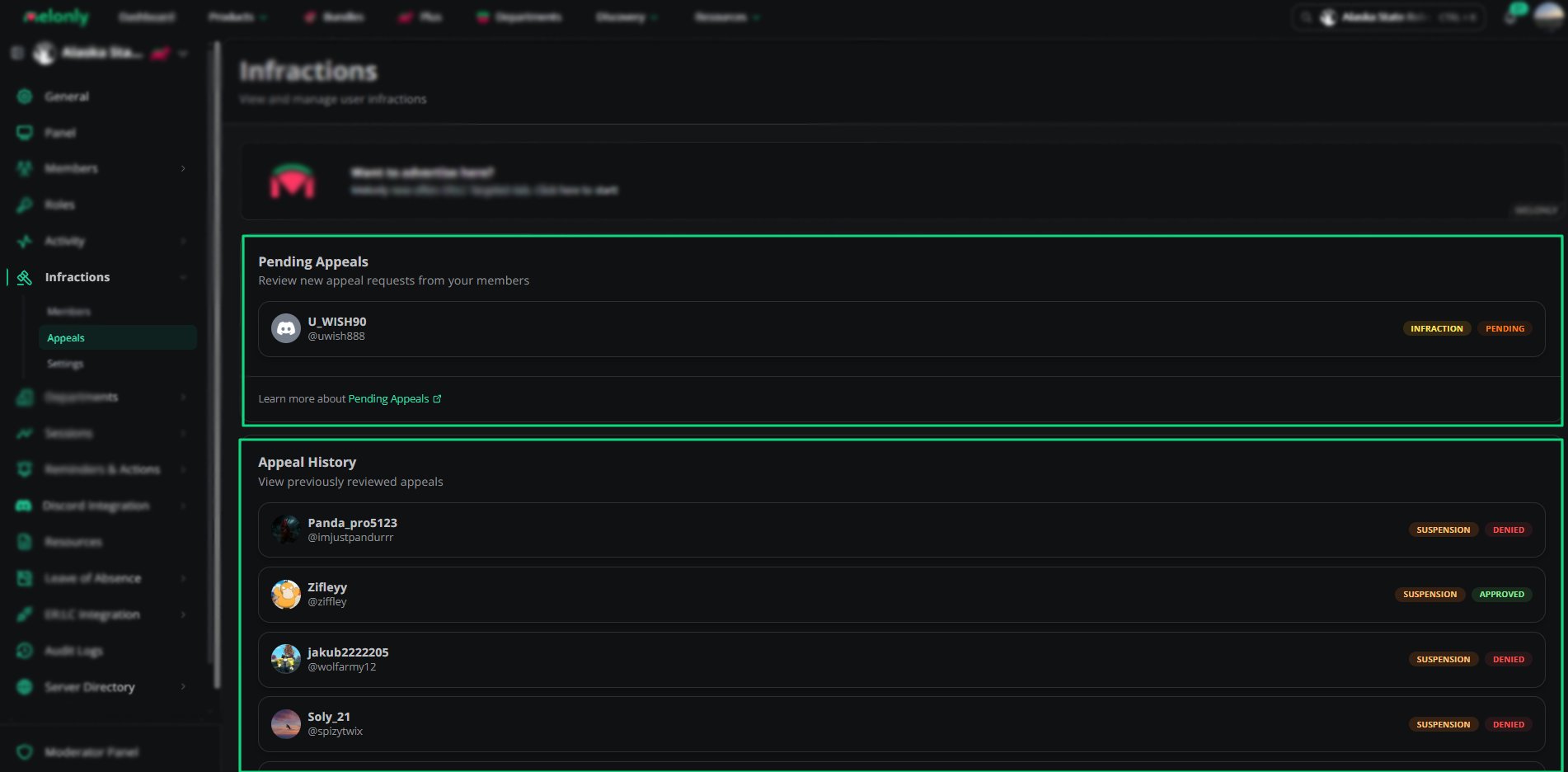
When a staff member submits an appeal, it appears in the Pending Appeals tab.Administrators can open the appeal, review the responses, and approve or deny the request. Once an appeal is resolved, it moves to the Appeal History tab.
All past appeals include the original infraction, the staff member’s answers, and the final decision. Appeal questions are created on the Infraction Settings page and apply to all future appeals.
Appeal Tabs
Appeal Tabs
Pending Appeals
Pending appeals show:- Member name and handle
- Type of punishment being appealed
- Current status
Appeal History
Appeal History shows all resolved appeals, including:- Member name
- Punishment type
- Final decision
- Review date
- Reviewing moderator
Reviewing an Appeal
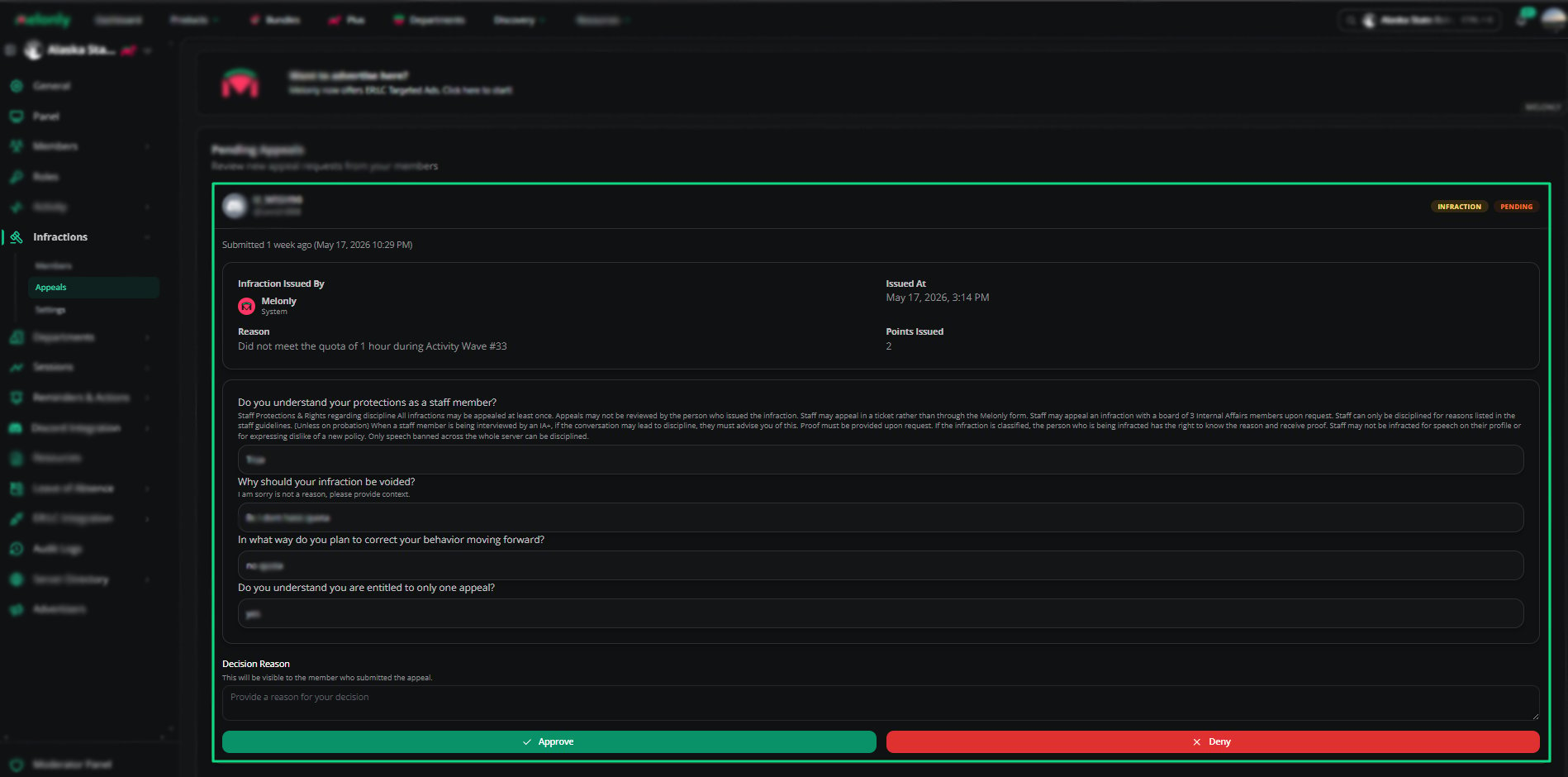
Appeal Review Form
- Original infraction details
- Points issued
- Reason for the punishment
- Staff member’s answers to appeal questions
- Decision reason field
- Approve and Deny buttons
Appeal History
Appeal History shows all resolved appeals, including:- Member name
- Punishment type
- Final decision
- Review date
- Reviewing moderator
How to Configure
1
Create Appeal Questions
Go to the Settings page and create the questions staff must answer when submitting an appeal.
2
Review Pending Appeals
Open the Pending Appeals tab and select an appeal to begin reviewing it.
3
Approve or Deny the Appeal
Read the responses, enter a decision reason, and choose Approve or Deny.
Example Use Cases
- Reviewing suspensions for possible errors
- Allowing staff to dispute unfair infractions
- Maintaining a transparent disciplinary process
- Tracking past appeal decisions for consistency
Need help?
Still have questions? Join our Discord server for support from the Melonly Team.