
What is the Members page?
The Members page lists every member’s disciplinary record. Click a member to see their points, active suspension, and full history, including expired and voided records.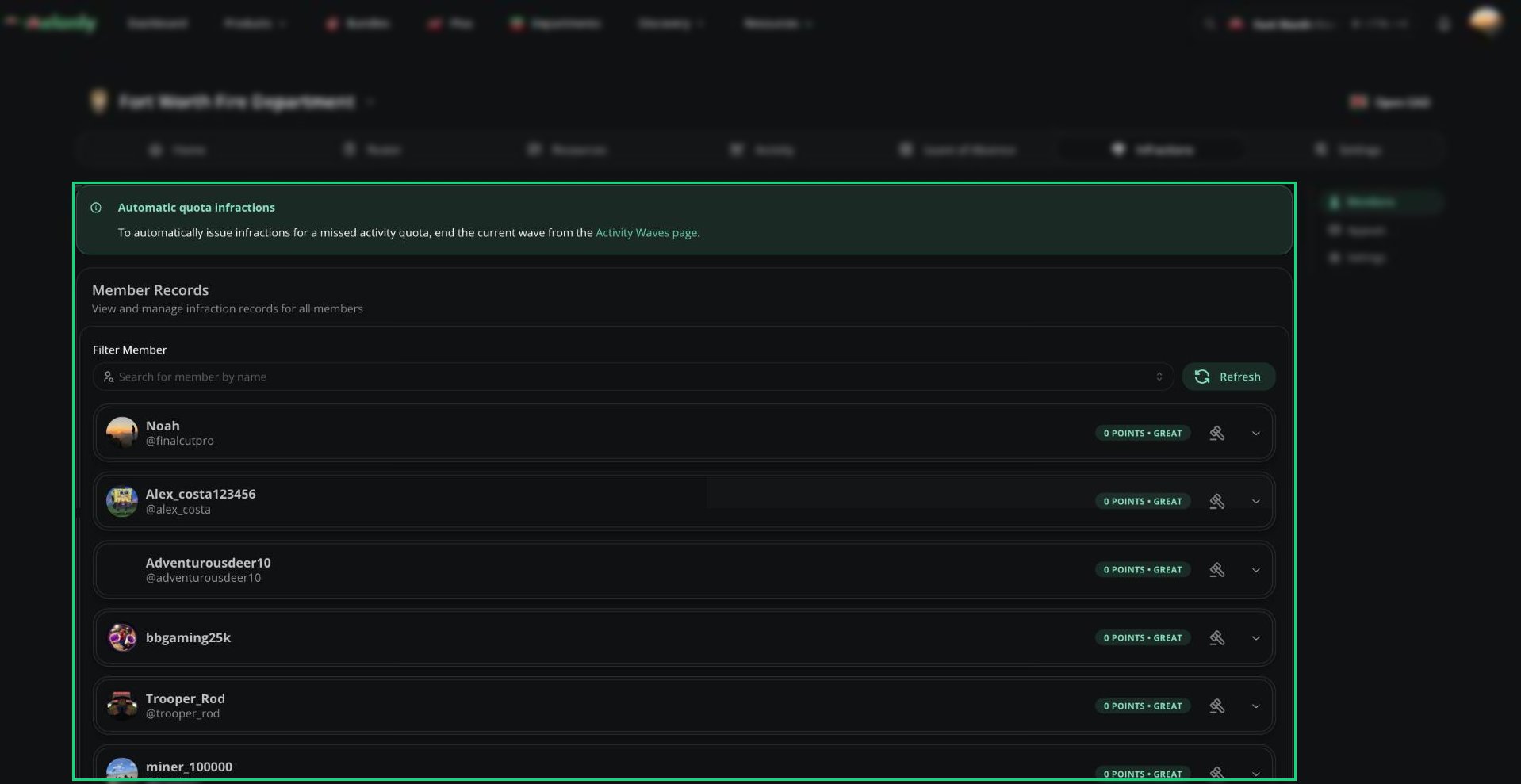
Member Records
Issuing an Infraction
1
Open the member's record
Find the member and click the punish button on their record.
2
Pick a guideline or write a reason
Choose a guideline to fill in the reason and points, or write your own reason (4 to 1024 characters).
3
Add points and proof
Set the points (0 works as a note) and attach up to 3 images.
4
Punish
Click Punish. You’ll be warned if the points will reach a suspension or termination stage.
Suspending and Terminating
Suspend a member with a reason, points, and an optional end date. Leave the end date empty to suspend indefinitely. Use End suspension on their record to end it early. Terminating a member removes them from the department and can’t be undone. Their history moves to Ex-Staff Records, where you can still view it.Editing and Voiding
Use the menu on any infraction or suspension to edit it or void it. Voided records stay visible but their points no longer count. If someone leaves and rejoins, their old infractions are voided automatically.Need help?
Still have questions? Join our Discord server for support from the Melonly Team.