Import Share Code and Templates
Overview
You can create workflows using two methods: Templates or Import Share Code.
These options are avaiable when first creating a workflow.
Templates
Import Share Code
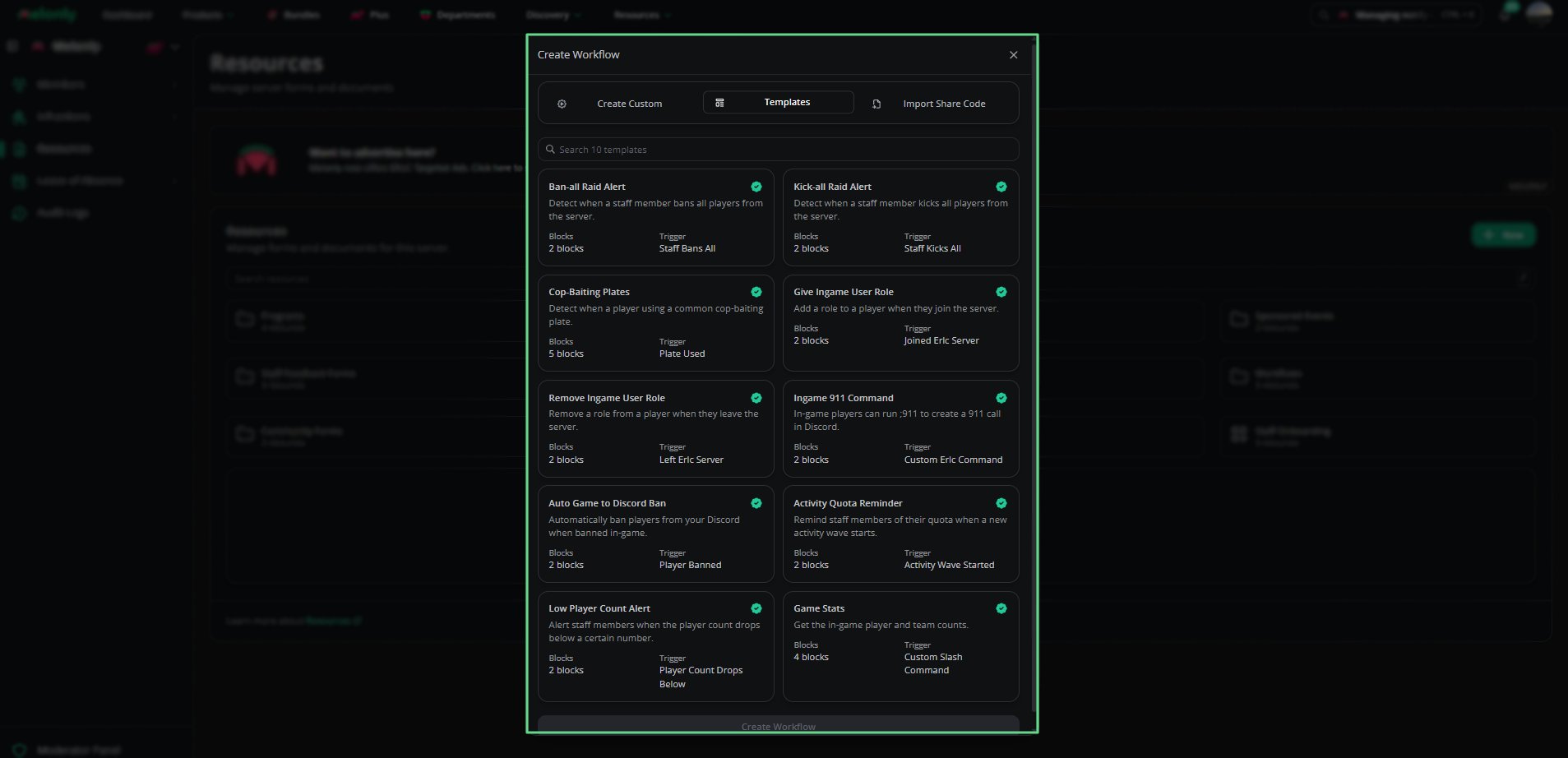
Templates Templates allow you to create workflows from pre-made templates.
Each template includes its name, description, block count, and trigger type. Available Templates
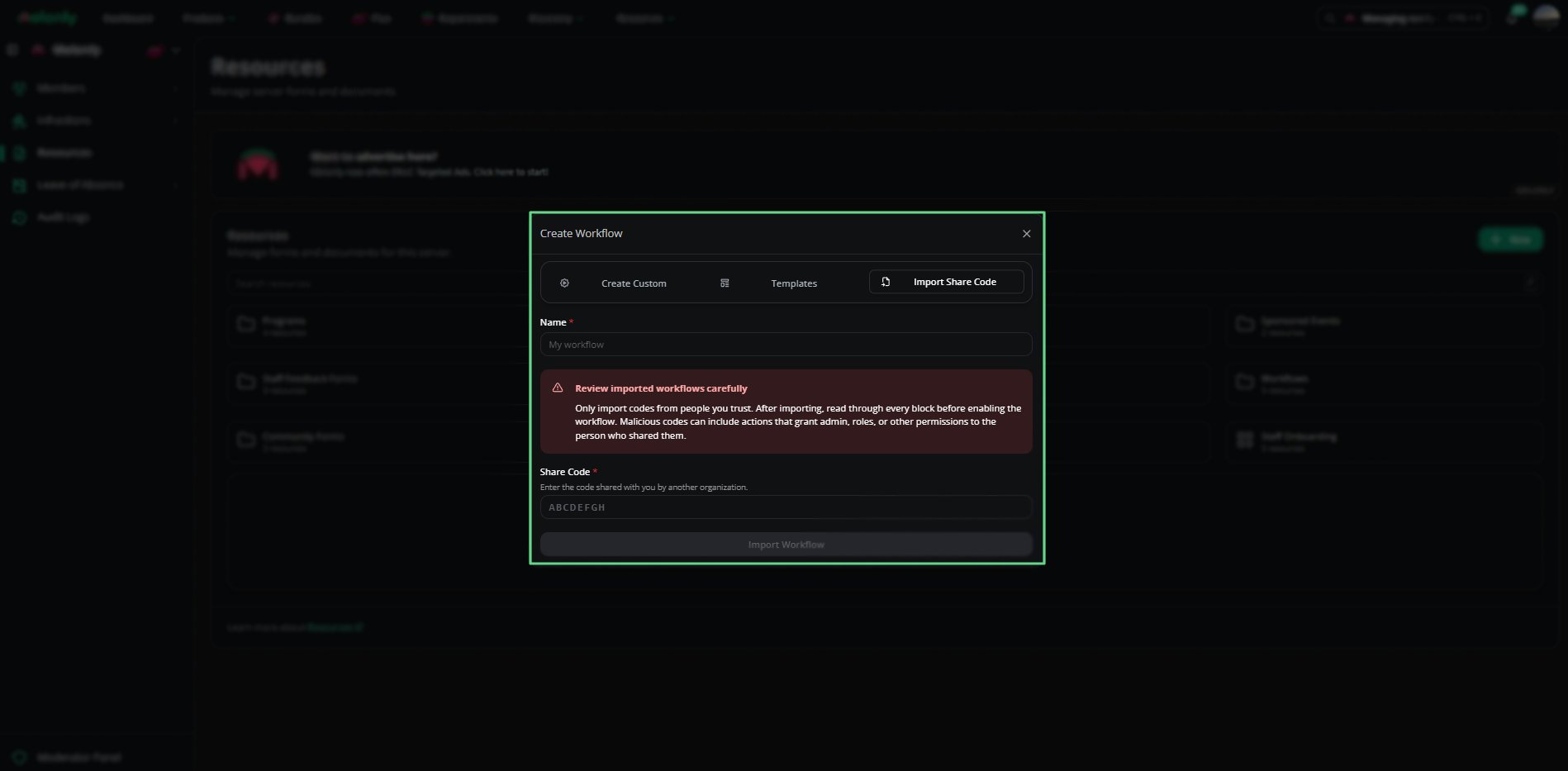
Need help? Still have questions? Join our Discord server for support from the Melonly team. Import Share Code Use this tab to import workflows shared by other people or servers.
Enter the share code provided and review all blocks before enabling. Only import share codes from trusted sources.
Imported workflows may contain actions that grant roles, permissions, or admin access.
Fields
Name - Workflow name.
Share Code - Code shared by another person or server.
Import Workflow - Button to confirm import.
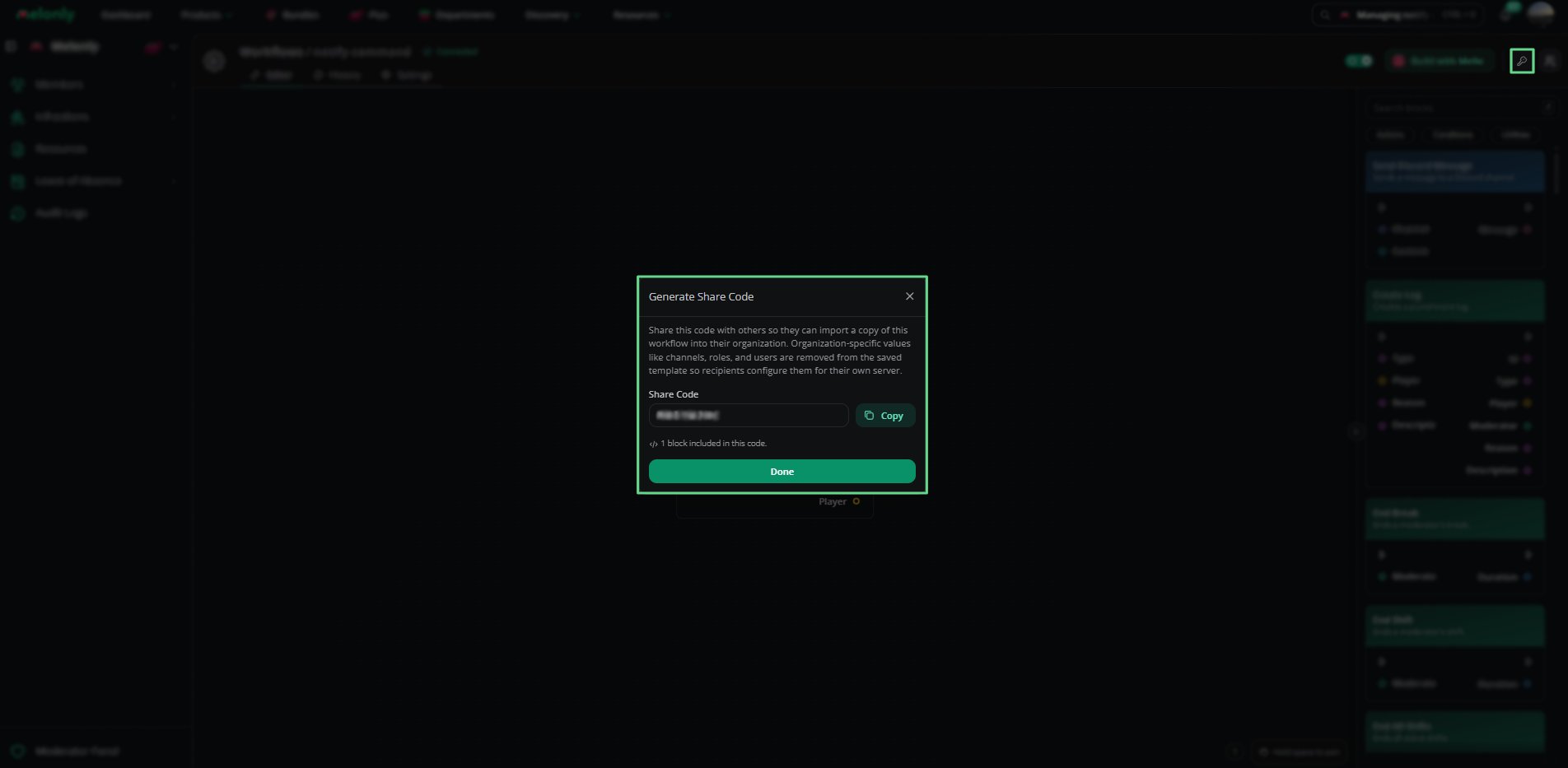
Generate Share Code You can generate a share code for your own workflow by clicking the Generate Share Code (Key Icon) button in the top right of the workflow editor.
Server-specific values like channels and roles are removed before sharing. Example Output
Share Code: ETKNTHUB
Blocks Included: 3
Required Configuration:
BLO-001 Custom Slash Command - Required Discord Roles
BLO-004 Send Discord Message - Channel
Need help? Still have questions? Join our Discord server for support from the Melonly team. Last modified on July 4, 2026