
The Configuration page is where administrators control how the CAD operates — general behaviour, permissions, automation, numbering formats, webhooks, and audit logs.Documentation Index
Fetch the complete documentation index at: https://docs.melonly.xyz/docs/llms.txt
Use this file to discover all available pages before exploring further.
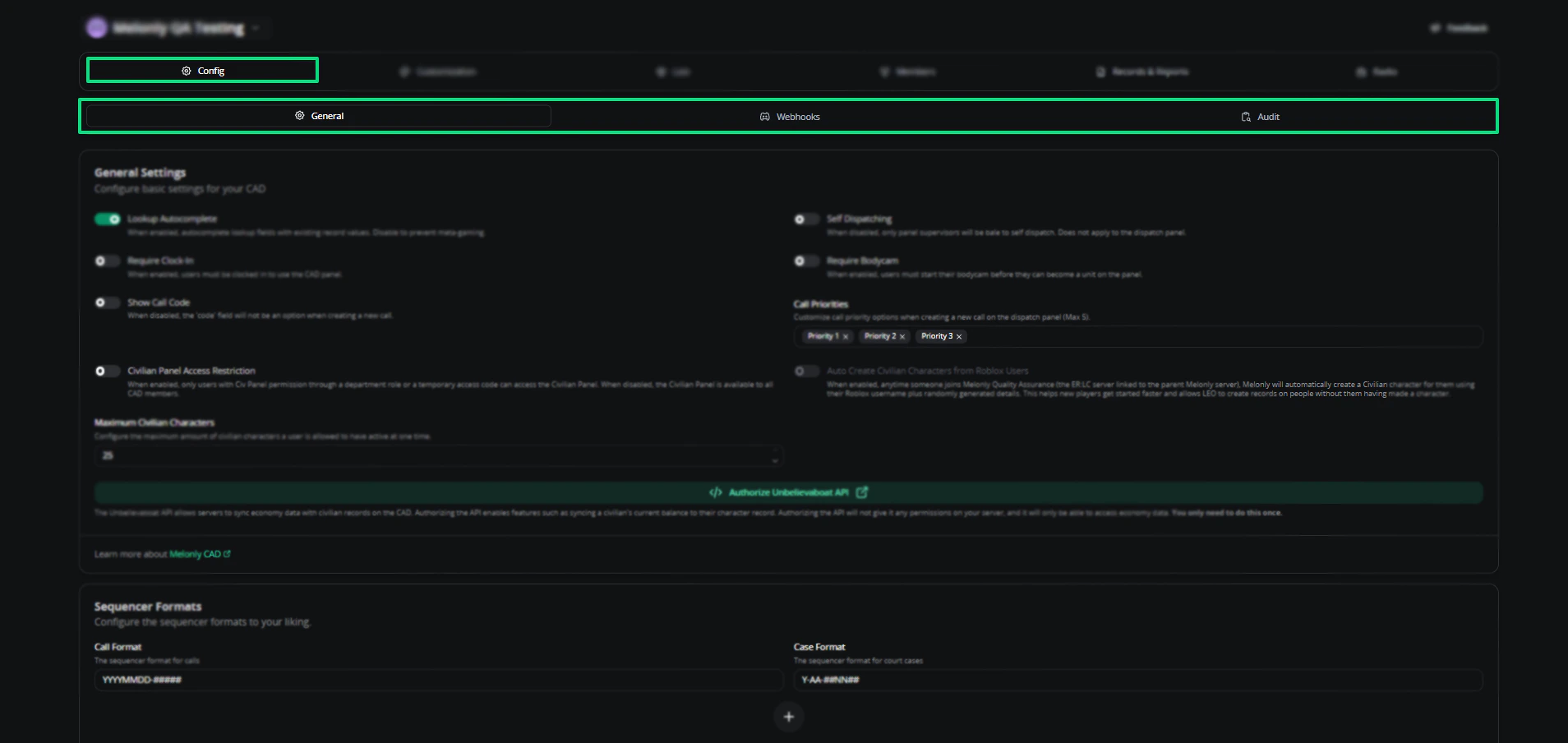
General settings
| Setting | Description |
|---|---|
| Self Dispatching | Lets officers assign themselves to active calls without dispatcher approval |
| Auto Dispatch Units | Automatically assigns units to in-game calls based on proximity and priority |
| Require Clock-In | Officers must clock in before accessing CAD features |
| Require Bodycam | Officers must activate body cameras before accessing CAD features |
| Show Call Code | Shows the Code field when creating a new call |
| Call Priorities | Categorize calls by urgency so dispatchers route the most critical first |
| Only Premade Groups | Restricts dispatchers to using groups created on the Groups customization page |
| Civilian Panel Access Restriction | Allow all server members to use the civilian panel, or restrict it to civilian departments |
| Auto Create Civilian Characters from Roblox Users | Auto-creates civilian profiles for Roblox users who interact with the CAD |
| Auto Create Registration | Auto-registers a driver’s licence and vehicle when someone spawns a car |
| Maximum Civilian Characters | Caps how many civilian profiles a user can create |
Auto Create Civilian Characters requires your ER:LC server to be linked to your parent server.
Unbelievaboat API
Optional integration that connects the CAD to Unbelievaboat for economy features.Sequencer formats
Sequencer formats define how call and case numbers are generated. They also work for custom records.| Character | Description |
|---|---|
YYYY | Long year (e.g. 2026) |
YY | Short year (e.g. 26) |
MM | Month (e.g. 03) |
DD | Day (e.g. 16) |
- | Hyphen separator |
# | Number sequencer block |
Webhooks
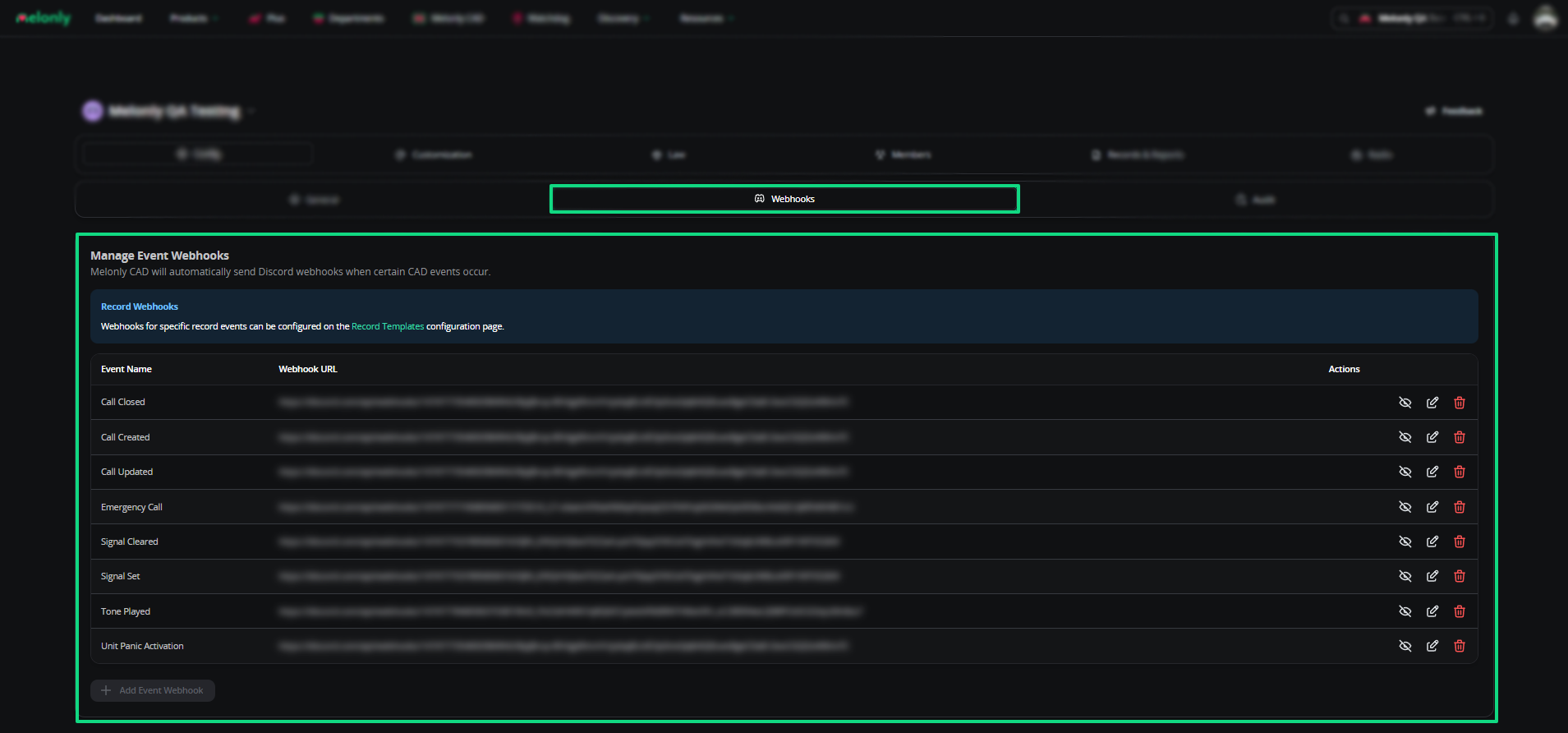
Webhooks send real-time CAD data to external services for automation and integrations. Available events:- Call Created, Updated, and Closed
- Emergency Call
- Signal Set and Cleared
- Tone Played
- Unit Panic Activation
Audit logs
Audit logs record every action in your CAD — from join code creation to record purges.Filter by action
Narrow logs by user actions, configuration changes, or system events.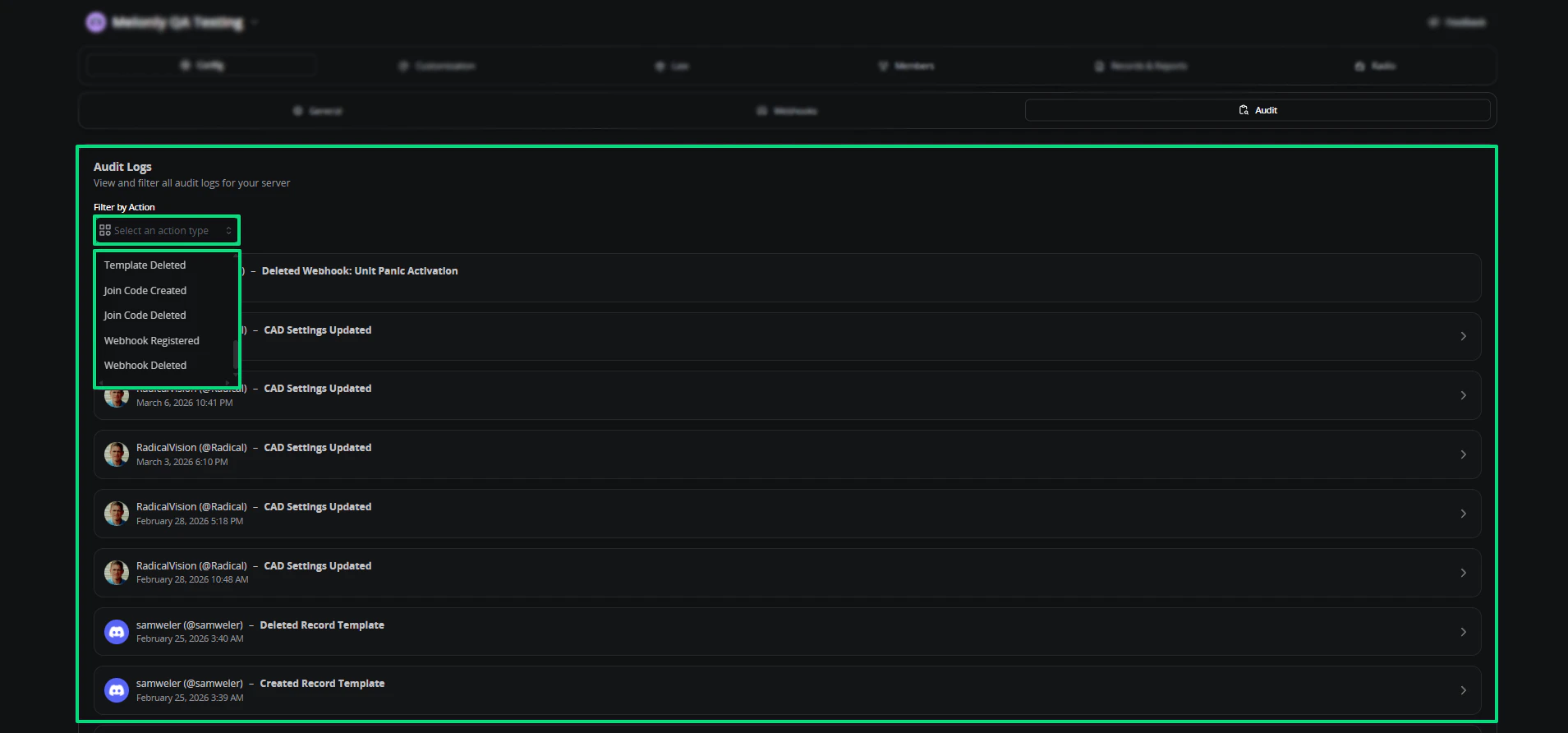
Need help?
Still have questions? Join our Discord server for support from the Melonly team.