
What are Actions?
Actions allow you to automate tasks for your server.You can create custom actions that staff can execute, log, and complete with optional form questions. Actions help standardise workflows, collect information, and keep your server organised.
Server Actions
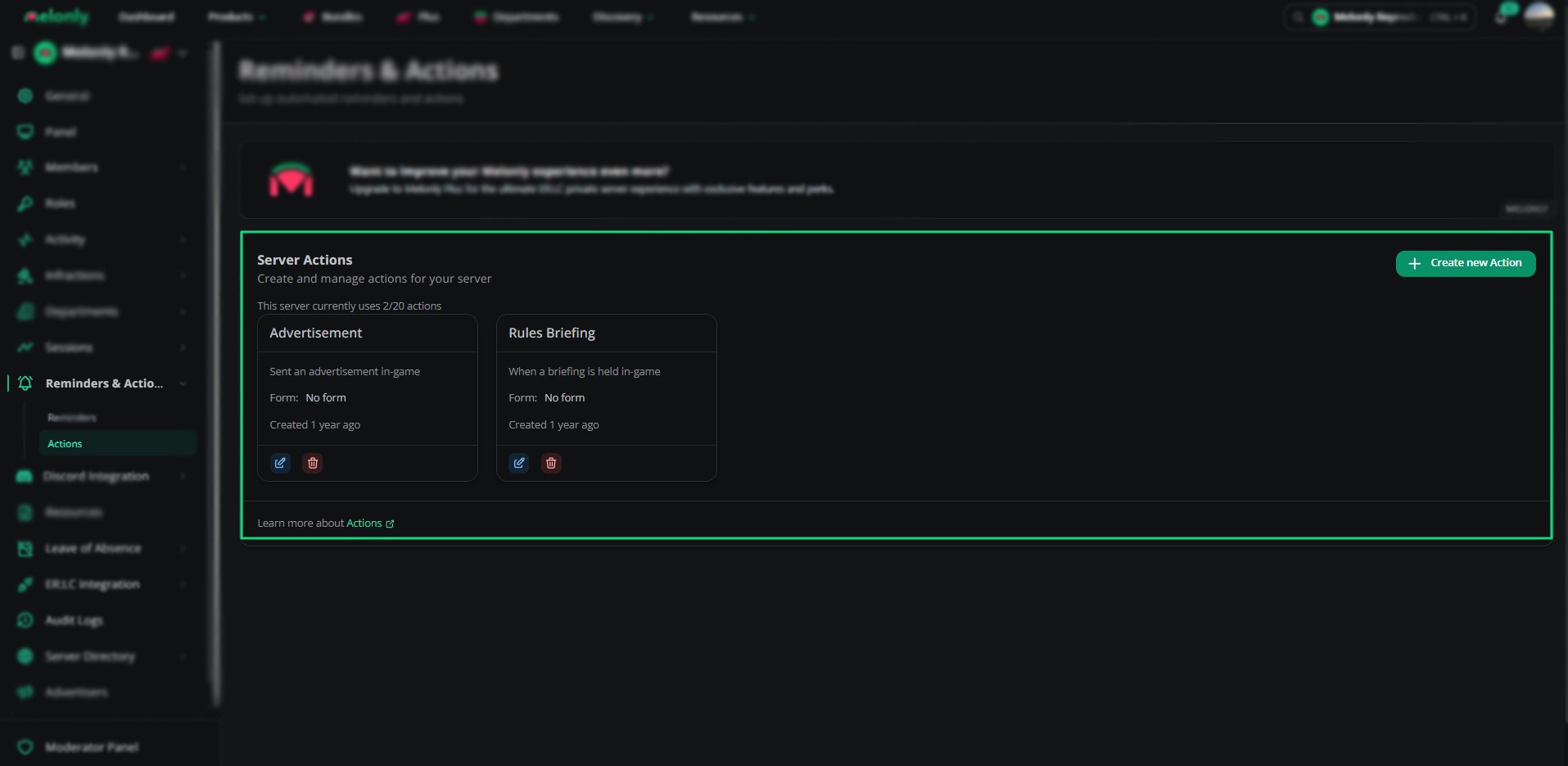
Server Actions
Each action displays:
- Name
- Description
- Linked channel
- Number of form questions
- Creation date
- Edit and delete options
Creating an Action
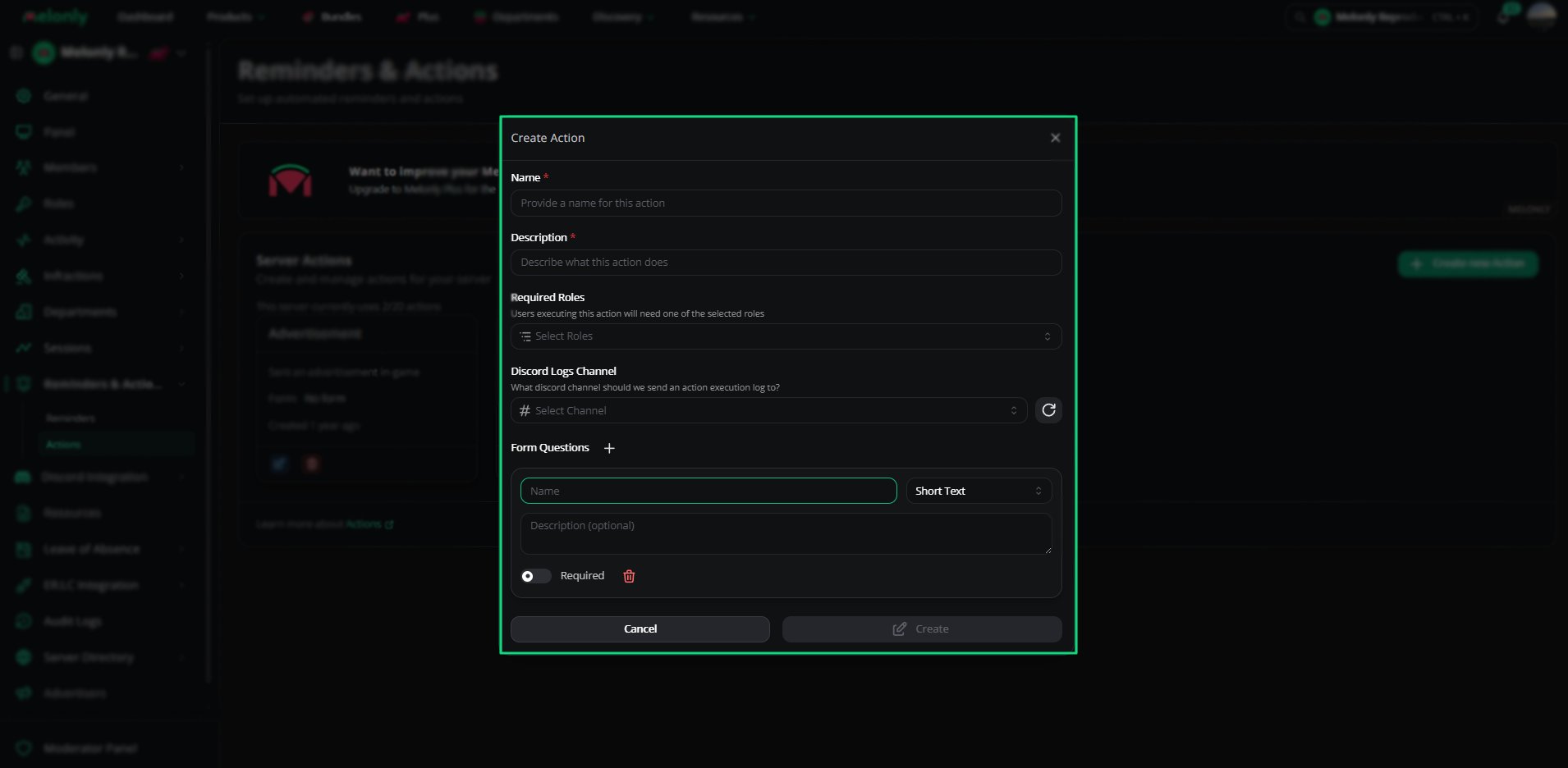
Create Action
1
Enter a Name
Provide a clear name so staff know what the action is for.
2
Write a Description
Describe what the action does and when it should be used.
3
Select Required Roles
Choose which roles are allowed to execute this action.
4
Choose a Logs Channel
Select the Discord channel where action logs will be sent.
5
Add Form Questions (Optional)
Create questions that staff must answer when executing the action.
Form Questions
Form questions allow you to collect information when an action is executed.Each question includes:
- Name
- Description (optional)
- Question type
- Required toggle
- Short Text
- Long Text
- Boolean
- Number
- Date
- Date Time
Action Execution
When a staff member executes an action:- They must have one of the required roles
- They complete the form (if questions exist)
- The action is logged in the selected Discord channel
Need help?
Still have questions? Join our Discord server for support from the Melonly Team.