
What are Sequencer Formats?
Sequencer formats set how call numbers, court case numbers, and record numbers look. For example,YYYY-###### gives 2026-000123.
You’ll find the Sequencer Formats card on Config → General in the CAD admin panel. Like the rest of that page, changes are kept as a draft until you click Save Changes.
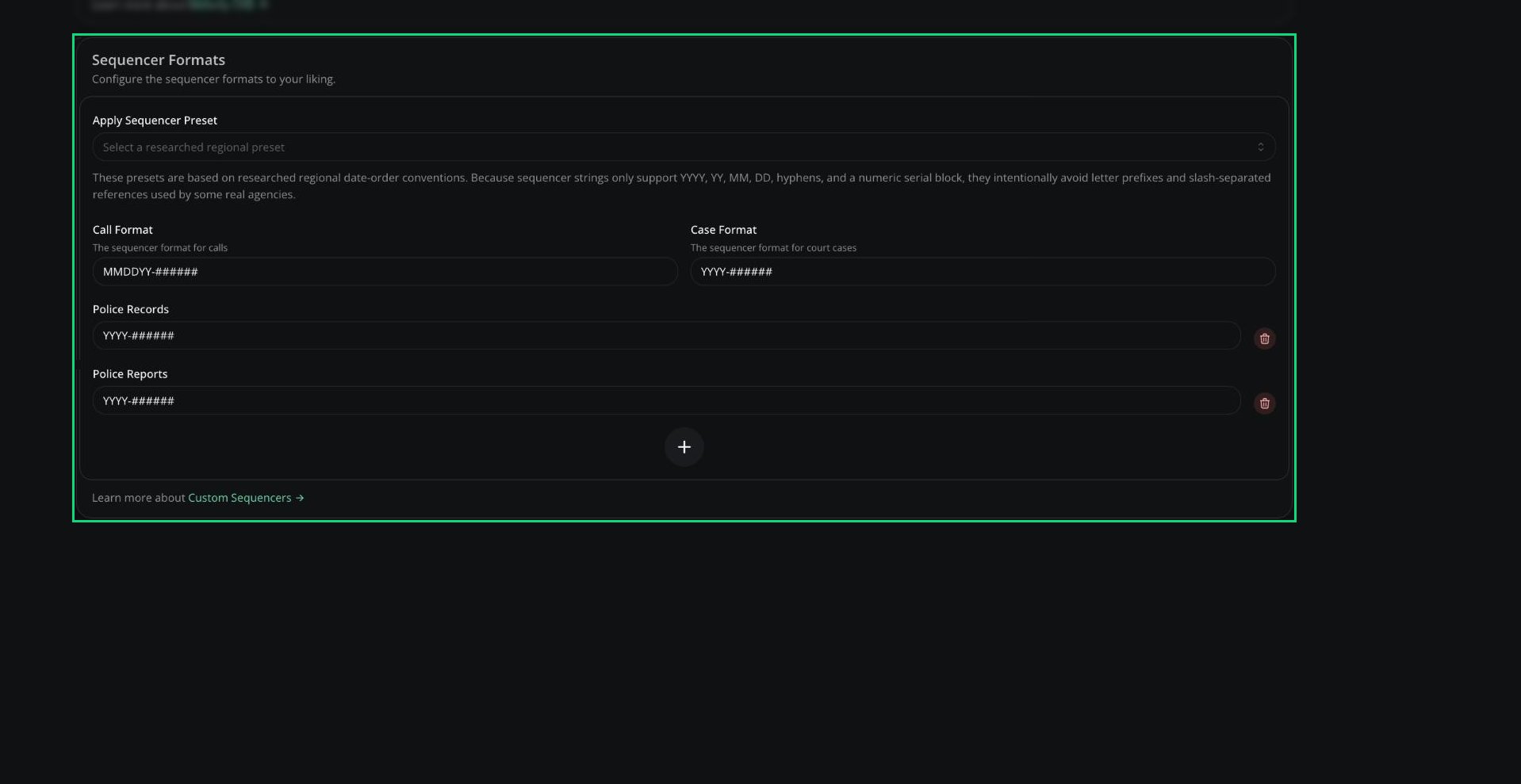
Sequencer Formats
Setting Your Formats
1
Start from a preset
Pick an option from Apply Sequencer Preset to fill everything using your region’s date order.
2
Adjust the formats
Change Call Format and Case Format if you like. They default to
###### and YYYY-MM-######.3
Add record type formats
Click + to give a record type its own format. Types without one use
######.4
Save
Click Save Changes.
Tokens and Rules
Formats can be up to 16 characters, need exactly one block of at least five
#, and can’t start or end with a hyphen or have two hyphens in a row.
Presets
Need help?
Still have questions? Join our Discord server for support from the Melonly Team.