
What is Run Command?
Run Command (Virtual Server Management) sends ER:LC commands to your private server. You don’t need to be in-game.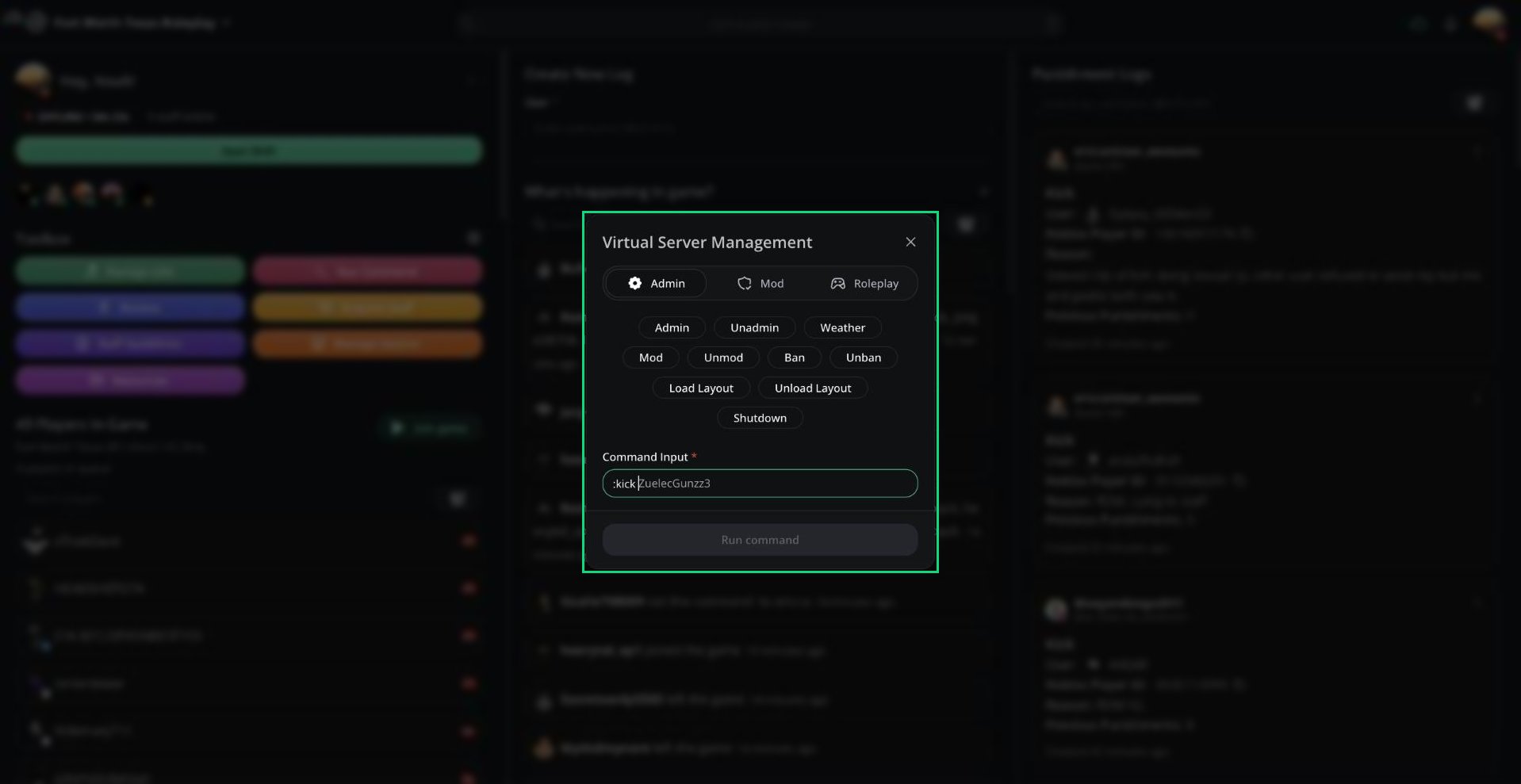
Virtual Server Management
Running a Command
1
Pick a command
Click a command button, or type the command in Command Input. The leading
: is optional.2
Add arguments
Melonly suggests the next argument in grey, such as player names in your server. Press
Tab to accept it.3
Run it
Click Run command or press
Enter.Command Tabs
Commands are grouped into Admin, Mod, and Roleplay tabs. You only see the Admin tab with ER:LC admin or higher.Command Permissions
Commands not on this list, such as
:bring or :view, can’t be run remotely.
Every command you run is recorded in your server’s audit logs.
Need help?
Still have questions? Join our Discord server for support from the Melonly Team.