
What are Calls?
Calls are the incidents your units respond to. They’re created by dispatchers, by civilians calling 911, by in-game ER:LC calls, or by units themselves when self dispatching is allowed. This page is for units on the Police, Fire, EMS and DOT panels. Dispatchers manage calls from the Call Editor, covered in Dispatch Calls.🧭 Quick Navigation
Self Dispatching
Create, edit and end your own calls, and save call templates.
Call Notes & Linked Records
Add notes to a call, link records and start records from it.
Your Assigned Call
Your assigned call shows on the Home tab. You can also add it to any layout as My Calls.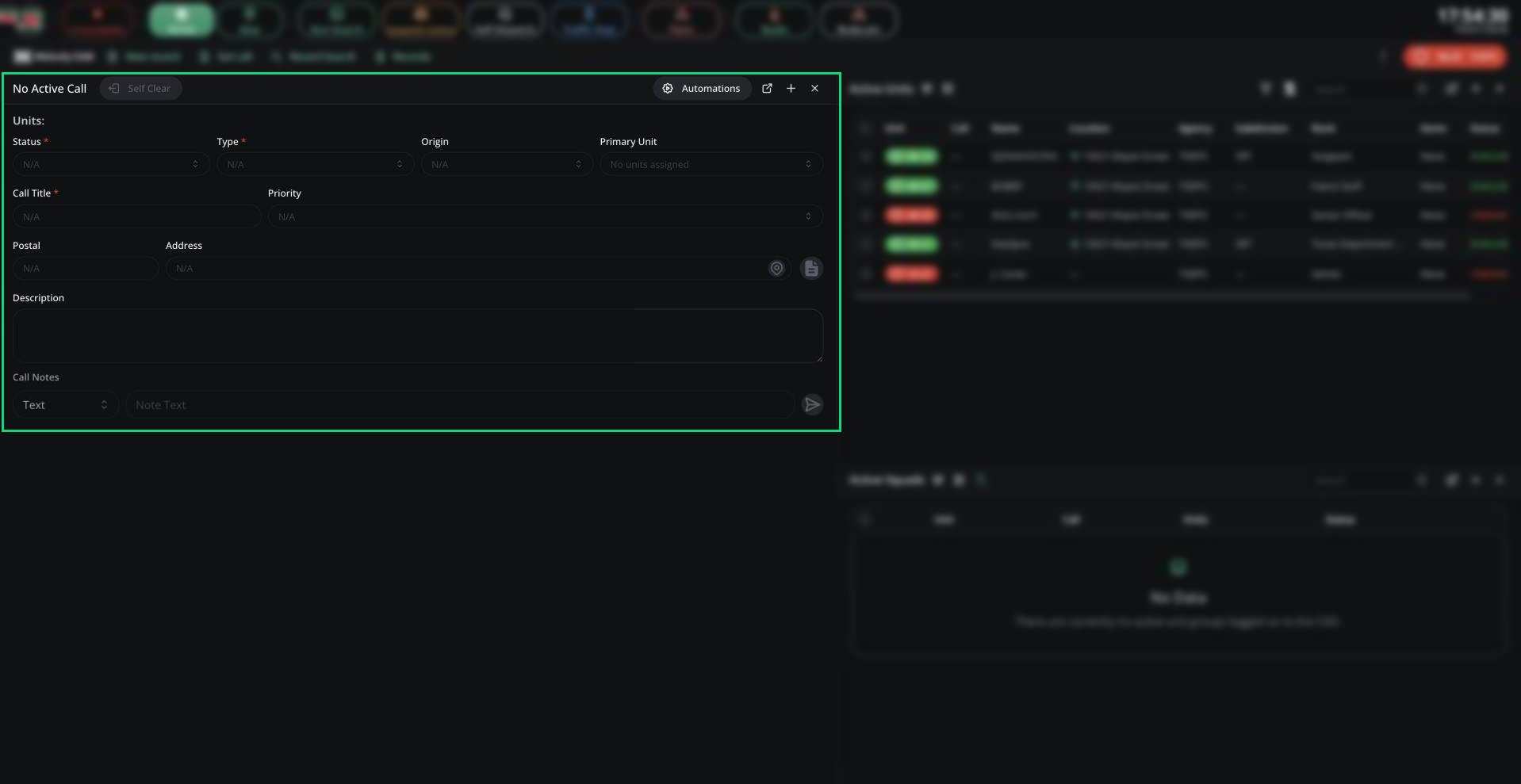
Call card
Calls Pane
The Calls pane lists your panel’s calls, with an Active tab and a Call History tab. Add it to your layout from the + button. You only see calls in your agency’s jurisdiction that are sent to your panel.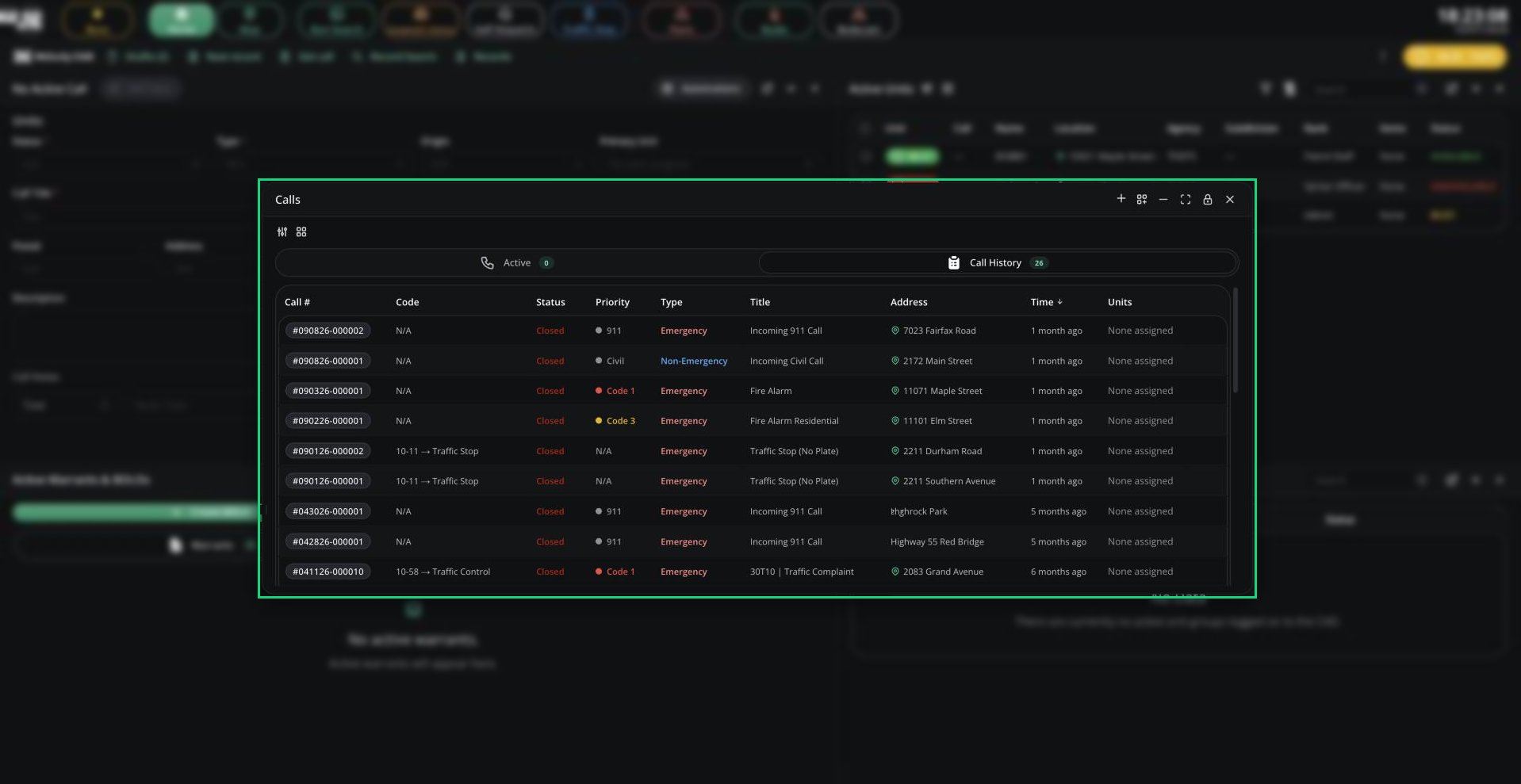
Calls
- Click Join Call to join a call. You need Self Dispatch on and no current call. Joining a closed call reopens it.
- Right-click a call to view it on the map, add a note, merge calls, add a timer or tone, or end it. Most actions need self dispatching or supervisor access.
Finding Calls
- Get call in the top bar (or Records Centre) opens any call by its incident number.
- Call history in the CAD menu lists every call your unit was assigned to, for the last 7 days by default.
Incoming Call Alerts
When no dispatcher is online, units get an alert tone for new 911, in-game and system calls in their jurisdiction and sent to their panel. Police units also get alerts for civilians waiting on a 911 or 311 voice call, with Join call to talk to them. See Emergency call channels.Need help?
Still have questions? Join our Discord server for support from the Melonly Team.