
Moderation logs track every action taken against a user — warnings, kicks, bans, temp bans, BOLOs, and notes.Documentation Index
Fetch the complete documentation index at: https://docs.melonly.xyz/docs/llms.txt
Use this file to discover all available pages before exploring further.
Create a log
Enter the user’s Roblox username, pick the log type, write a reason, and click Create.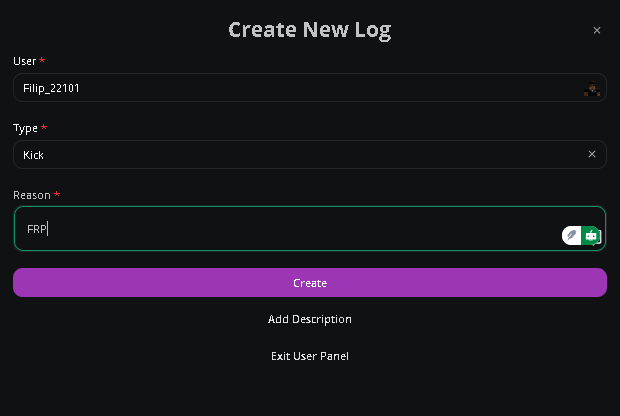
View and manage logs
The right side of the panel lists every log. Search by username or filter by type. To edit, hide, or delete a log, click the three-dot menu next to it.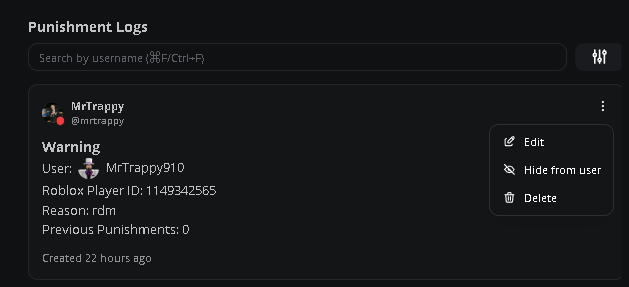
Need help?
Still have questions? Join our Discord server for support from the Melonly team.