
The ER:LC toolbox connects the mod panel to your live ER:LC server — member checks, remote commands, and live in-game logs.Documentation Index
Fetch the complete documentation index at: https://docs.melonly.xyz/docs/llms.txt
Use this file to discover all available pages before exploring further.
Member check
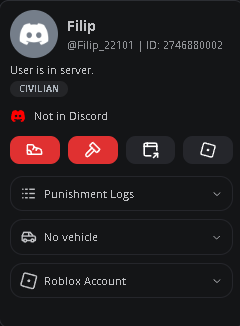
Member checks run automatically and appear in the bottom-left of the panel. Click a user to see their active vehicle, punishment history, Discord membership status, and Roblox profile. Kick or ban directly from this menu.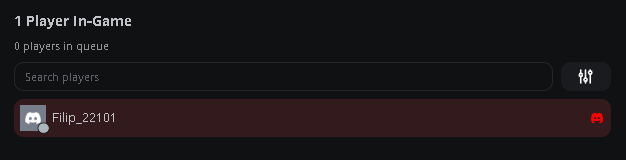
Virtual Server Management (VSM)
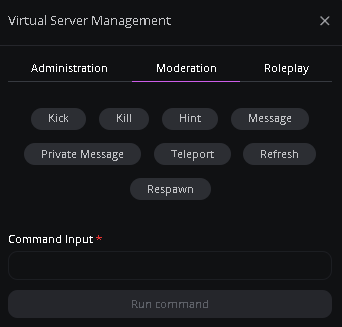
VSM runs ER:LC commands on your server from the panel. Open the toolbox and click Run Command to pick a command and fill in any inputs. Tabs at the top group commands by category.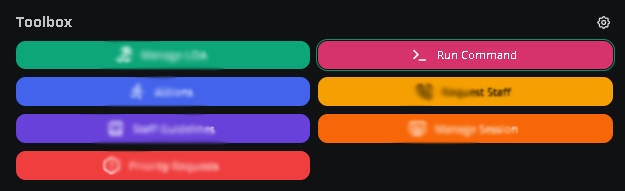
In-game logs
The center of the panel streams live in-game events under What’s Happening In-game? — joins, leaves, kills, commands, and modcalls. Search the feed or filter by event type and source (including Watchdog and System events).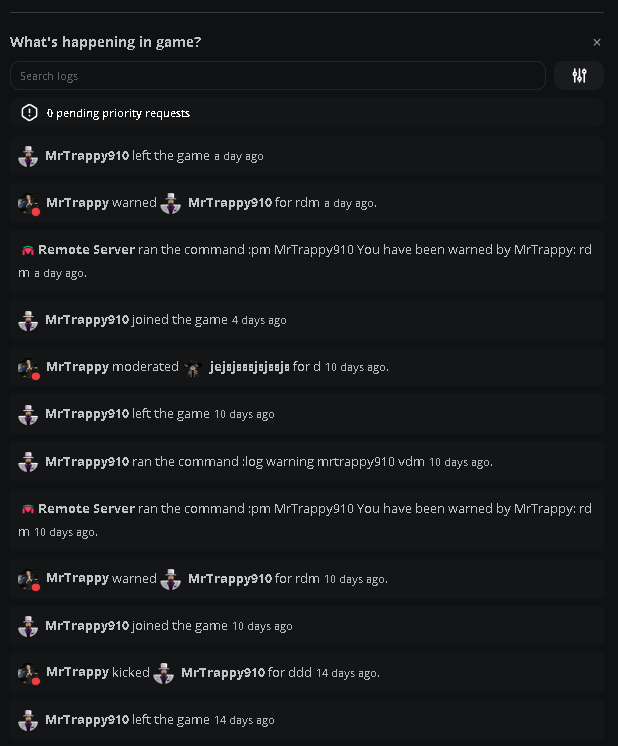
Need help?
Still have questions? Join our Discord server for support from the Melonly team.