
What are Characters?
Characters are the people you roleplay as on the Civilian panel. Everything you do there, like registering vehicles or calling 911, applies to your active character.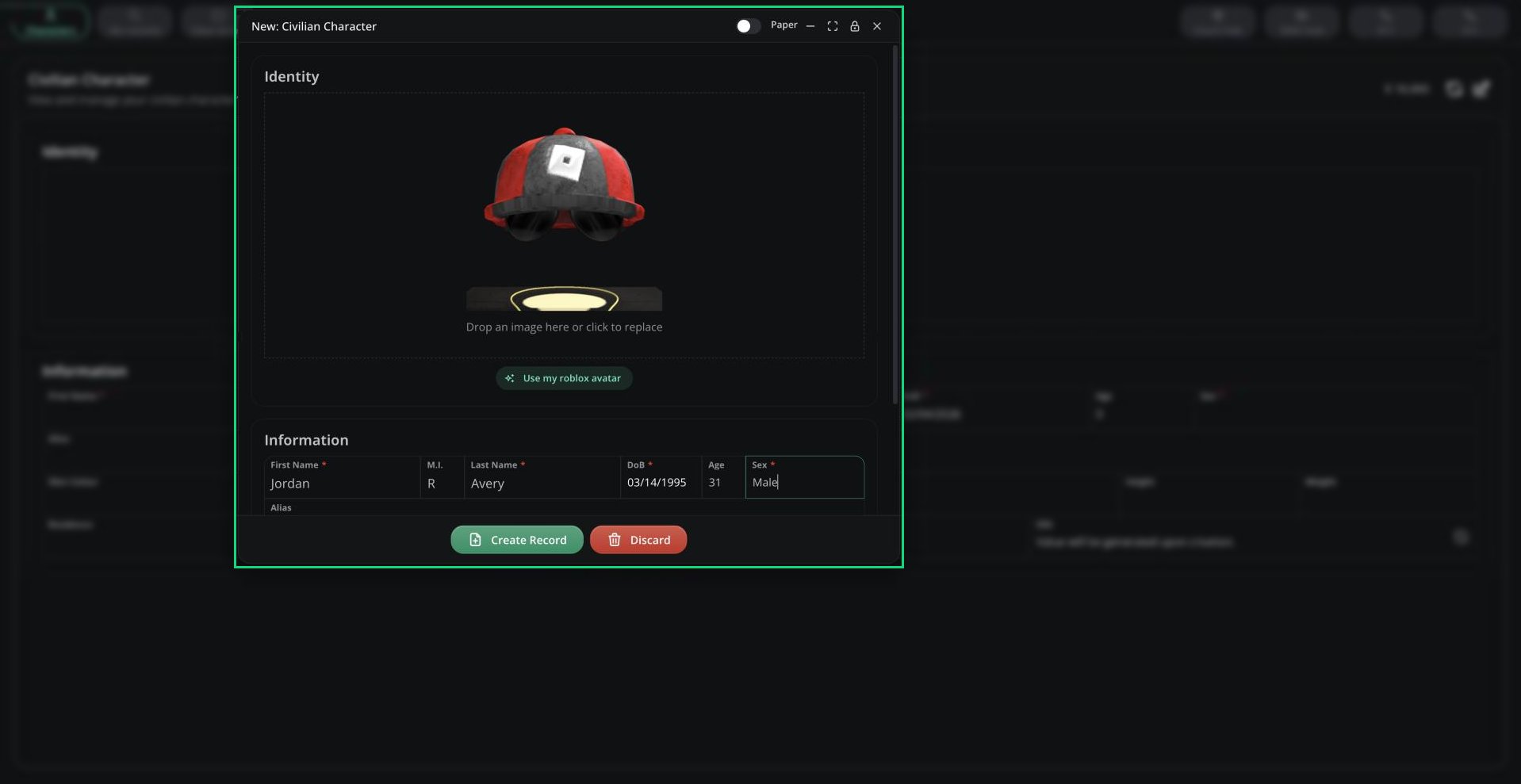
New character
Creating a Character
1
Open Characters
Click Characters in the top bar. If you already have characters, click Add character.
2
Fill in the form
The fields come from your server’s Civilian template. The SSN is generated for you.
3
Save
Click Create Record.
Rules
- First name, last name and date of birth are always required.
- No two characters on the server can share the same name and date of birth, even if different people own them.
- Your server sets how many characters you can have (1 to 25, default 25).
- New characters start with a balance of 10,000, unless your server has turned balances off.
- Only you can edit or delete your characters. Deleting a character is permanent.
Switching and Managing Characters
Pick your active character from the Select Character card. Your choice is remembered next time. Click Characters to open Manage Characters, where you can switch characters, or use the ⋮ menu to edit or delete one.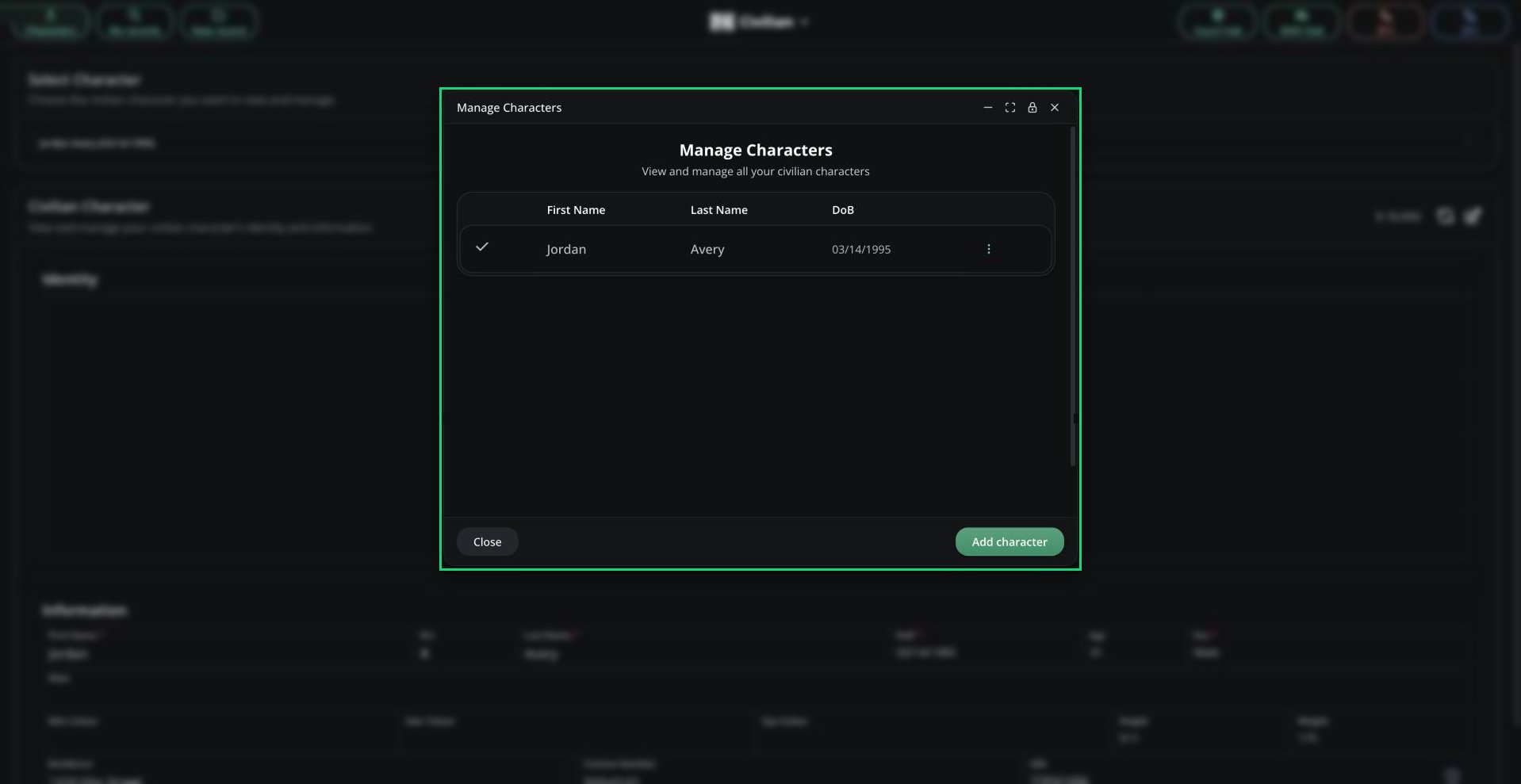
Manage Characters
Need help?
Still have questions? Join our Discord server for support from the Melonly Team.