
What is Radio FX?
Radio FX makes voices on a channel sound like a real radio. Turn it on with the Radio FX option when you create or edit a channel.Previewing the Sound
In the channel editor, hold Hold to Preview Mic FX (orSpace) and talk to hear it on your own voice. Use headphones to avoid feedback.
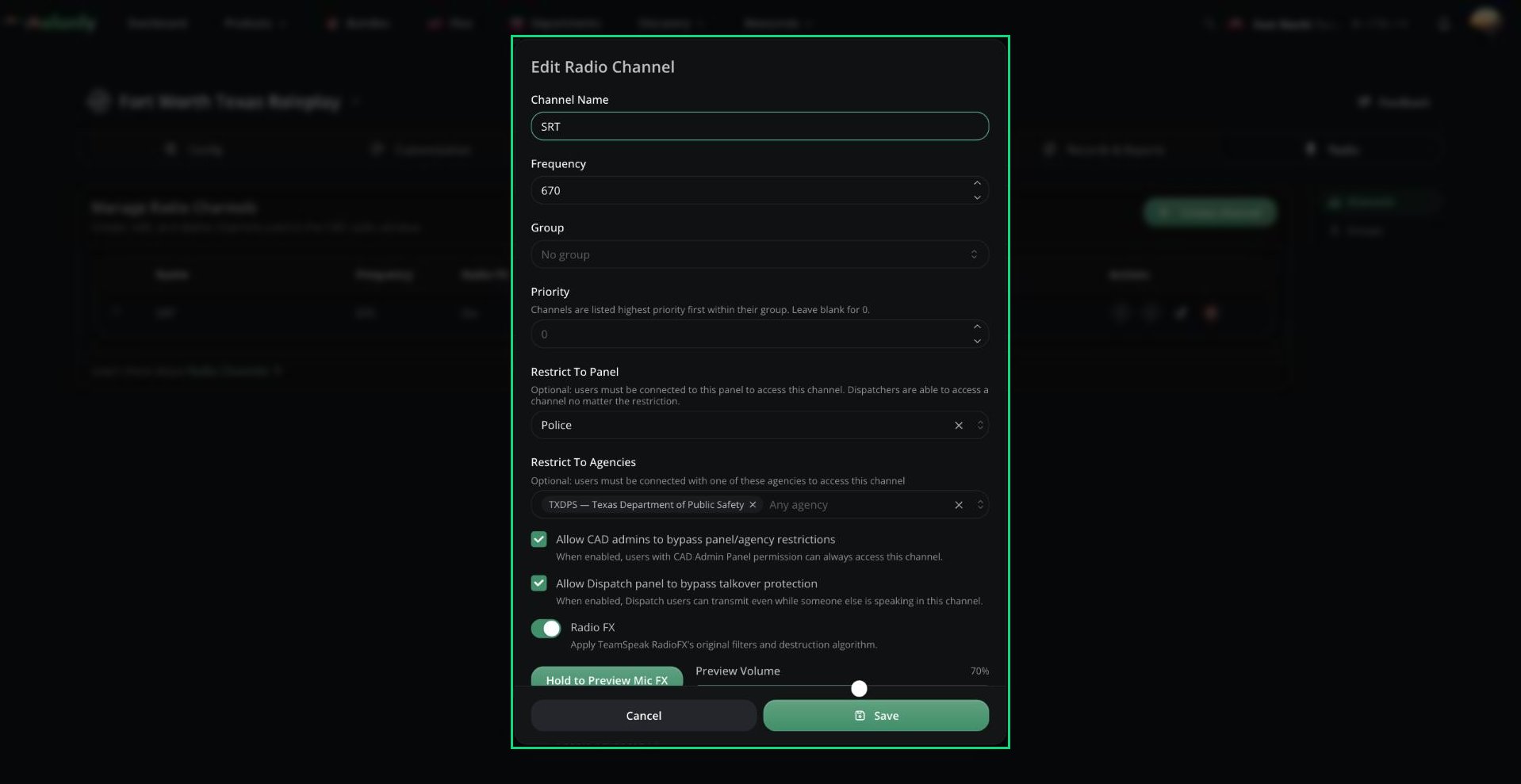
Editing a radio channel
Advanced FX
Tick Enable Advanced FX to fine-tune the sound. Advanced settings are only saved while it’s ticked, and Reset advanced FX puts everything back to default.Mix & Gain
Mix & Gain
Base Radio Tuning
Base Radio Tuning
Radio FX limits speech to 300 to 3000 Hz before and after adding radio texture. Change these to adjust the tone.
Each can be set from 0 to 20000.
EQ
EQ
Tick Enable Equalizer to add up to 16 bands after the base effect. Click Add band to add one.
The default bands are a low shelf at 250 Hz (-3 dB), a peak at 1200 Hz (+2 dB), and a high shelf at 4500 Hz (-2 dB).
Dynamics (Expander + Limiter)
Dynamics (Expander + Limiter)
Distortion & Crush
Distortion & Crush
Ambience, Noise & Stereo
Ambience, Noise & Stereo
Each effect has its own Mix setting.
Need help?
Still have questions? Join our Discord server for support from the Melonly Team.