> ## Documentation Index
> Fetch the complete documentation index at: https://docs.melonly.xyz/llms.txt
> Use this file to discover all available pages before exploring further.
# Priority Requests
> Approve, deny, and manage priority requests submitted by your players.
***
## What are Priority Requests?
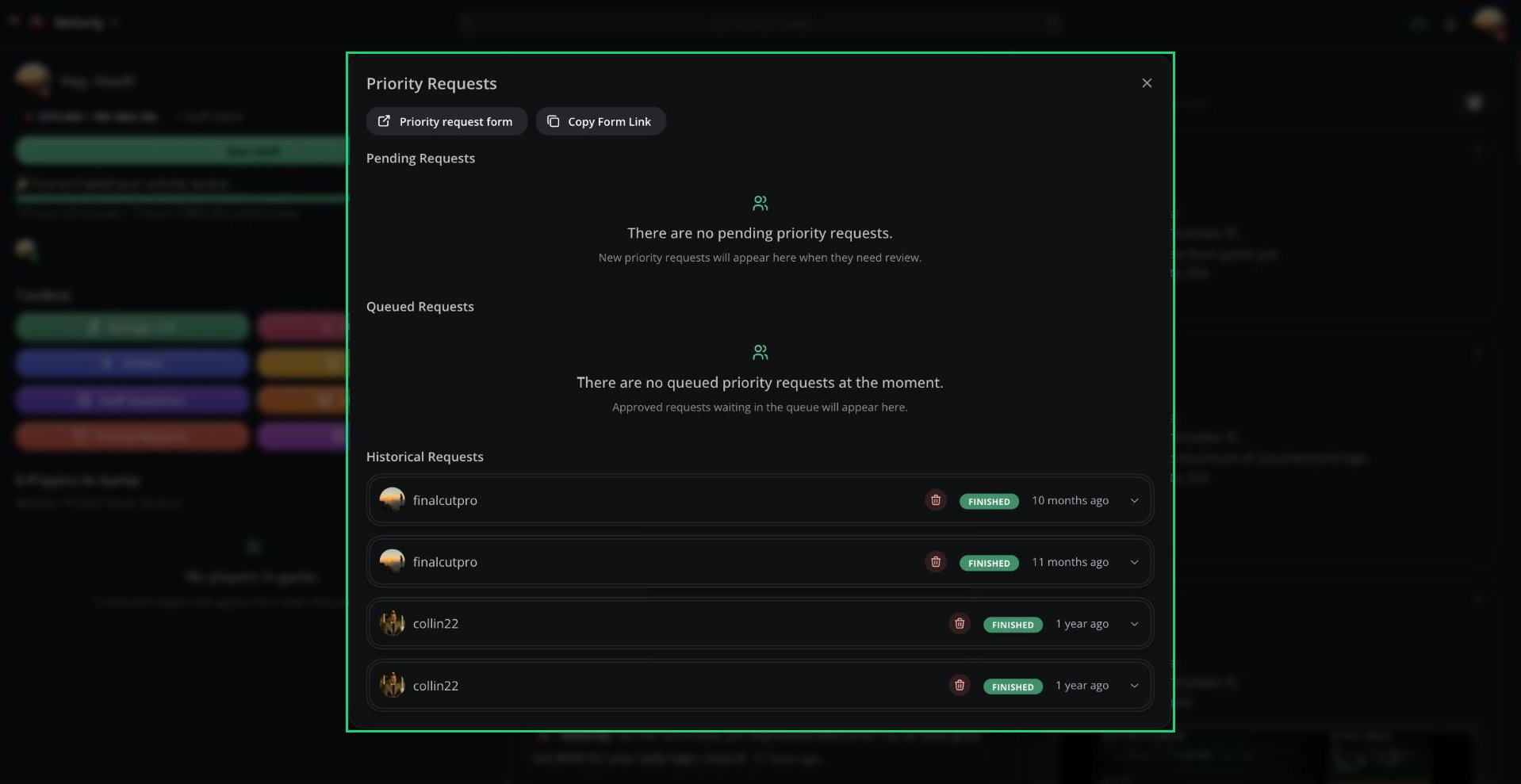
Players submit priority requests to run a scene, such as a robbery or pursuit, that needs the server's attention. Staff review each request from the panel and approve or deny it.
Priority requests must be turned on under **Dashboard → ER:LC → Priority Request Settings**.
 ***
## Opening Priority Requests
* Click **Priority Requests** in the Toolbox.
* Click the pending priority requests button above the game feed.
* Search **Manage priority requests** in the [Command Palette](/Modpanel/commandpalette).
* Click **Manage Priority Requests** on the Discord request message.
At the top, **Priority request form** opens the player form, and **Copy Form Link** copies a link to share with players.
***
## Reviewing a Request
Expand a request under **Pending Requests** to see its description and the players involved.
Set the **Priority Timer Duration**, from 1 to 30 minutes.
Enter a **Decision**. The player can see it.
Click **Approve** or **Deny**.
***
## Request Status
| Section | Status | Meaning |
| - | - | - |
| Pending Requests | Pending | Waiting for review |
| Queued Requests | Queued | Approved and waiting for its turn |
| Queued Requests | Ongoing | Currently running |
| Historical Requests | Finished, Denied, Cancelled | Completed requests |
If your server has a priority cooldown, the queue shows how long is left.
***
## Cancelling and Deleting
| Option | Where | What it does |
| - | - | - |
| Cancel Priority | Queued requests | Cancels an approved request. The player isn't notified. |
| Delete priority | Pending and historical requests | Deletes the request permanently. The player isn't notified. |
***
Still have questions? Join our Discord server for support from the Melonly Team.
This documentation is built and hosted on [Mintlify](https://mintlify.com), a developer documentation platform.
***
## Opening Priority Requests
* Click **Priority Requests** in the Toolbox.
* Click the pending priority requests button above the game feed.
* Search **Manage priority requests** in the [Command Palette](/Modpanel/commandpalette).
* Click **Manage Priority Requests** on the Discord request message.
At the top, **Priority request form** opens the player form, and **Copy Form Link** copies a link to share with players.
***
## Reviewing a Request
Expand a request under **Pending Requests** to see its description and the players involved.
Set the **Priority Timer Duration**, from 1 to 30 minutes.
Enter a **Decision**. The player can see it.
Click **Approve** or **Deny**.
***
## Request Status
| Section | Status | Meaning |
| - | - | - |
| Pending Requests | Pending | Waiting for review |
| Queued Requests | Queued | Approved and waiting for its turn |
| Queued Requests | Ongoing | Currently running |
| Historical Requests | Finished, Denied, Cancelled | Completed requests |
If your server has a priority cooldown, the queue shows how long is left.
***
## Cancelling and Deleting
| Option | Where | What it does |
| - | - | - |
| Cancel Priority | Queued requests | Cancels an approved request. The player isn't notified. |
| Delete priority | Pending and historical requests | Deletes the request permanently. The player isn't notified. |
***
Still have questions? Join our Discord server for support from the Melonly Team.
This documentation is built and hosted on [Mintlify](https://mintlify.com), a developer documentation platform.