> ## Documentation Index
> Fetch the complete documentation index at: https://docs.melonly.xyz/llms.txt
> Use this file to discover all available pages before exploring further.
# Leave of Absence
> Check your LOA status from the panel and request time away.
***
## What is Manage LOA?
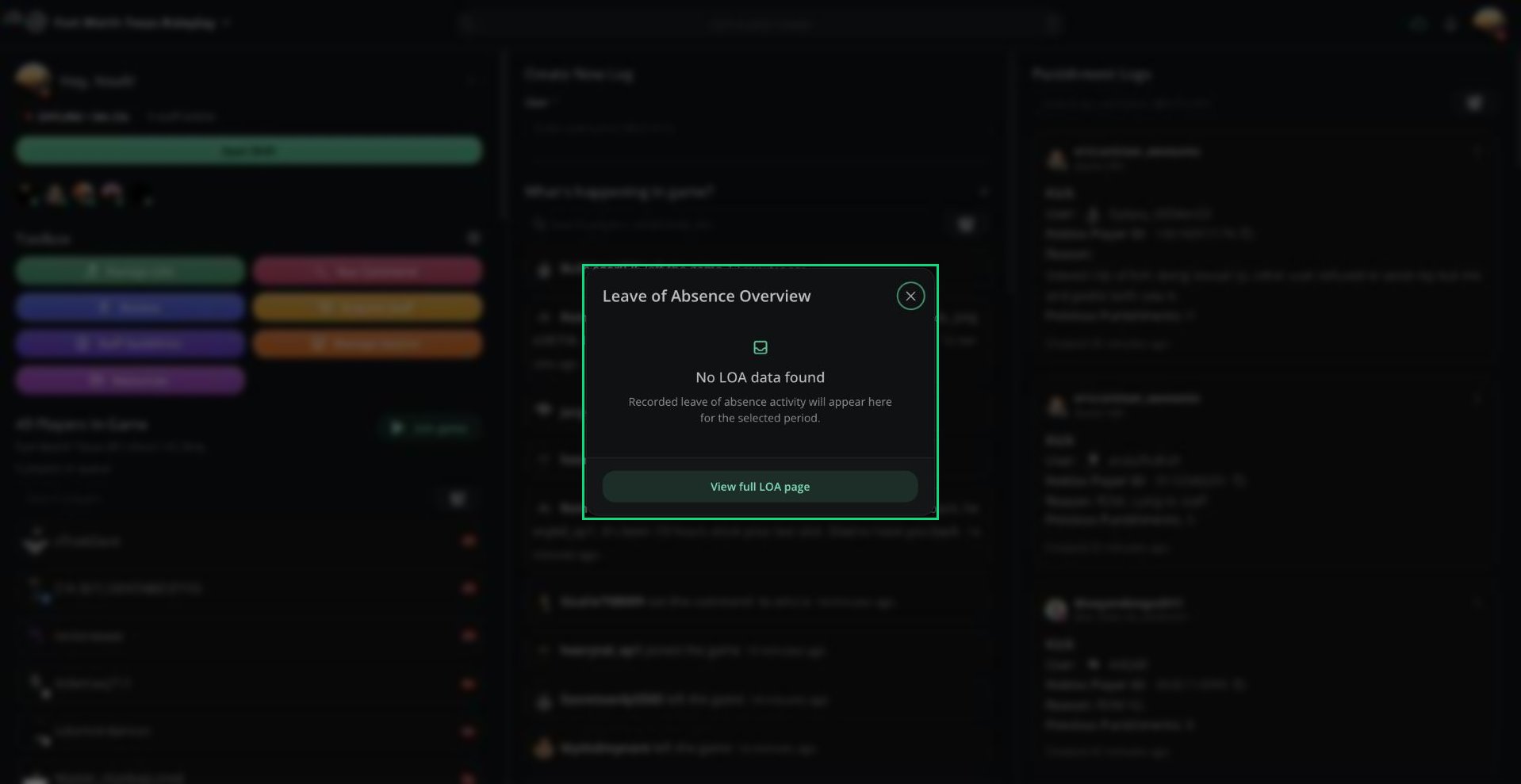
Manage LOA shows your Leave of Absence status for the server you're moderating. Use it to check an active or pending LOA, or to request time away.
 ***
## LOA Overview
Click **Manage LOA** in the Toolbox. The overview shows:
| Section | What it shows |
| - | - |
| Active LOA | Your current or upcoming LOA and when it ends |
| Pending LOA | A request waiting for review and when you submitted it |
| Recent LOAs | Your last 3 ended, denied, or cancelled LOAs |
Click **View full LOA page** to request or manage an LOA.
***
## Requesting an LOA
Click **View full LOA page**, or select **Manage LOA** from the **⋮** menu next to your name.
Enter a **Reason**, choose whether it starts on approval or on a future date, then pick an **End Date**.
Click **Submit request**. Your server's management will review it.
Your server may require a reason or end date, and may set a minimum and maximum length.
***
## Managing an LOA
Once your LOA is approved, the LOA page lets you:
| Option | What it does |
| - | - |
| Start LOA now | Start an approved future LOA early |
| Edit reason | Change your LOA's reason |
| Request extension | Ask for a later end date |
| End LOA | End your LOA early |
| Cancel request | Withdraw a pending request |
If your server turns on Disallow Shifts on Leave of Absence, you can't start shifts while your LOA is active.
How management reviews LOAs and configures LOA settings.
***
Still have questions? Join our Discord server for support from the Melonly Team.
This documentation is built and hosted on [Mintlify](https://mintlify.com), a developer documentation platform.
***
## LOA Overview
Click **Manage LOA** in the Toolbox. The overview shows:
| Section | What it shows |
| - | - |
| Active LOA | Your current or upcoming LOA and when it ends |
| Pending LOA | A request waiting for review and when you submitted it |
| Recent LOAs | Your last 3 ended, denied, or cancelled LOAs |
Click **View full LOA page** to request or manage an LOA.
***
## Requesting an LOA
Click **View full LOA page**, or select **Manage LOA** from the **⋮** menu next to your name.
Enter a **Reason**, choose whether it starts on approval or on a future date, then pick an **End Date**.
Click **Submit request**. Your server's management will review it.
Your server may require a reason or end date, and may set a minimum and maximum length.
***
## Managing an LOA
Once your LOA is approved, the LOA page lets you:
| Option | What it does |
| - | - |
| Start LOA now | Start an approved future LOA early |
| Edit reason | Change your LOA's reason |
| Request extension | Ask for a later end date |
| End LOA | End your LOA early |
| Cancel request | Withdraw a pending request |
If your server turns on Disallow Shifts on Leave of Absence, you can't start shifts while your LOA is active.
How management reviews LOAs and configures LOA settings.
***
Still have questions? Join our Discord server for support from the Melonly Team.
This documentation is built and hosted on [Mintlify](https://mintlify.com), a developer documentation platform.