> ## Documentation Index
> Fetch the complete documentation index at: https://docs.melonly.xyz/llms.txt
> Use this file to discover all available pages before exploring further.
# Punishment Logs
> Search, filter, edit, hide, and delete your server's moderation logs.
***
## What is Punishment Logs?
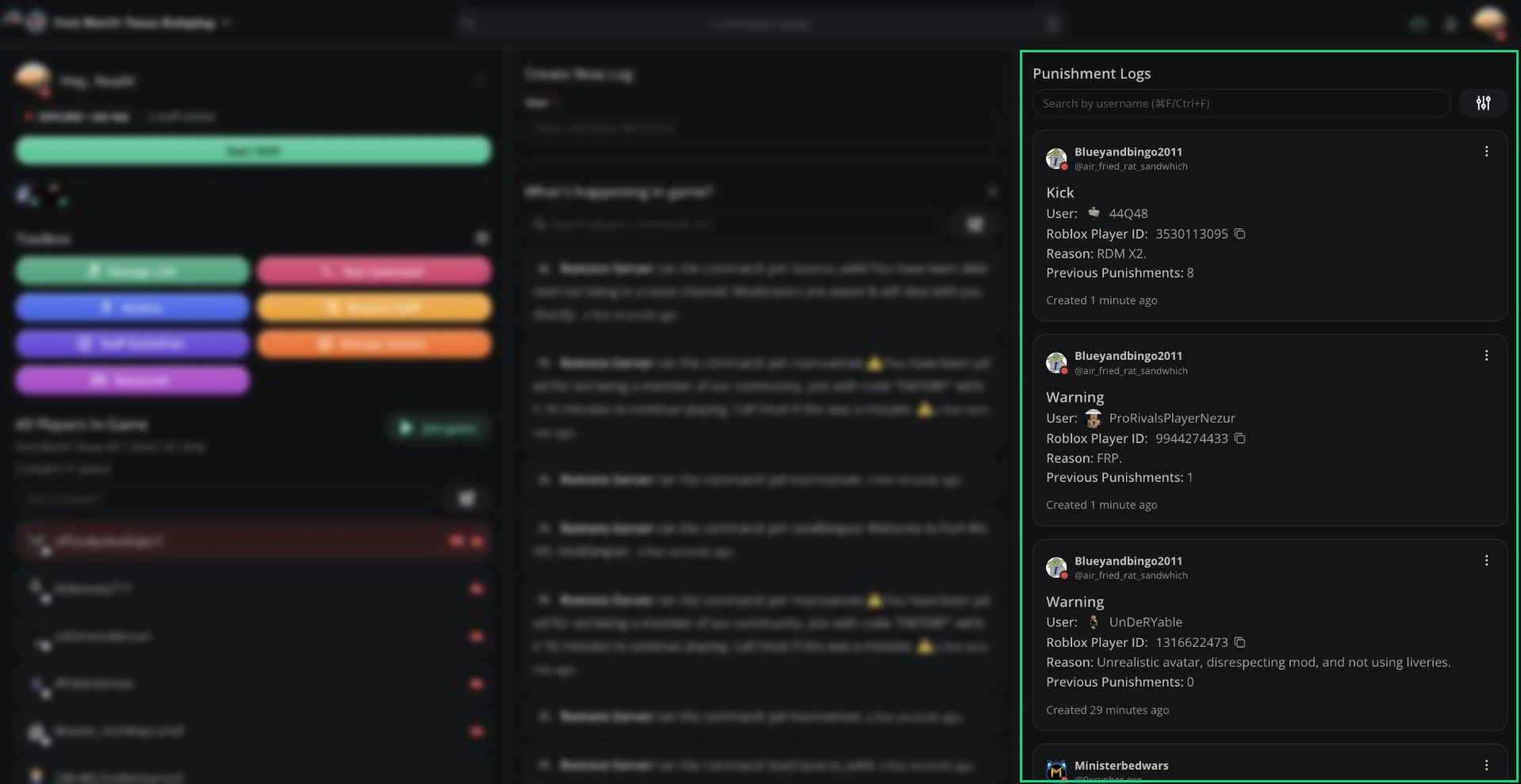
Punishment Logs, in the right column, lists every moderation log in your server, newest first. If you have the Ban permission, active Ban BOLOs are pinned to the top with a yellow border.
 ***
## Searching Logs
Type a username in **Search by username**, or press `Ctrl` + `F`.
Melonly matches by Roblox ID, so logs created under a player's old username still show up. When you search a player you'll also see:
* How many warnings and kicks they have.
* **Open user panel**, which opens their [User Panel](/Modpanel/logs/userpanel). You can also press `Ctrl` + `U`.
***
## Filtering Logs
Click the filter button next to the search bar.
***
## Searching Logs
Type a username in **Search by username**, or press `Ctrl` + `F`.
Melonly matches by Roblox ID, so logs created under a player's old username still show up. When you search a player you'll also see:
* How many warnings and kicks they have.
* **Open user panel**, which opens their [User Panel](/Modpanel/logs/userpanel). You can also press `Ctrl` + `U`.
***
## Filtering Logs
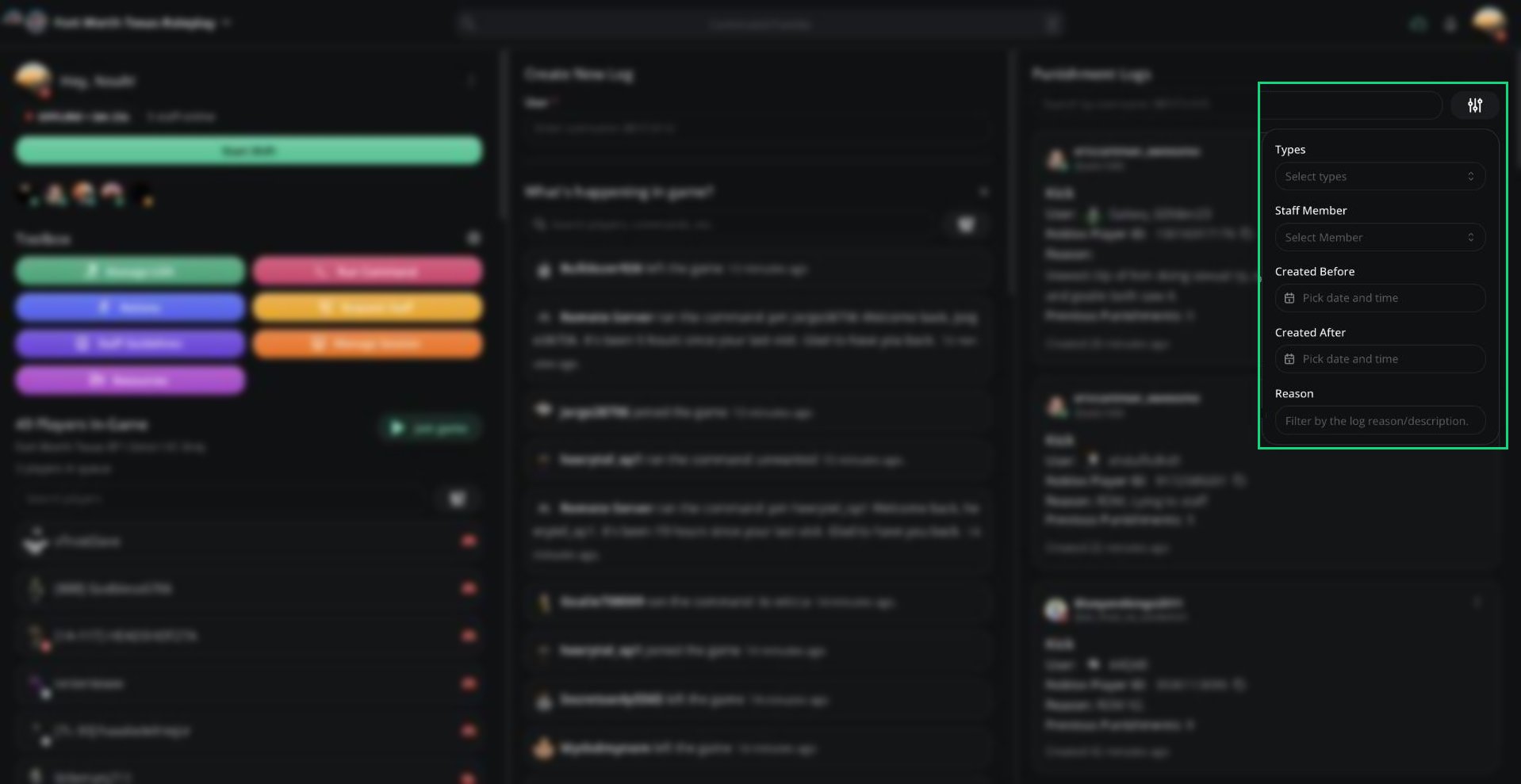
Click the filter button next to the search bar.
 | Filter | What it does |
| - | - |
| Types | Show only Warn, Kick, Ban, Note, Active Ban BOLO, or Inactive Ban BOLO logs. |
| Staff Member | Show logs created or completed by specific staff, System, or Watchdog. |
| Created Before | Show logs created before a date and time. |
| Created After | Show logs created after a date and time. |
| Reason | Show logs whose reason or description contains your text. |
Click **Clear filters** to reset them.
***
## Reading a Log
Each log shows who created it, the player, the type, the reason, the player's previous punishments, and any proof.
| Field | What it shows |
| - | - |
| Staff member | Who created the log. Click to open their moderator card. |
| Type | Warning, Kick, Ban, Ban Bolo, Note, or a custom type. |
| User | The punished player. Click to see their player info. |
| Roblox Player ID | Click to copy. |
| Reason and Description | Why the log was created. |
| Previous Punishments | Their warnings and kicks before this log. |
| Attachments | Proof images. Click to view. |
| Edited by | Everyone who has edited the log. |
| Created | When the log was made. |
Logs hidden from the player have an orange border and a Hidden from User tag.
***
## Managing a Log
Click **⋮** on a log to manage it.
| Filter | What it does |
| - | - |
| Types | Show only Warn, Kick, Ban, Note, Active Ban BOLO, or Inactive Ban BOLO logs. |
| Staff Member | Show logs created or completed by specific staff, System, or Watchdog. |
| Created Before | Show logs created before a date and time. |
| Created After | Show logs created after a date and time. |
| Reason | Show logs whose reason or description contains your text. |
Click **Clear filters** to reset them.
***
## Reading a Log
Each log shows who created it, the player, the type, the reason, the player's previous punishments, and any proof.
| Field | What it shows |
| - | - |
| Staff member | Who created the log. Click to open their moderator card. |
| Type | Warning, Kick, Ban, Ban Bolo, Note, or a custom type. |
| User | The punished player. Click to see their player info. |
| Roblox Player ID | Click to copy. |
| Reason and Description | Why the log was created. |
| Previous Punishments | Their warnings and kicks before this log. |
| Attachments | Proof images. Click to view. |
| Edited by | Everyone who has edited the log. |
| Created | When the log was made. |
Logs hidden from the player have an orange border and a Hidden from User tag.
***
## Managing a Log
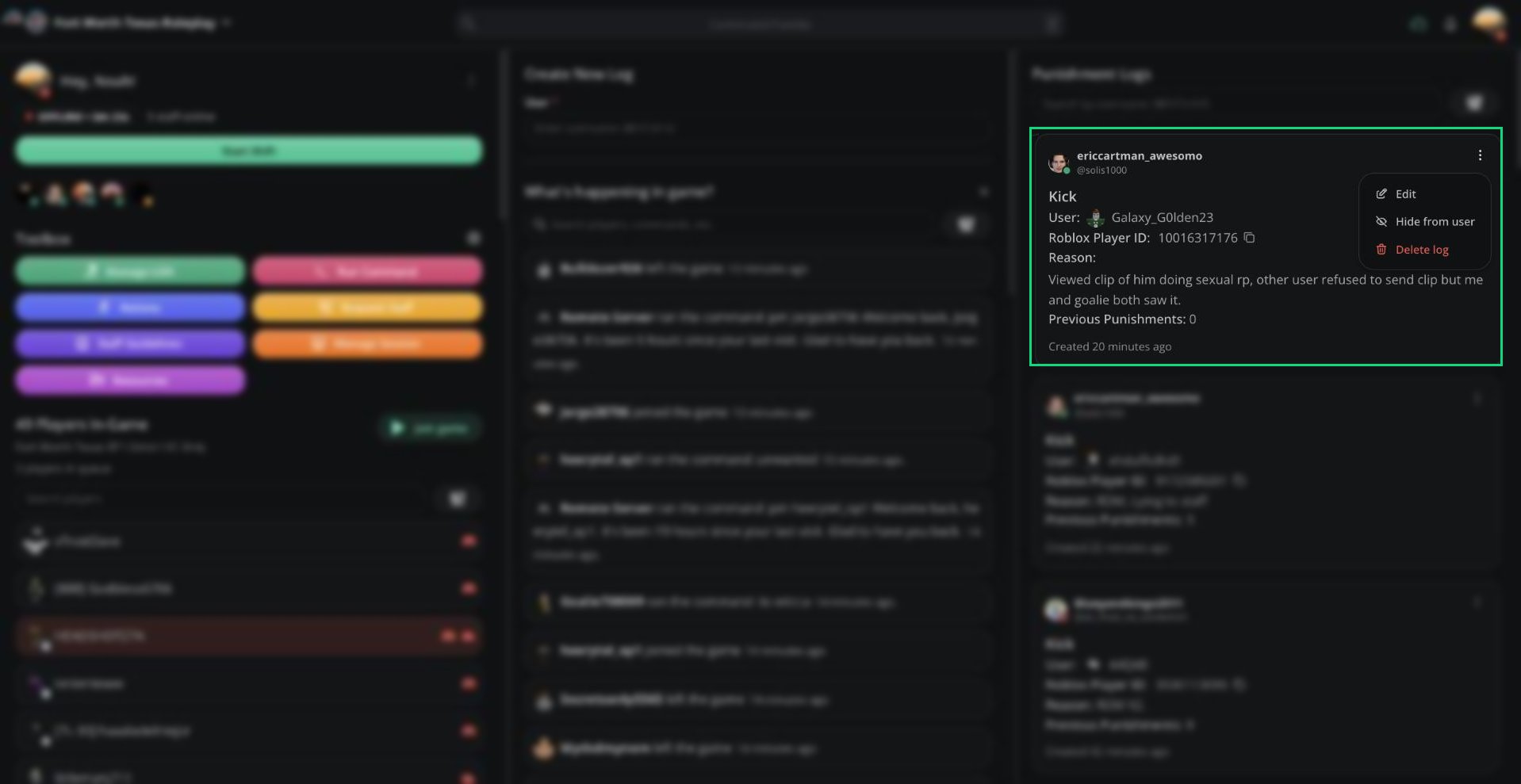
Click **⋮** on a log to manage it.
 | Option | Who can use it |
| - | - |
| Edit | The log's author, or staff with Edit Log |
| Hide from user / Make visible to user | Staff with Hide Log, when Allow Users to see their own Logs is on |
| Complete (ban user) | Staff with Ban, on active Ban BOLOs |
| Invalidate ban BOLO | Staff with Ban, on active Ban BOLOs |
| Delete log | The log's author, or staff with Delete Log |
Delete log deletes the log straight away, with no confirmation.
### Editing a log
Select **Edit** to load the log into the form. You can change the type, reason, description, temporary ban, and proof. The player can't be changed.
Click **Save Log** or press `Ctrl` + `Enter`. Your name is added to the log's **Edited by** list.
The **Manage Log on Melonly** button on Discord log messages opens that log on the panel, ready to edit.
### Hiding a log
If your server lets players see their own logs, **Hide from user** removes a log from the player's view. Staff can still see it. Ban BOLOs can't be hidden.
***
## Previous Punishments
Every log shows how many times the player was punished before it.
* Warnings and kicks count.
* Notes, Ban BOLOs, and custom types don't count.
* The count resets after a ban, or after a note with **Reset previous punishments count** ticked.
***
Still have questions? Join our Discord server for support from the Melonly Team.
This documentation is built and hosted on [Mintlify](https://mintlify.com), a developer documentation platform.
| Option | Who can use it |
| - | - |
| Edit | The log's author, or staff with Edit Log |
| Hide from user / Make visible to user | Staff with Hide Log, when Allow Users to see their own Logs is on |
| Complete (ban user) | Staff with Ban, on active Ban BOLOs |
| Invalidate ban BOLO | Staff with Ban, on active Ban BOLOs |
| Delete log | The log's author, or staff with Delete Log |
Delete log deletes the log straight away, with no confirmation.
### Editing a log
Select **Edit** to load the log into the form. You can change the type, reason, description, temporary ban, and proof. The player can't be changed.
Click **Save Log** or press `Ctrl` + `Enter`. Your name is added to the log's **Edited by** list.
The **Manage Log on Melonly** button on Discord log messages opens that log on the panel, ready to edit.
### Hiding a log
If your server lets players see their own logs, **Hide from user** removes a log from the player's view. Staff can still see it. Ban BOLOs can't be hidden.
***
## Previous Punishments
Every log shows how many times the player was punished before it.
* Warnings and kicks count.
* Notes, Ban BOLOs, and custom types don't count.
* The count resets after a ban, or after a note with **Reset previous punishments count** ticked.
***
Still have questions? Join our Discord server for support from the Melonly Team.
This documentation is built and hosted on [Mintlify](https://mintlify.com), a developer documentation platform.