> ## Documentation Index
> Fetch the complete documentation index at: https://docs.melonly.xyz/llms.txt
> Use this file to discover all available pages before exploring further.
# Run Command
> Send ER:LC commands to your private server from the Mod Panel.
***
## What is Run Command?
Run Command (Virtual Server Management) sends ER:LC commands to your private server. You don't need to be in-game.
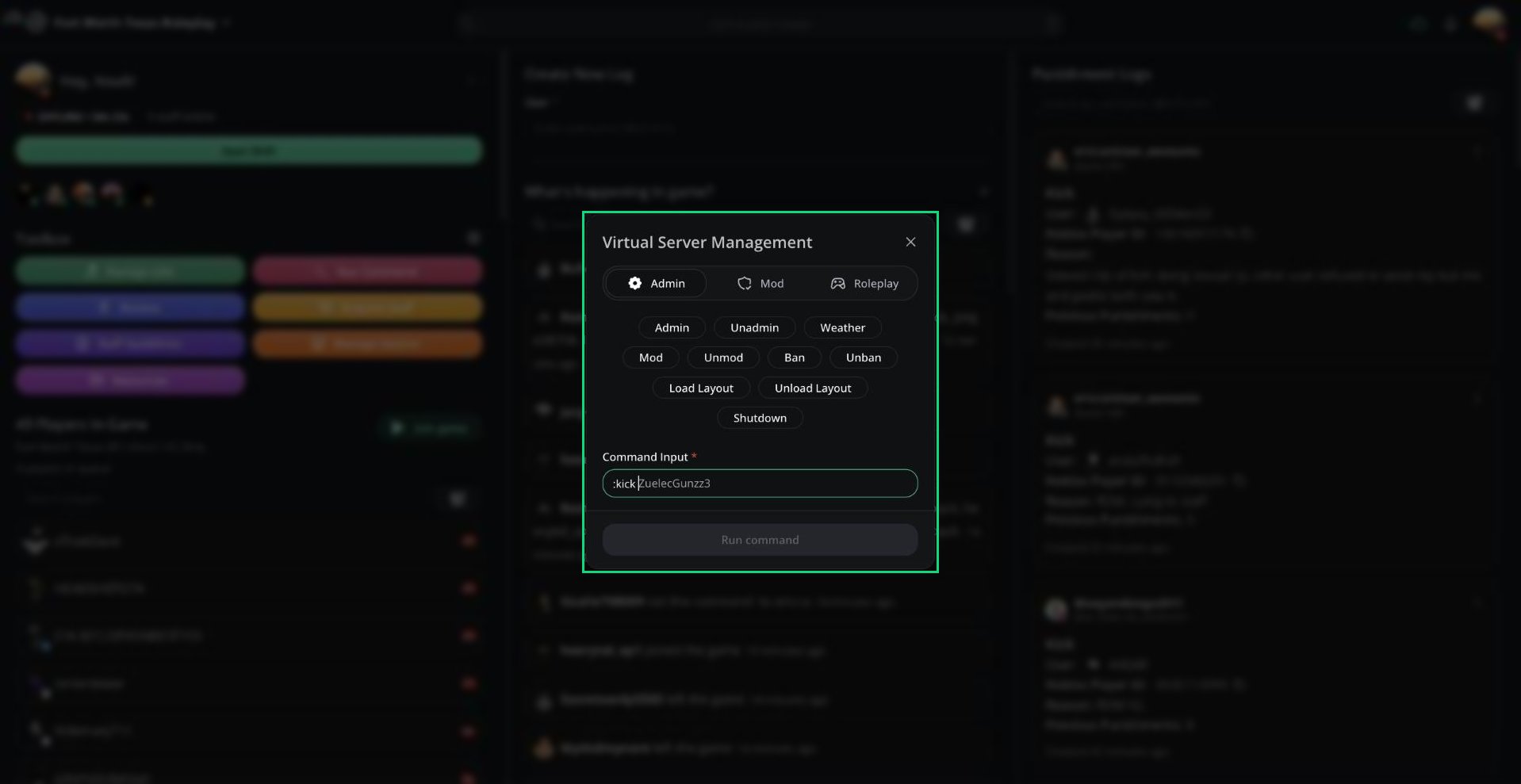 Click **Run Command** in the [Toolbox](/Modpanel/toolbox/home) to open it.
***
## Running a Command
Click a command button, or type the command in **Command Input**. The leading `:` is optional.
Melonly suggests the next argument in grey, such as player names in your server. Press `Tab` to accept it.
Click **Run command** or press `Enter`.
You can run another command after 6 seconds. Every command except Shutdown needs at least one argument. Commands only work while someone is in your server.
You can also run commands from the [Command Palette](/Modpanel/commandpalette#running-game-commands). Type `:` followed by the command.
***
## Command Tabs
Commands are grouped into Admin, Mod, and Roleplay tabs. You only see the Admin tab with ER:LC admin or higher.
| Tab | Commands |
| - | - |
| Admin | Admin, Unadmin, Weather, Mod, Unmod, Ban, Unban, Load Layout, Unload Layout, Shutdown |
| Mod | Kick, Kill, Hint, Message, Private Message, Teleport, Refresh, Respawn, Helper, Unhelper |
| Roleplay | Heal, Time, Peacetime, Jail, Priority, Wanted, Unwanted, Startfire, Stopfire |
***
## Command Permissions
| Permission | Commands |
| - | - |
| ER:LC mod | kick, kill, hint, message, pm, teleport, refresh, respawn, heal, time, peacetime, jail, priority, wanted, unwanted, startfire, stopfire, stopdumpsterfire, helper, unhelper |
| ER:LC admin | All mod commands, plus weather, mod, unmod, ban, unban, shutdown, loadlayout, unloadlayout |
| ER:LC Co-Owner | All commands, plus admin and unadmin |
Commands not on this list, such as `:bring` or `:view`, can't be run remotely.
Every command you run is recorded in your server's [audit logs](/Dashboard/auditlogs).
***
Still have questions? Join our Discord server for support from the Melonly Team.
This documentation is built and hosted on [Mintlify](https://mintlify.com), a developer documentation platform.
Click **Run Command** in the [Toolbox](/Modpanel/toolbox/home) to open it.
***
## Running a Command
Click a command button, or type the command in **Command Input**. The leading `:` is optional.
Melonly suggests the next argument in grey, such as player names in your server. Press `Tab` to accept it.
Click **Run command** or press `Enter`.
You can run another command after 6 seconds. Every command except Shutdown needs at least one argument. Commands only work while someone is in your server.
You can also run commands from the [Command Palette](/Modpanel/commandpalette#running-game-commands). Type `:` followed by the command.
***
## Command Tabs
Commands are grouped into Admin, Mod, and Roleplay tabs. You only see the Admin tab with ER:LC admin or higher.
| Tab | Commands |
| - | - |
| Admin | Admin, Unadmin, Weather, Mod, Unmod, Ban, Unban, Load Layout, Unload Layout, Shutdown |
| Mod | Kick, Kill, Hint, Message, Private Message, Teleport, Refresh, Respawn, Helper, Unhelper |
| Roleplay | Heal, Time, Peacetime, Jail, Priority, Wanted, Unwanted, Startfire, Stopfire |
***
## Command Permissions
| Permission | Commands |
| - | - |
| ER:LC mod | kick, kill, hint, message, pm, teleport, refresh, respawn, heal, time, peacetime, jail, priority, wanted, unwanted, startfire, stopfire, stopdumpsterfire, helper, unhelper |
| ER:LC admin | All mod commands, plus weather, mod, unmod, ban, unban, shutdown, loadlayout, unloadlayout |
| ER:LC Co-Owner | All commands, plus admin and unadmin |
Commands not on this list, such as `:bring` or `:view`, can't be run remotely.
Every command you run is recorded in your server's [audit logs](/Dashboard/auditlogs).
***
Still have questions? Join our Discord server for support from the Melonly Team.
This documentation is built and hosted on [Mintlify](https://mintlify.com), a developer documentation platform.