> ## Documentation Index
> Fetch the complete documentation index at: https://docs.melonly.xyz/llms.txt
> Use this file to discover all available pages before exploring further.
# Game Logs
> Follow kills, joins, commands, and mod calls from your ER:LC server as they happen.
***
## What are Game Logs?
The What's happening in game? feed, in the middle column, shows everything going on in your ER:LC server as it happens.
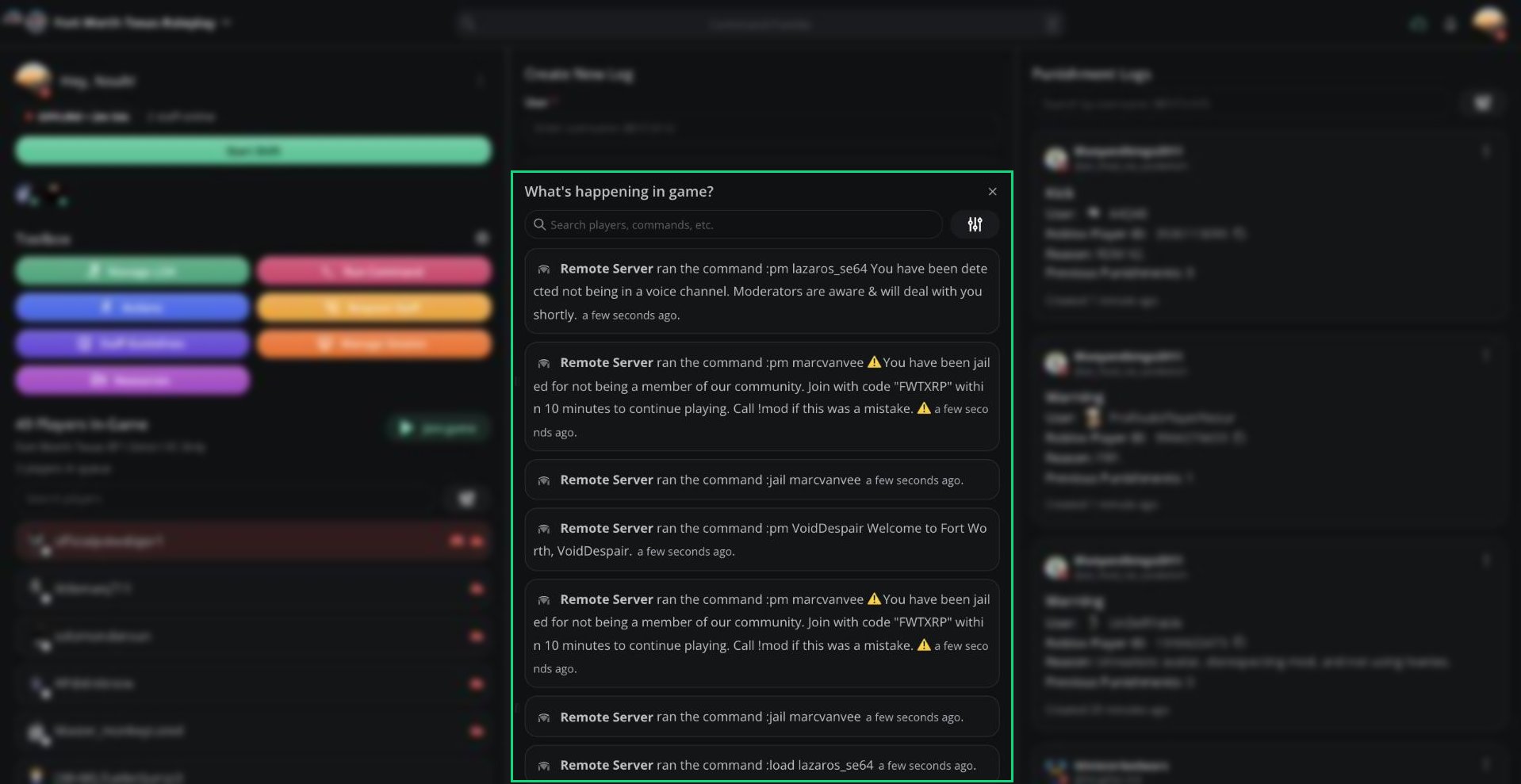 | Entry | Example |
| - | - |
| Kill | Player1 killed Player2 |
| Join / Leave | Player1 joined the game |
| Command | Player1 ran the command :pm Player2 Hello |
| Mod Call | Player1 called for a moderator. Mod1 responded to the call. |
Click a player's name to see their info, or `Ctrl` + click to open their [User Panel](/Modpanel/logs/userpanel).
Need more room? Click the **X** or press `Ctrl` + `G` to hide the feed. Press `Ctrl` + `X` to bring it back.
***
## Searching and Filtering
Type in **Search players, commands, etc.** to search by player, Roblox ID, or command text.
Click the filter button to show only certain log types.
| Entry | Example |
| - | - |
| Kill | Player1 killed Player2 |
| Join / Leave | Player1 joined the game |
| Command | Player1 ran the command :pm Player2 Hello |
| Mod Call | Player1 called for a moderator. Mod1 responded to the call. |
Click a player's name to see their info, or `Ctrl` + click to open their [User Panel](/Modpanel/logs/userpanel).
Need more room? Click the **X** or press `Ctrl` + `G` to hide the feed. Press `Ctrl` + `X` to bring it back.
***
## Searching and Filtering
Type in **Search players, commands, etc.** to search by player, Roblox ID, or command text.
Click the filter button to show only certain log types.
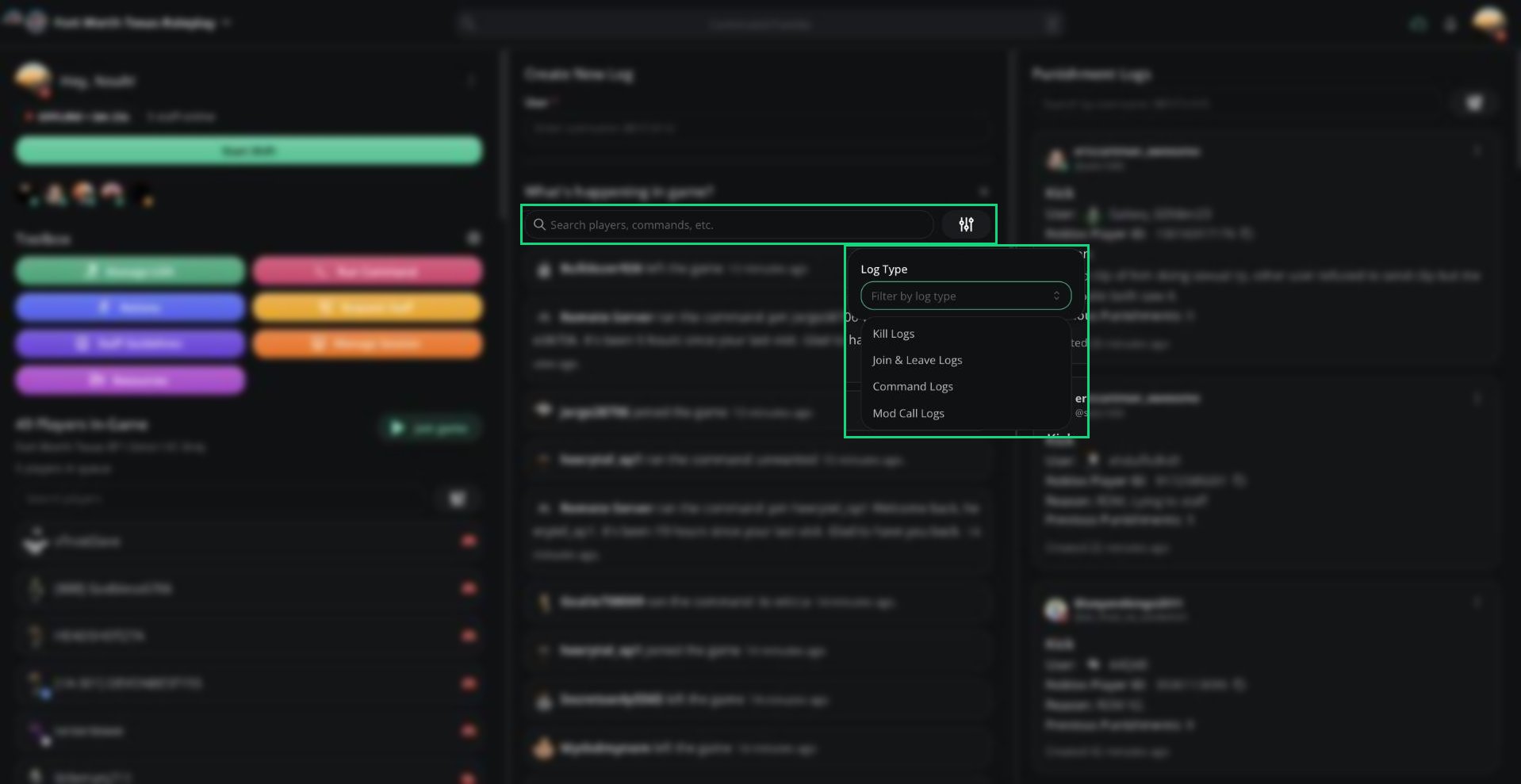 | Log Type | Shows |
| - | - |
| Kill Logs | Player kills |
| Join & Leave Logs | Players joining and leaving |
| Command Logs | In-game commands |
| Mod Call Logs | Mod calls and who responded |
***
## Kick Rejoin Timers
With a rejoin timer, Melonly punishes kicked players who rejoin too soon. If a kick was a mistake, you can void that kick's timer.
Requires [Melonly Plus](https://melonly.xyz/plus), a rejoin timer set in [Dashboard → ER:LC](/Dashboard/erlcintegration/home), and the Delete Log permission.
Find the `:kick` command in the game feed. While its timer is running, a clock icon appears next to it.
Click the clock icon. Enter a **Reason**, then click **Void timer**.
Voiding can't be undone and only affects that one kick. The kick log stays, and other active kicks can still trigger a punishment.
***
## Pending Requests and Verdicts
Two buttons can appear under the search bar.
### Priority requests
The pending priority requests button appears when your server uses priority requests. Click it to review them. See [Priority Requests](/Modpanel/toolbox/priorityrequests).
### Watchdog verdicts
The pending Watchdog verdicts button appears when your server uses [Watchdog](/Dashboard/watchdog). It counts detections that arrive while you have the panel open. Click it to review them.
| Field | What it shows |
| - | - |
| Confidence | How sure Watchdog is, as a percentage |
| Proposed Action | The punishment Watchdog suggests |
| Detection Reason | Why the player was flagged. This becomes the log reason if you accept. |
| User Message | The message the player will be sent |
| Moderator Message | Watchdog's explanation for staff |
Click **Accept** to apply the punishment, or **Decline** to dismiss it. You can also teleport to, bring, or wanted the player first, if your Roblox account is linked.
***
Still have questions? Join our Discord server for support from the Melonly Team.
This documentation is built and hosted on [Mintlify](https://mintlify.com), a developer documentation platform.
| Log Type | Shows |
| - | - |
| Kill Logs | Player kills |
| Join & Leave Logs | Players joining and leaving |
| Command Logs | In-game commands |
| Mod Call Logs | Mod calls and who responded |
***
## Kick Rejoin Timers
With a rejoin timer, Melonly punishes kicked players who rejoin too soon. If a kick was a mistake, you can void that kick's timer.
Requires [Melonly Plus](https://melonly.xyz/plus), a rejoin timer set in [Dashboard → ER:LC](/Dashboard/erlcintegration/home), and the Delete Log permission.
Find the `:kick` command in the game feed. While its timer is running, a clock icon appears next to it.
Click the clock icon. Enter a **Reason**, then click **Void timer**.
Voiding can't be undone and only affects that one kick. The kick log stays, and other active kicks can still trigger a punishment.
***
## Pending Requests and Verdicts
Two buttons can appear under the search bar.
### Priority requests
The pending priority requests button appears when your server uses priority requests. Click it to review them. See [Priority Requests](/Modpanel/toolbox/priorityrequests).
### Watchdog verdicts
The pending Watchdog verdicts button appears when your server uses [Watchdog](/Dashboard/watchdog). It counts detections that arrive while you have the panel open. Click it to review them.
| Field | What it shows |
| - | - |
| Confidence | How sure Watchdog is, as a percentage |
| Proposed Action | The punishment Watchdog suggests |
| Detection Reason | Why the player was flagged. This becomes the log reason if you accept. |
| User Message | The message the player will be sent |
| Moderator Message | Watchdog's explanation for staff |
Click **Accept** to apply the punishment, or **Decline** to dismiss it. You can also teleport to, bring, or wanted the player first, if your Roblox account is linked.
***
Still have questions? Join our Discord server for support from the Melonly Team.
This documentation is built and hosted on [Mintlify](https://mintlify.com), a developer documentation platform.