> ## Documentation Index
> Fetch the complete documentation index at: https://docs.melonly.xyz/llms.txt
> Use this file to discover all available pages before exploring further.
# Melonly Pro
> The account subscription that gives you Melonly Vision, an ad-free Melonly, and profile perks.
***
## What is Melonly Pro?
Melonly Pro is a subscription for you, not for a server. It follows your account everywhere, so there's nothing to activate.
 ***
## What You Get
| Perk | What it means |
| - | - |
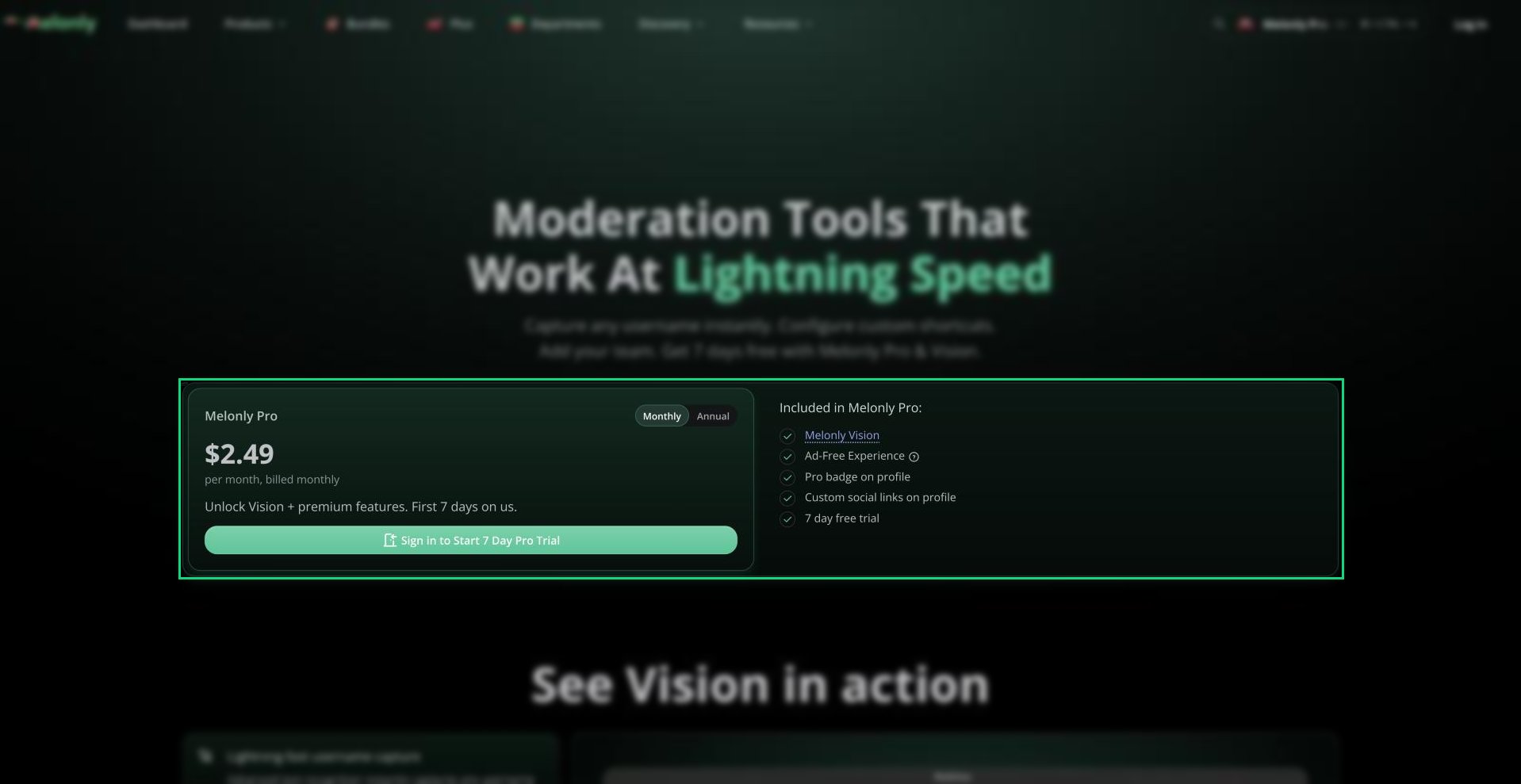
| [Melonly Vision](/Guides/MelonlyVision) | Use the Vision moderation app on every server you moderate. |
| No ads | Ads are removed across the Melonly website. |
| Pro badge | A Pro badge on your [public profile](/Guides/profile). |
| Custom social links | Add your own social links to your profile. |
***
## Plans
| Plan | Price |
| - | - |
| Monthly | \$2.49 a month |
| Annually | \$14.99 a year |
Every account can try Pro free for 7 days, once. Prices are in US dollars and taxes may apply.
***
## Getting Pro
Go to [melonly.xyz/pro](https://melonly.xyz/pro), or use the Pro card on your [profile](https://melonly.xyz/my/profile).
Start the 7-day trial, or choose monthly or annual. Once you've used your trial, you'll only see the plans.
Pay through Stripe. Your perks start as soon as checkout finishes.
Once you have Pro, the card on your profile shows your Pro status and a **Billing portal** button. To cancel or change your plan, see [Billing and Cancelling](/Guides/managingsubs/billing).
***
## Pro or Vision Team Seats?
You don't need Pro to use Vision if your server gives you a Vision Team seat. A seat only covers that server, while Pro covers every server you're in. See [Vision Team Seats](/Guides/MelonlyVision#vision-team-seats).
***
Still have questions? Join our Discord server for support from the Melonly Team.
This documentation is built and hosted on [Mintlify](https://mintlify.com), a developer documentation platform.
***
## What You Get
| Perk | What it means |
| - | - |
| [Melonly Vision](/Guides/MelonlyVision) | Use the Vision moderation app on every server you moderate. |
| No ads | Ads are removed across the Melonly website. |
| Pro badge | A Pro badge on your [public profile](/Guides/profile). |
| Custom social links | Add your own social links to your profile. |
***
## Plans
| Plan | Price |
| - | - |
| Monthly | \$2.49 a month |
| Annually | \$14.99 a year |
Every account can try Pro free for 7 days, once. Prices are in US dollars and taxes may apply.
***
## Getting Pro
Go to [melonly.xyz/pro](https://melonly.xyz/pro), or use the Pro card on your [profile](https://melonly.xyz/my/profile).
Start the 7-day trial, or choose monthly or annual. Once you've used your trial, you'll only see the plans.
Pay through Stripe. Your perks start as soon as checkout finishes.
Once you have Pro, the card on your profile shows your Pro status and a **Billing portal** button. To cancel or change your plan, see [Billing and Cancelling](/Guides/managingsubs/billing).
***
## Pro or Vision Team Seats?
You don't need Pro to use Vision if your server gives you a Vision Team seat. A seat only covers that server, while Pro covers every server you're in. See [Vision Team Seats](/Guides/MelonlyVision#vision-team-seats).
***
Still have questions? Join our Discord server for support from the Melonly Team.
This documentation is built and hosted on [Mintlify](https://mintlify.com), a developer documentation platform.