> ## Documentation Index
> Fetch the complete documentation index at: https://docs.melonly.xyz/llms.txt
> Use this file to discover all available pages before exploring further.
# Desktop App
> Download the free Melonly desktop app for Windows, macOS or Linux for global CAD keybinds, pop-out windows and Discord status.
***
## What is the Desktop App?
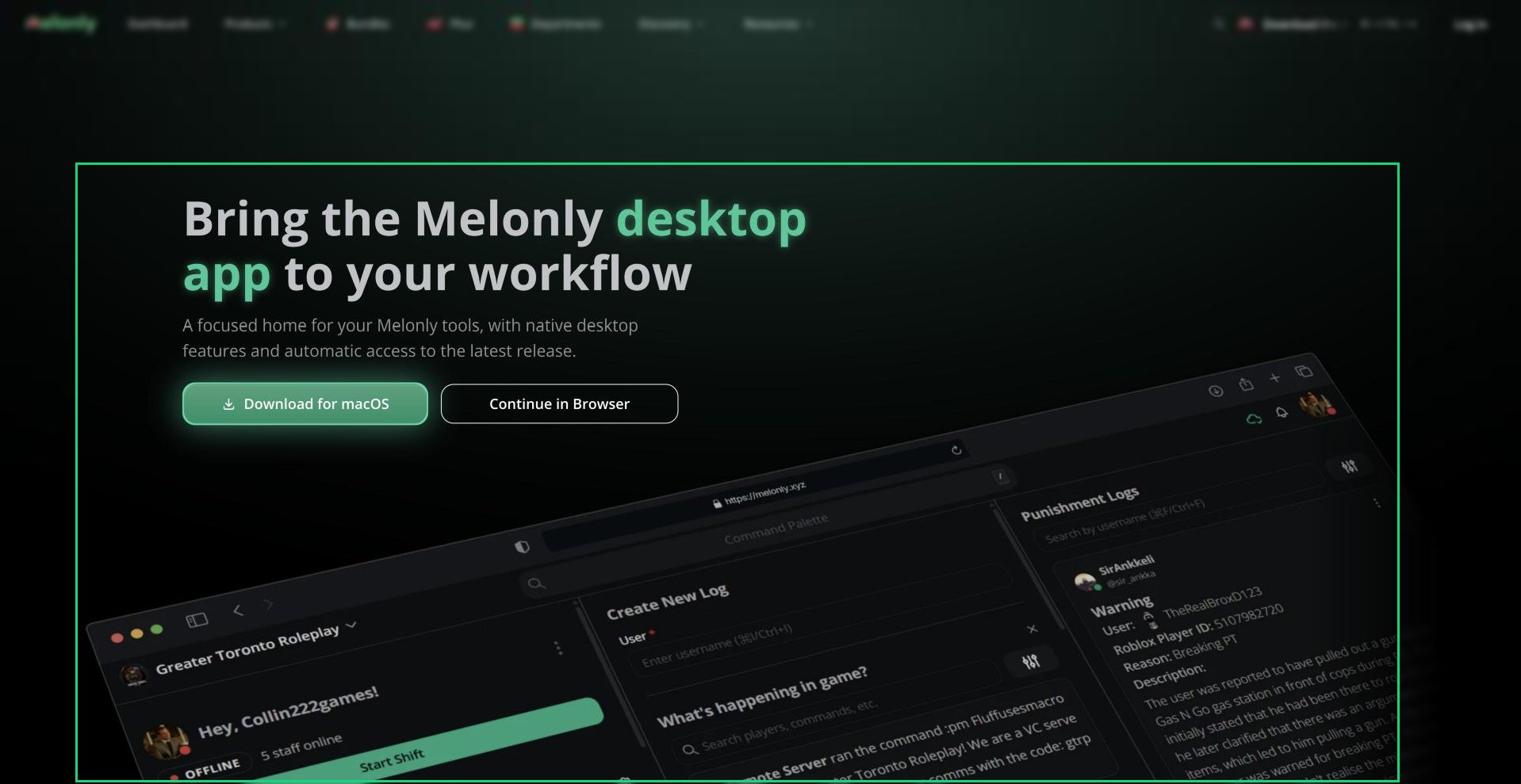
The Melonly desktop app is Melonly in its own window instead of a browser tab. You sign in with the same account and get the same dashboard, panels and CAD, plus a few things a browser can't do, like keybinds that work while you're in Roblox.
It's free and optional. Everything still works in your browser.
 ***
## Downloading the App
Go to [melonly.xyz/download](https://melonly.xyz/download). It picks the right download for your computer.
Click the download button, or choose a different build from the list. Then run the installer.
Open Melonly and sign in with your Melonly account.
You can also download it from the Melonly Desktop App card in your [account settings](/Guides/account/settings#melonly-desktop-app), or from the CAD menu in any CAD panel.
| Build | For |
| - | - |
| Windows (64-bit) | Windows 10 and 11 on Intel or AMD |
| Windows on ARM | Windows on ARM processors |
| macOS (Apple silicon) | M-series Macs |
| macOS (Intel) | Intel Macs |
| Linux AppImage | Most Linux distributions, x64 or ARM64 |
| Debian / Ubuntu | A .deb package, x64 or ARM64 |
The app updates itself, so you only need to download it once.
***
## What You Get
| Feature | What it does |
| - | - |
| Global keybinds | CAD keybinds such as push-to-talk work even when the CAD window isn't focused. |
| Pop-out windows | Move CAD windows out into their own windows on your desktop. |
| Extra CAD keybinds | Scan License, and Open (Alt + X) to bring the CAD to the front. See [Preferences](/CAD/Intro/preferences). |
| Discord status | Shows on your Discord profile when you're moderating, using the CAD, on radio or live on bodycam. |
| Navigation bar | Back, forward and refresh buttons in the title bar. |
To keep CAD windows inside the main app, turn on Disable native windows under Legacy in your CAD preferences.
***
## Permissions on macOS
The first time you use some features, macOS asks for permission. You can change these later in System Settings, Privacy & Security.
| Permission | Needed for |
| - | - |
| Microphone | Radio and voice in the CAD. |
| Accessibility | Global keybinds outside the app. |
| Screen Recording | Bodycam and screen sharing. |
On Linux, global keybinds need X11 or XWayland.
***
## Good to Know
* The desktop app isn't the same as [Melonly Vision](/Guides/MelonlyVision), which is a separate overlay app for moderating in game.
* If support asks for your logs, use Diagnostics, then Open Logs Folder, in the app menu.
* On a phone or tablet, [install Melonly to your home screen](/Guides/pwa) instead.
***
Still have questions? Join our Discord server for support from the Melonly Team.
This documentation is built and hosted on [Mintlify](https://mintlify.com), a developer documentation platform.
***
## Downloading the App
Go to [melonly.xyz/download](https://melonly.xyz/download). It picks the right download for your computer.
Click the download button, or choose a different build from the list. Then run the installer.
Open Melonly and sign in with your Melonly account.
You can also download it from the Melonly Desktop App card in your [account settings](/Guides/account/settings#melonly-desktop-app), or from the CAD menu in any CAD panel.
| Build | For |
| - | - |
| Windows (64-bit) | Windows 10 and 11 on Intel or AMD |
| Windows on ARM | Windows on ARM processors |
| macOS (Apple silicon) | M-series Macs |
| macOS (Intel) | Intel Macs |
| Linux AppImage | Most Linux distributions, x64 or ARM64 |
| Debian / Ubuntu | A .deb package, x64 or ARM64 |
The app updates itself, so you only need to download it once.
***
## What You Get
| Feature | What it does |
| - | - |
| Global keybinds | CAD keybinds such as push-to-talk work even when the CAD window isn't focused. |
| Pop-out windows | Move CAD windows out into their own windows on your desktop. |
| Extra CAD keybinds | Scan License, and Open (Alt + X) to bring the CAD to the front. See [Preferences](/CAD/Intro/preferences). |
| Discord status | Shows on your Discord profile when you're moderating, using the CAD, on radio or live on bodycam. |
| Navigation bar | Back, forward and refresh buttons in the title bar. |
To keep CAD windows inside the main app, turn on Disable native windows under Legacy in your CAD preferences.
***
## Permissions on macOS
The first time you use some features, macOS asks for permission. You can change these later in System Settings, Privacy & Security.
| Permission | Needed for |
| - | - |
| Microphone | Radio and voice in the CAD. |
| Accessibility | Global keybinds outside the app. |
| Screen Recording | Bodycam and screen sharing. |
On Linux, global keybinds need X11 or XWayland.
***
## Good to Know
* The desktop app isn't the same as [Melonly Vision](/Guides/MelonlyVision), which is a separate overlay app for moderating in game.
* If support asks for your logs, use Diagnostics, then Open Logs Folder, in the app menu.
* On a phone or tablet, [install Melonly to your home screen](/Guides/pwa) instead.
***
Still have questions? Join our Discord server for support from the Melonly Team.
This documentation is built and hosted on [Mintlify](https://mintlify.com), a developer documentation platform.