> ## Documentation Index
> Fetch the complete documentation index at: https://docs.melonly.xyz/llms.txt
> Use this file to discover all available pages before exploring further.
# Account Settings
> Change your preferred name, link Roblox, set your default server, choose which Discord DMs you get, and sign out of your sessions.
***
## What are Account Settings?
[Account Settings](https://melonly.xyz/my/account) hold the settings that follow you across every Melonly server. Each card has its own save bar, so save a card before moving to the next.
***
## Profile
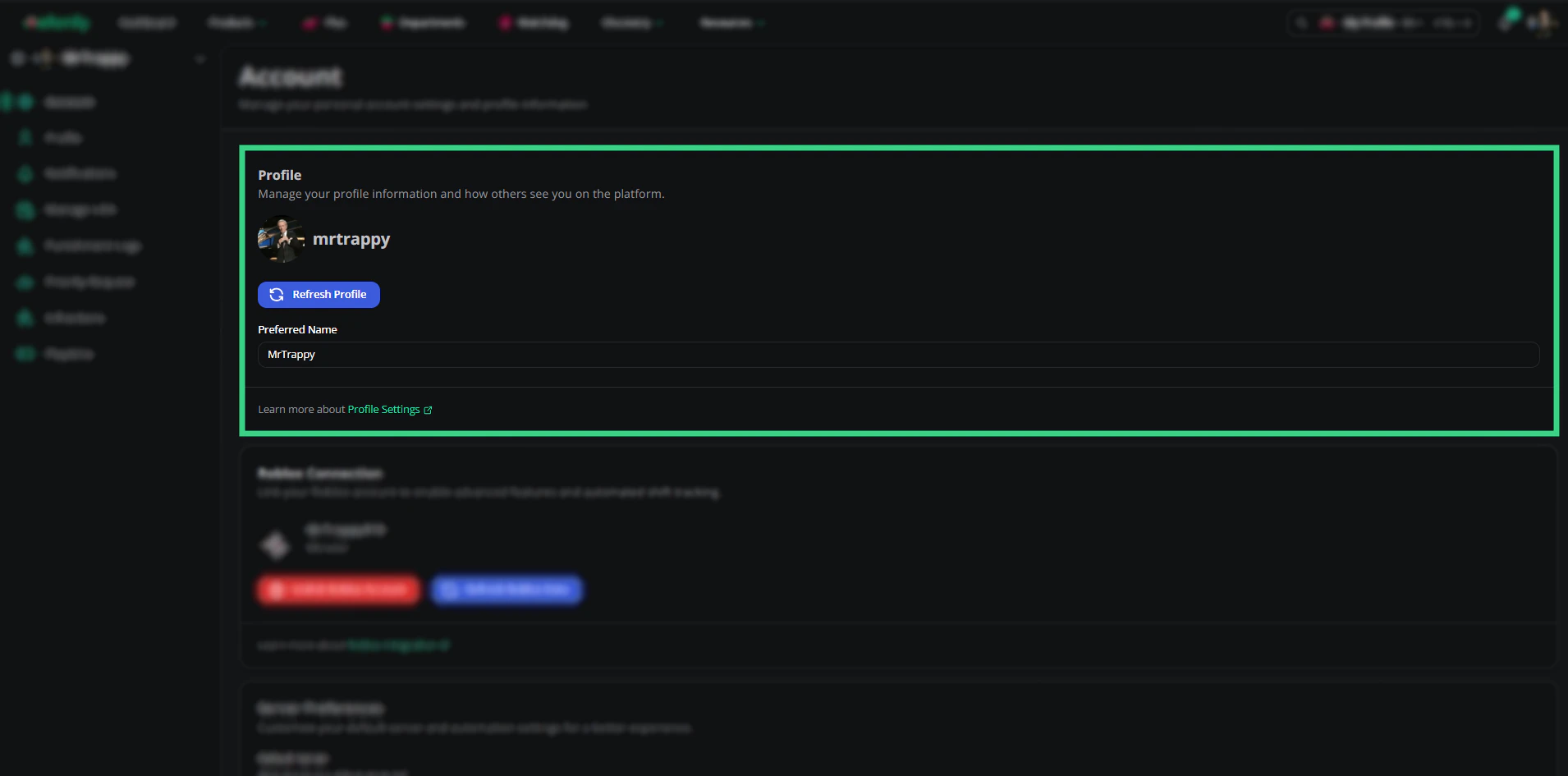 | Setting | Description |
| - | - |
| Refresh Profile | Pulls your latest name and avatar from Discord. |
| Preferred Name | The name Melonly shows instead of your Discord name. |
***
## Roblox Connection
Linking Roblox lets servers match you to your in-game account. You need it for verification, automatic ER:LC shifts, punishment logs and moderation DMs.
| Setting | Description |
| - | - |
| Refresh Profile | Pulls your latest name and avatar from Discord. |
| Preferred Name | The name Melonly shows instead of your Discord name. |
***
## Roblox Connection
Linking Roblox lets servers match you to your in-game account. You need it for verification, automatic ER:LC shifts, punishment logs and moderation DMs.
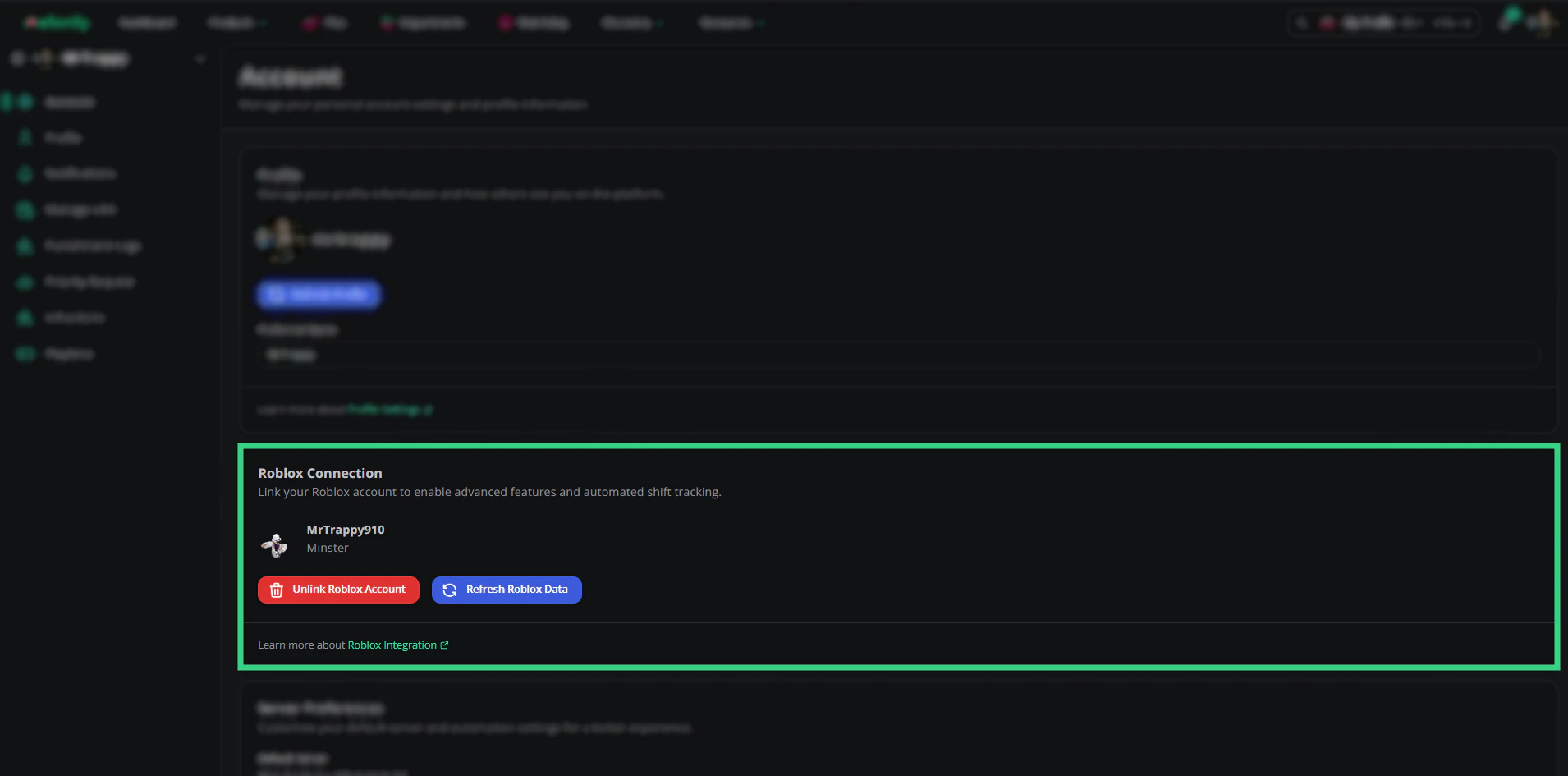 | Button | What it does |
| - | - |
| Link Roblox account | Signs you in to Roblox and links the account. |
| Refresh Roblox data | Updates your Roblox username, display name and avatar. If your Roblox sign in has expired, you're asked to sign in again. |
| Unlink Roblox account | Removes the link straight away, with no confirmation. |
To switch to a different Roblox account, unlink the current one and link the new one.
***
## Melonly Desktop App
Download the Melonly desktop app for Windows, macOS or Linux. The card picks the right download for your computer. See [melonly.xyz/download](https://melonly.xyz/download).
***
## Server Preferences
| Button | What it does |
| - | - |
| Link Roblox account | Signs you in to Roblox and links the account. |
| Refresh Roblox data | Updates your Roblox username, display name and avatar. If your Roblox sign in has expired, you're asked to sign in again. |
| Unlink Roblox account | Removes the link straight away, with no confirmation. |
To switch to a different Roblox account, unlink the current one and link the new one.
***
## Melonly Desktop App
Download the Melonly desktop app for Windows, macOS or Linux. The card picks the right download for your computer. See [melonly.xyz/download](https://melonly.xyz/download).
***
## Server Preferences
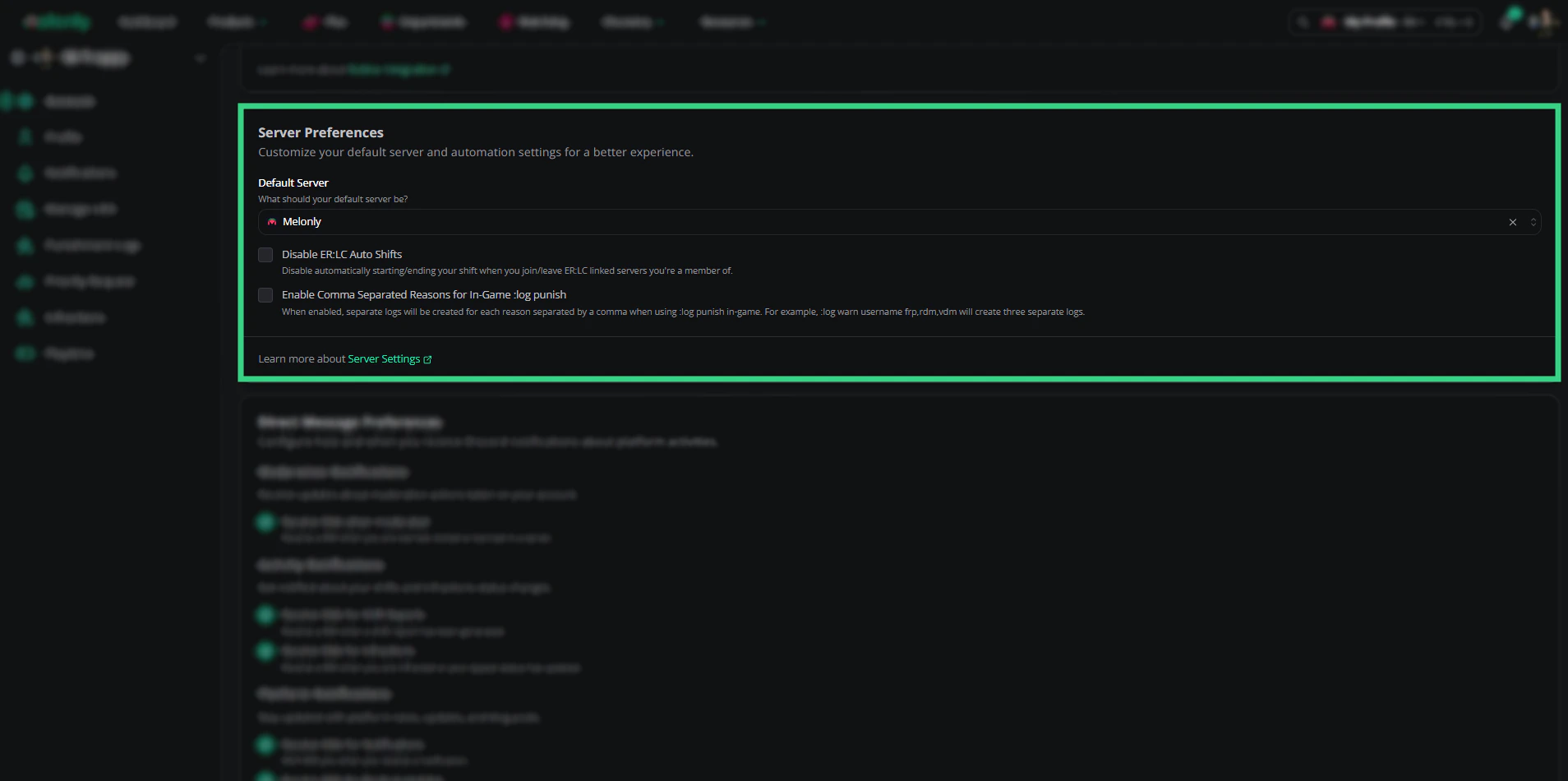 | Setting | Description |
| - | - |
| Default Server | The server Melonly opens when it needs to pick one for you. |
| Disable ER:LC Auto Shifts | Stops your shift starting and ending by itself when you join or leave an ER:LC server you're staff in. Off by default. |
| Enable Comma Separated Reasons for In-Game :log punish | Creates one log per reason. For example, `:log warn username frp,rdm,vdm` creates 3 logs. Off by default. |
| Receive DM confirmations for In-Game :log punish | Melonly DMs you after your in-game `:log` command creates logs. On by default. |
***
## Direct Message Preferences
Choose which Discord DMs Melonly sends you.
| Setting | Description |
| - | - |
| Default Server | The server Melonly opens when it needs to pick one for you. |
| Disable ER:LC Auto Shifts | Stops your shift starting and ending by itself when you join or leave an ER:LC server you're staff in. Off by default. |
| Enable Comma Separated Reasons for In-Game :log punish | Creates one log per reason. For example, `:log warn username frp,rdm,vdm` creates 3 logs. Off by default. |
| Receive DM confirmations for In-Game :log punish | Melonly DMs you after your in-game `:log` command creates logs. On by default. |
***
## Direct Message Preferences
Choose which Discord DMs Melonly sends you.
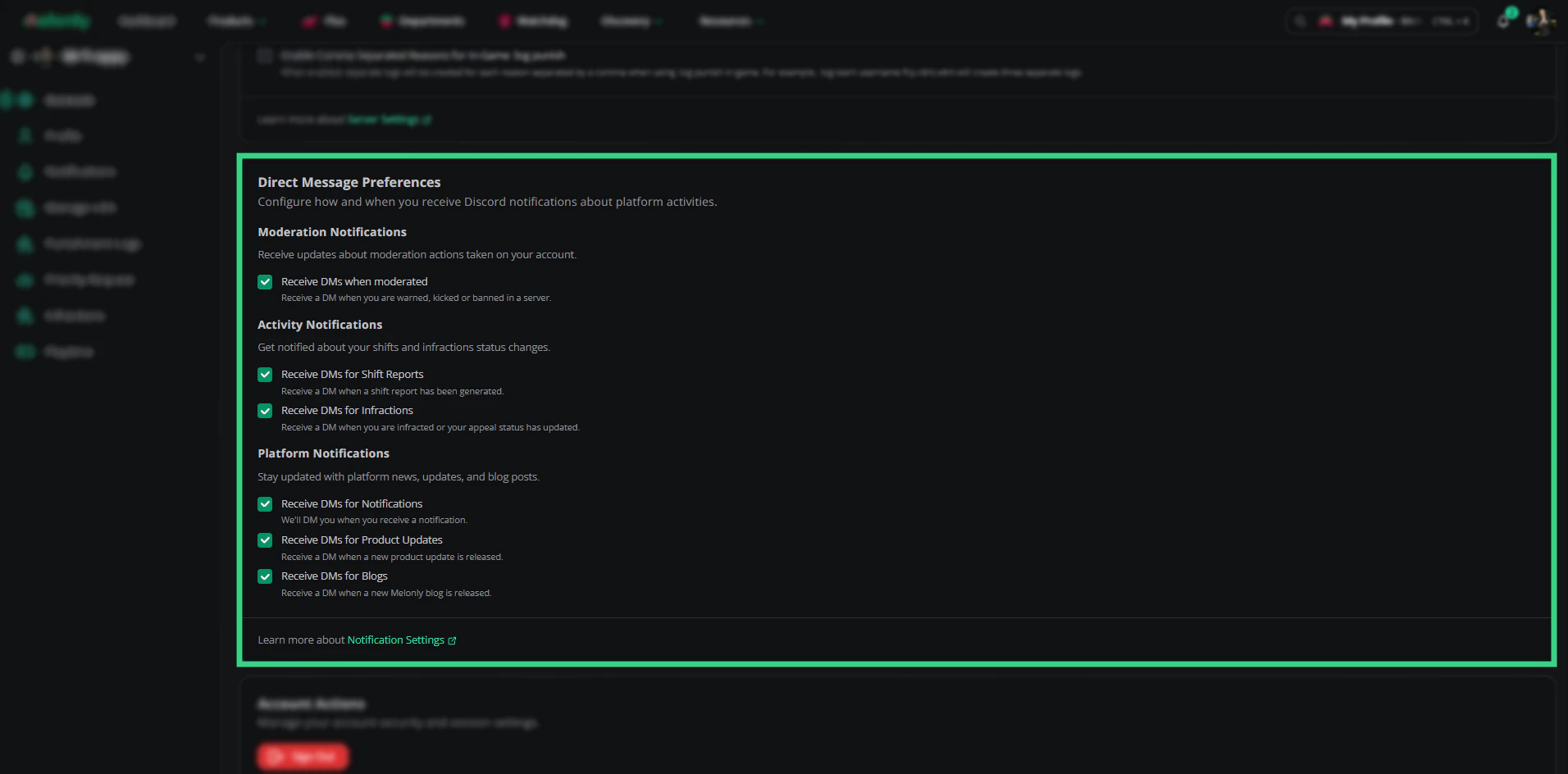 | Setting | You get a DM when |
| - | - |
| Receive DMs when moderated | You're warned, kicked or banned in a server. Needs a linked Roblox account. |
| Receive DMs for Shift Reports | A shift report is generated for you. |
| Receive DMs for Infractions | You get an infraction, or your appeal's status changes. |
| Receive DMs for Notifications | You get a Melonly notification. |
| Receive DMs for Product Updates | Melonly releases a product update. |
| Receive DMs for Blogs | A new Melonly blog post is published. |
The last three are also on your [Notifications](/Guides/account/notifications) page.
***
## Signing Out
| Button | What it does |
| - | - |
| Sign out | Signs you out on this device. |
| Sign out of all sessions | Signs you out on every device, including this one. |
Sign out of all sessions if you think someone else has used your account.
***
Still have questions? Join our Discord server for support from the Melonly Team.
This documentation is built and hosted on [Mintlify](https://mintlify.com), a developer documentation platform.
| Setting | You get a DM when |
| - | - |
| Receive DMs when moderated | You're warned, kicked or banned in a server. Needs a linked Roblox account. |
| Receive DMs for Shift Reports | A shift report is generated for you. |
| Receive DMs for Infractions | You get an infraction, or your appeal's status changes. |
| Receive DMs for Notifications | You get a Melonly notification. |
| Receive DMs for Product Updates | Melonly releases a product update. |
| Receive DMs for Blogs | A new Melonly blog post is published. |
The last three are also on your [Notifications](/Guides/account/notifications) page.
***
## Signing Out
| Button | What it does |
| - | - |
| Sign out | Signs you out on this device. |
| Sign out of all sessions | Signs you out on every device, including this one. |
Sign out of all sessions if you think someone else has used your account.
***
Still have questions? Join our Discord server for support from the Melonly Team.
This documentation is built and hosted on [Mintlify](https://mintlify.com), a developer documentation platform.