> ## Documentation Index
> Fetch the complete documentation index at: https://docs.melonly.xyz/llms.txt
> Use this file to discover all available pages before exploring further.
# Roster Settings
> Choose which columns your roster shows, add custom columns, and create department roles.
***
## What are Roster Settings?
Roster Settings decide what your [roster](/Department/roster) shows, and hold your department's roles.
 ***
## Roster Columns
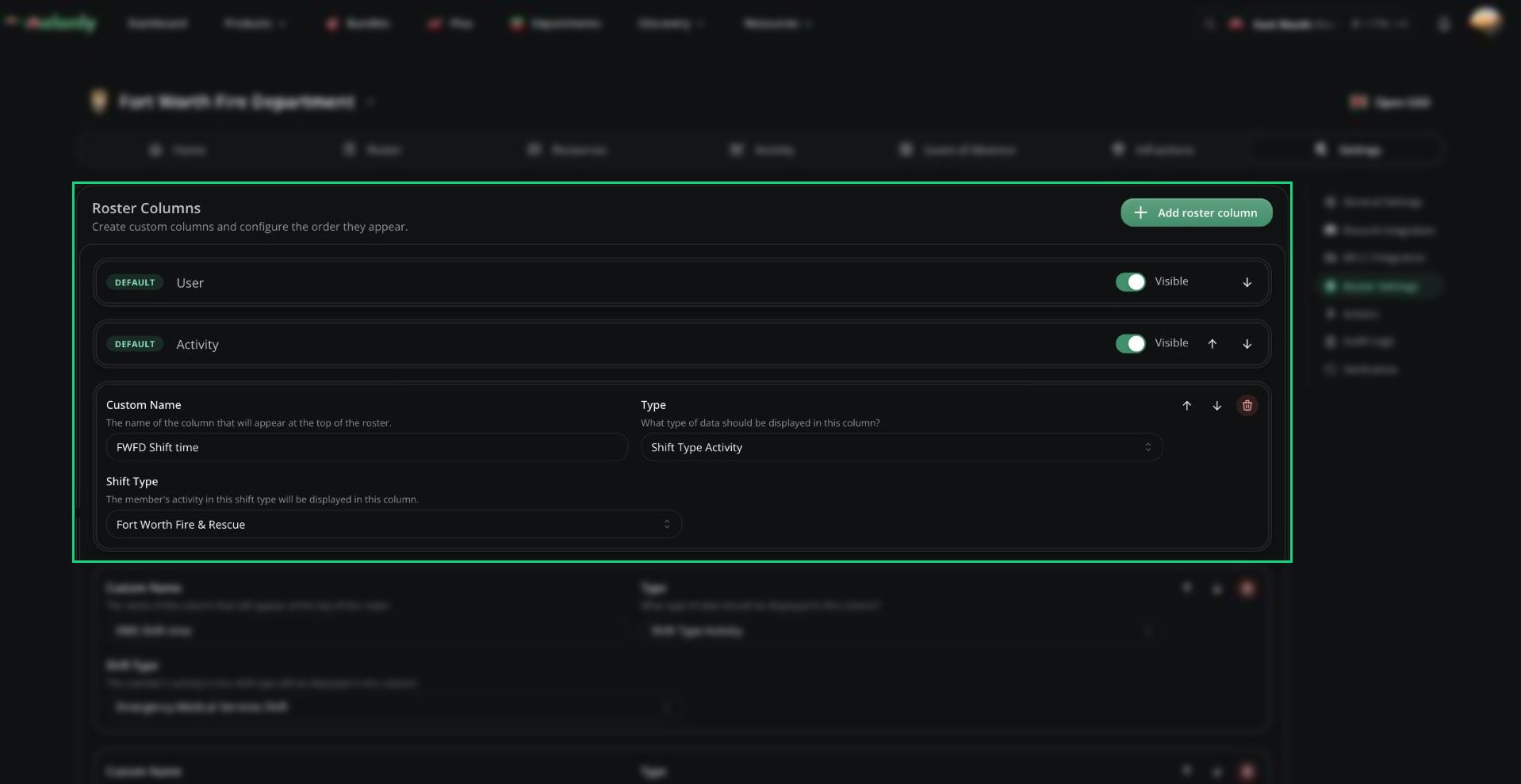
The default columns (User, Activity, Member Since, Points) can be hidden but not deleted. Use the arrows to reorder columns.
Click **Add roster column** to add your own:
| Type | What it holds |
| - | - |
| Text, Checkbox, Date, Time | A value you fill in per member, like certifications or divisions |
| Shift Type Activity | Each member's activity in a chosen shift type |
***
## Department Roles
Below the columns, you can create up to 20 department roles. Roles sit on top of ranks to group members or grant extra permissions. See [Roles](/Department/roster#roles).
***
Still have questions? Join our Discord server for support from the Melonly Team.
This documentation is built and hosted on [Mintlify](https://mintlify.com), a developer documentation platform.
***
## Roster Columns
The default columns (User, Activity, Member Since, Points) can be hidden but not deleted. Use the arrows to reorder columns.
Click **Add roster column** to add your own:
| Type | What it holds |
| - | - |
| Text, Checkbox, Date, Time | A value you fill in per member, like certifications or divisions |
| Shift Type Activity | Each member's activity in a chosen shift type |
***
## Department Roles
Below the columns, you can create up to 20 department roles. Roles sit on top of ranks to group members or grant extra permissions. See [Roles](/Department/roster#roles).
***
Still have questions? Join our Discord server for support from the Melonly Team.
This documentation is built and hosted on [Mintlify](https://mintlify.com), a developer documentation platform.