> ## Documentation Index
> Fetch the complete documentation index at: https://docs.melonly.xyz/llms.txt
> Use this file to discover all available pages before exploring further.
# ER:LC Shift Automation
> Start and end department shifts automatically when members join or leave in-game ER:LC teams.
***
## What is ER:LC Shift Automation?
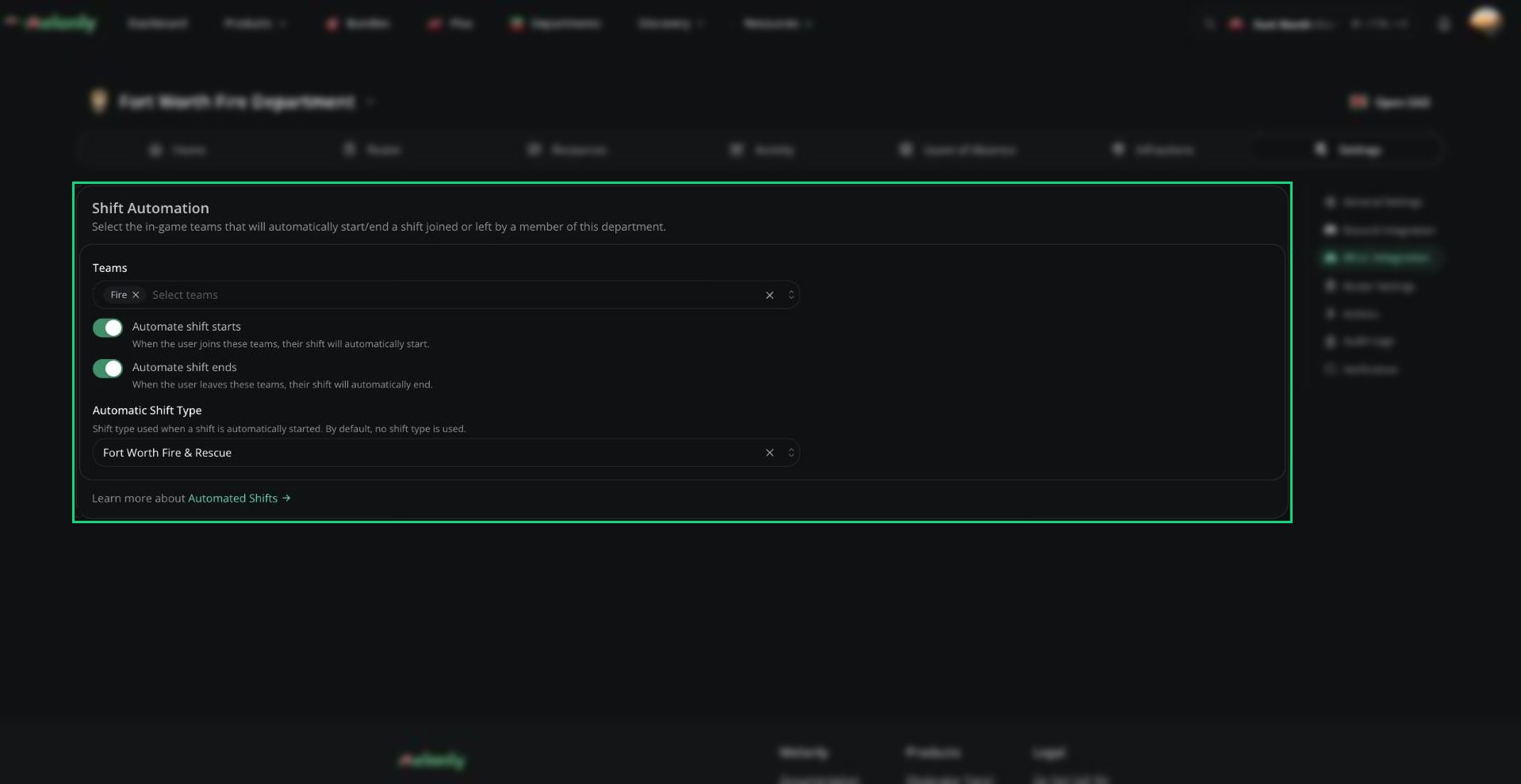
Shift automation starts and ends [shifts](/Department/activity/shifts) when members join or leave in-game teams, so nobody has to clock in by hand. It uses the parent server's [ER:LC integration](/Dashboard/erlcintegration/home), which must be turned on first.
 ***
## Settings
| Setting | Description |
| - | - |
| Teams | The in-game teams that control shifts: Police, Sheriff, Fire, DOT or Civilian |
| Automate shift starts | Starts a shift when a member joins one of these teams. On by default. |
| Automate shift ends | Ends a shift when a member leaves these teams. On by default. |
| Automatic Shift Type | The [shift type](/Department/activity/shifts#shift-types) used for automatic shifts. None by default. |
***
Still have questions? Join our Discord server for support from the Melonly Team.
This documentation is built and hosted on [Mintlify](https://mintlify.com), a developer documentation platform.
***
## Settings
| Setting | Description |
| - | - |
| Teams | The in-game teams that control shifts: Police, Sheriff, Fire, DOT or Civilian |
| Automate shift starts | Starts a shift when a member joins one of these teams. On by default. |
| Automate shift ends | Ends a shift when a member leaves these teams. On by default. |
| Automatic Shift Type | The [shift type](/Department/activity/shifts#shift-types) used for automatic shifts. None by default. |
***
Still have questions? Join our Discord server for support from the Melonly Team.
This documentation is built and hosted on [Mintlify](https://mintlify.com), a developer documentation platform.