> ## Documentation Index
> Fetch the complete documentation index at: https://docs.melonly.xyz/llms.txt
> Use this file to discover all available pages before exploring further.
# Member Activity & Leaderboard
> See each member's shifts in a wave and compare everyone's activity against the quota.
***
## Member Activity
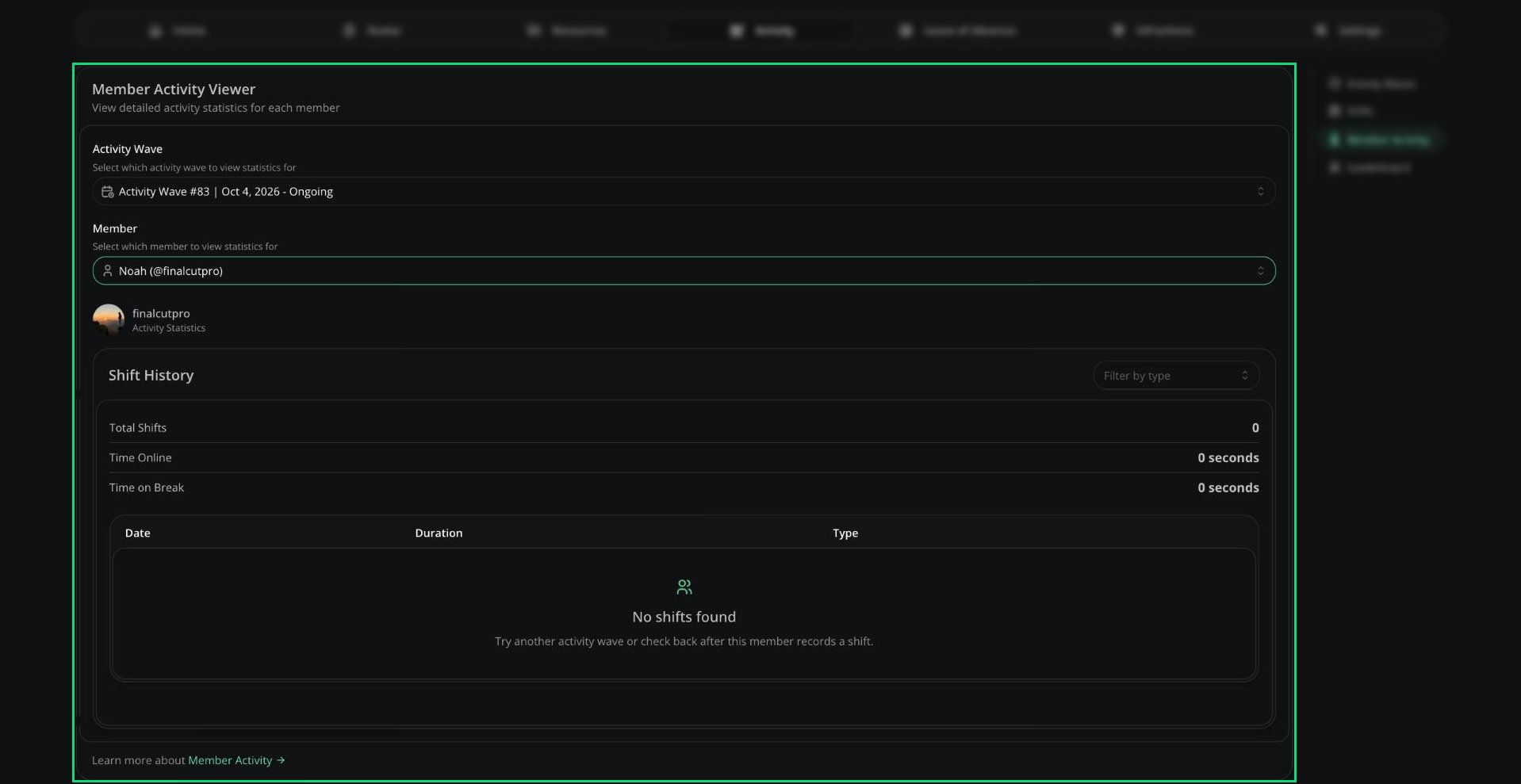
Pick a wave and a member to see their total shifts, time online, time on break, and each shift they logged. Click the pencil next to a shift to edit it.
 ***
## Leaderboard
Ranks members by activity time in a wave and shows whether each one met their [quota](/Department/activity/waves#hour-requirements-and-inactivity). You can filter by shift type, member or rank.
***
## Leaderboard
Ranks members by activity time in a wave and shows whether each one met their [quota](/Department/activity/waves#hour-requirements-and-inactivity). You can filter by shift type, member or rank.
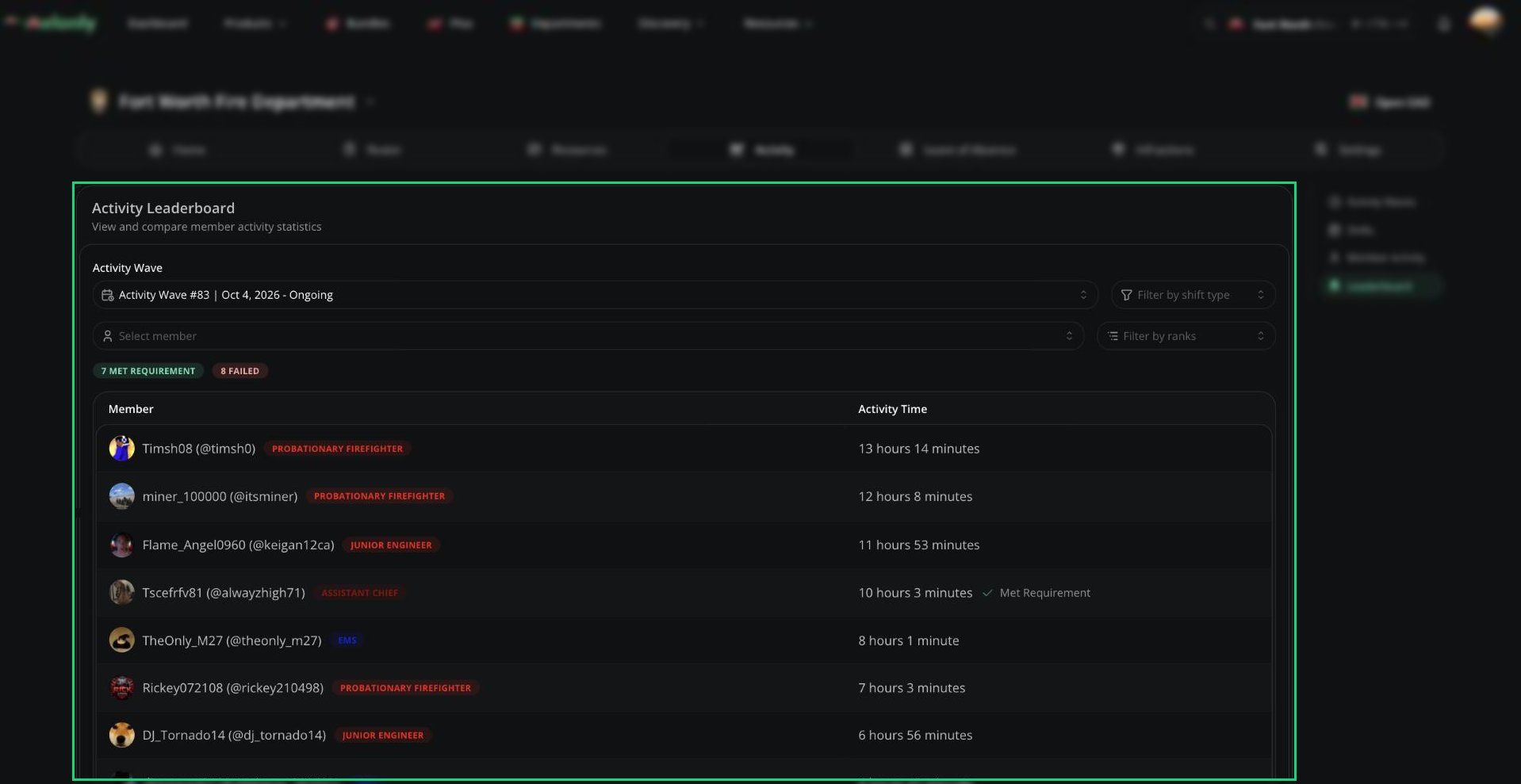 Icons next to a name show if the member was on LOA during the wave or joined late, and by how much. The leaderboard can take up to 5 minutes to update.
***
Still have questions? Join our Discord server for support from the Melonly Team.
This documentation is built and hosted on [Mintlify](https://mintlify.com), a developer documentation platform.
Icons next to a name show if the member was on LOA during the wave or joined late, and by how much. The leaderboard can take up to 5 minutes to update.
***
Still have questions? Join our Discord server for support from the Melonly Team.
This documentation is built and hosted on [Mintlify](https://mintlify.com), a developer documentation platform.