> ## Documentation Index
> Fetch the complete documentation index at: https://docs.melonly.xyz/llms.txt
> Use this file to discover all available pages before exploring further.
# Members
> Search member records, view infraction history, and issue punishments.
***
## What is the Members page?
The Members page allows you to search for staff members and view their disciplinary records.\
You can review their points, warnings, strikes, suspensions, and termination history.
This page also provides tools to issue punishments directly from the dashboard.\
All actions are logged and stored in the member’s record.
***
## How the Members page Works
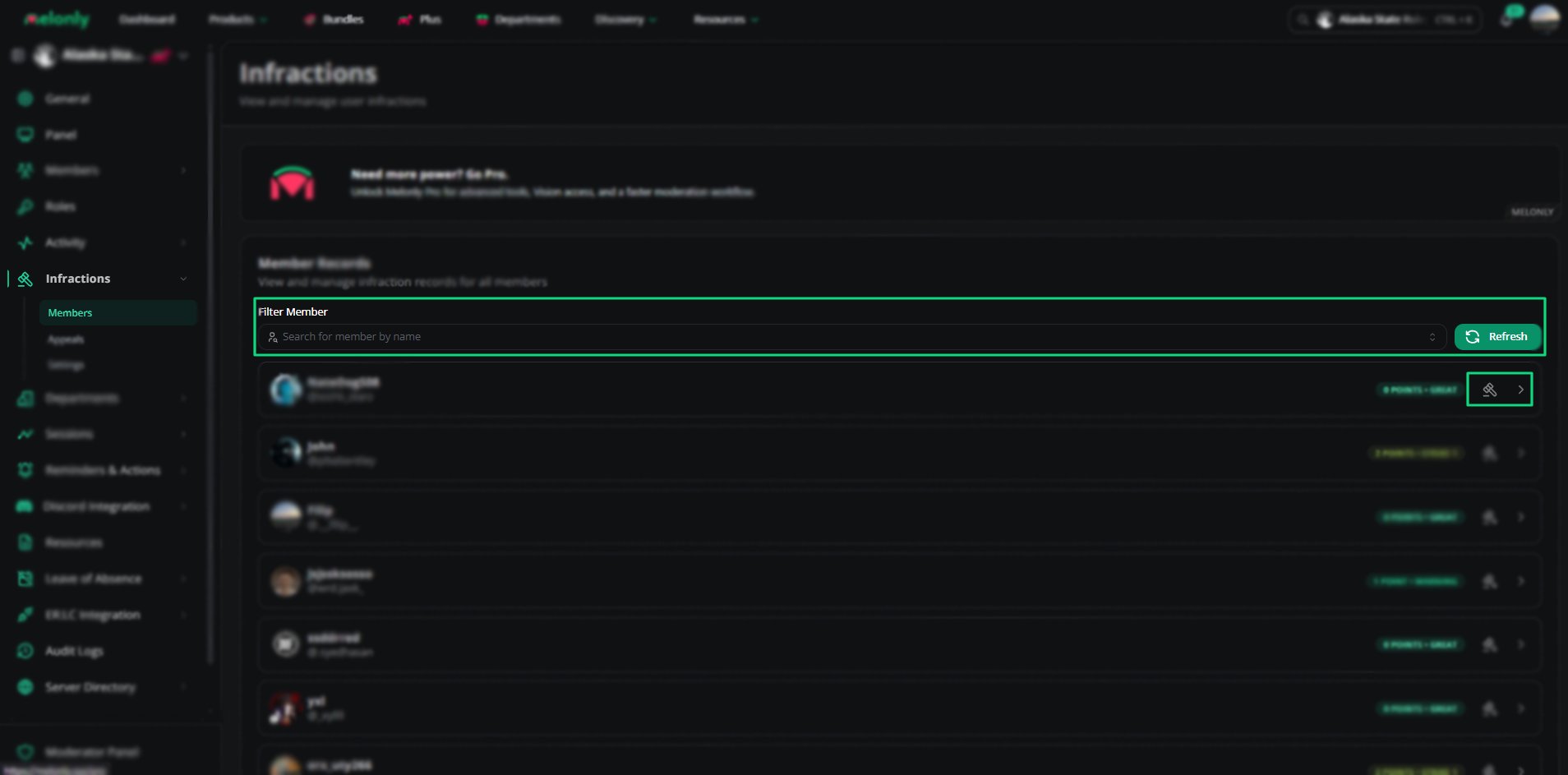
You can search for any member using the filter bar.\
Selecting a member opens their full record, including infraction levels and past actions.
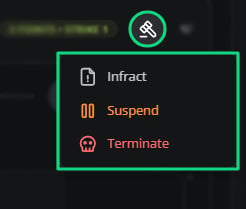
From the member’s profile, you can issue an infraction, suspend the member, or terminate them.\
Each action requires a reason and optional points.
***
## Member Tools
 | Tool | What it does |
| ------------- | ------------------------------------------------ |
| Search Record | Look up a staff member’s punishment history. |
| Punish Member | Issue an infraction, suspension, or termination. |
Melonly can only DM the punished user if they have infraction notifications enabled in their account settings.
***
# Member Records
| Tool | What it does |
| ------------- | ------------------------------------------------ |
| Search Record | Look up a staff member’s punishment history. |
| Punish Member | Issue an infraction, suspension, or termination. |
Melonly can only DM the punished user if they have infraction notifications enabled in their account settings.
***
# Member Records
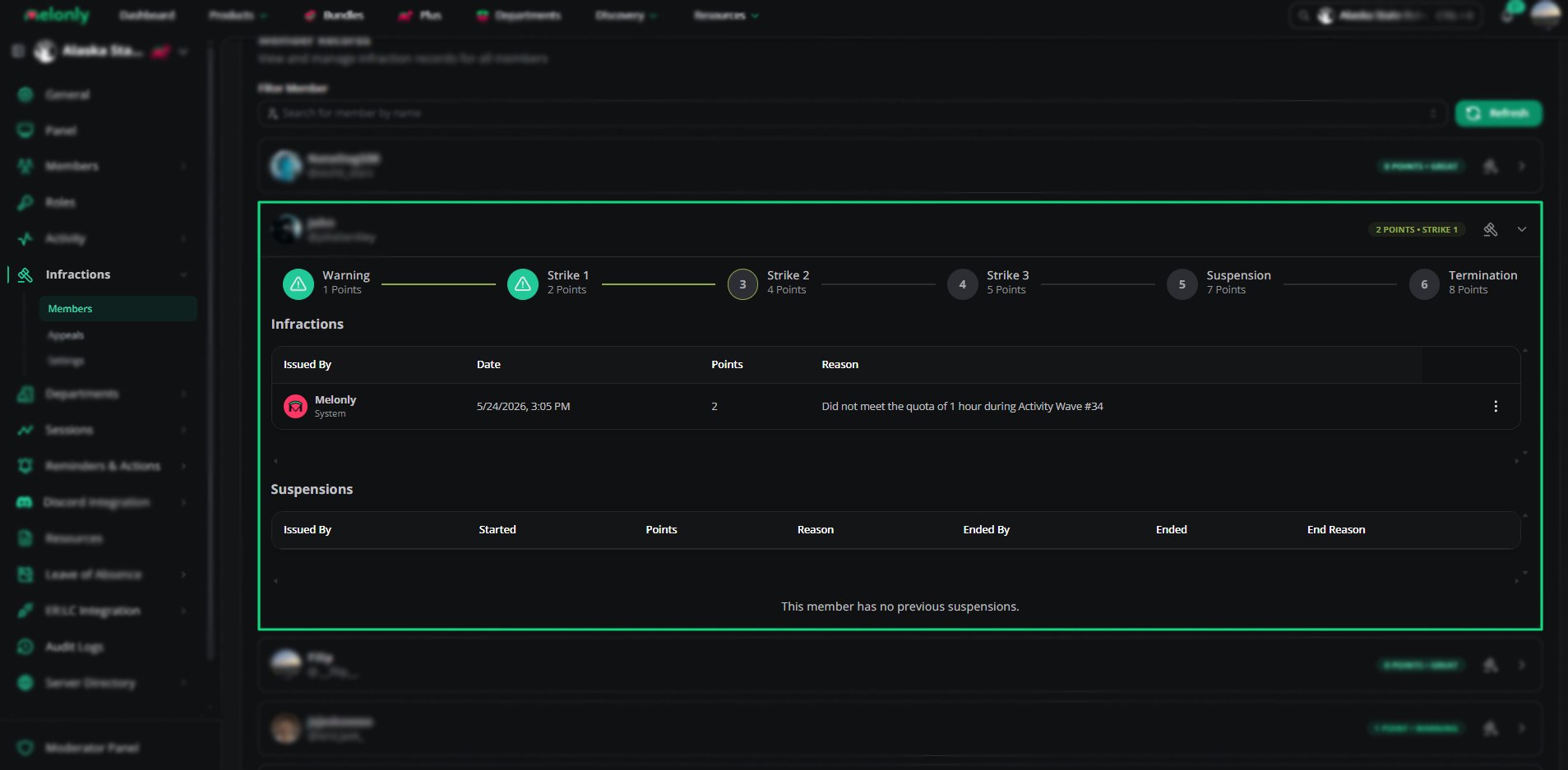 Member records show:
* Current points
* Infraction level
* All past infractions
* All past suspensions
* Termination history
Each section includes the issuer, date, points, and reason.
***
## Punishment Actions
Member records show:
* Current points
* Infraction level
* All past infractions
* All past suspensions
* Termination history
Each section includes the issuer, date, points, and reason.
***
## Punishment Actions
 | Action | Description |
| --------- | ------------------------------------------------------- |
| Infract | Issue a warning or strike with optional points. |
| Suspend | Temporarily suspend a member with an optional end date. |
| Terminate | Permanently remove a member from the team. |
***
## How to Configure
Use the filter bar to find the member you want to review or punish.
Select the member to view their full disciplinary history and infraction level.
Choose Infract, Suspend, or Terminate and fill out the required fields.
***
## Example Use Cases
* Reviewing a member’s disciplinary history
* Issuing warnings or strikes
* Suspending members for repeated offenses
* Terminating members for severe misconduct
***
Still have questions? Join our Discord server for support from the Melonly Team.
| Action | Description |
| --------- | ------------------------------------------------------- |
| Infract | Issue a warning or strike with optional points. |
| Suspend | Temporarily suspend a member with an optional end date. |
| Terminate | Permanently remove a member from the team. |
***
## How to Configure
Use the filter bar to find the member you want to review or punish.
Select the member to view their full disciplinary history and infraction level.
Choose Infract, Suspend, or Terminate and fill out the required fields.
***
## Example Use Cases
* Reviewing a member’s disciplinary history
* Issuing warnings or strikes
* Suspending members for repeated offenses
* Terminating members for severe misconduct
***
Still have questions? Join our Discord server for support from the Melonly Team.