> ## Documentation Index
> Fetch the complete documentation index at: https://docs.melonly.xyz/llms.txt
> Use this file to discover all available pages before exploring further.
# Safe Zone Enforcement
> Automatically detect and act on safe‑zone violations during ER:LC sessions using configurable warnings, actions, and custom zone boundaries.
***
## What is Safe Zone Enforcement?
Safe Zone Enforcement automatically monitors all defined safe zones during active ER:LC sessions.\
If a player kills another player inside a safe zone, the system will take action - such as kicking, or banning - based on your configured thresholds.
This ensures fair gameplay, protects spawn areas, and prevents intentional safe‑zone abuse without requiring constant manual moderation.
***
## How to use Safe Zone Enforcement
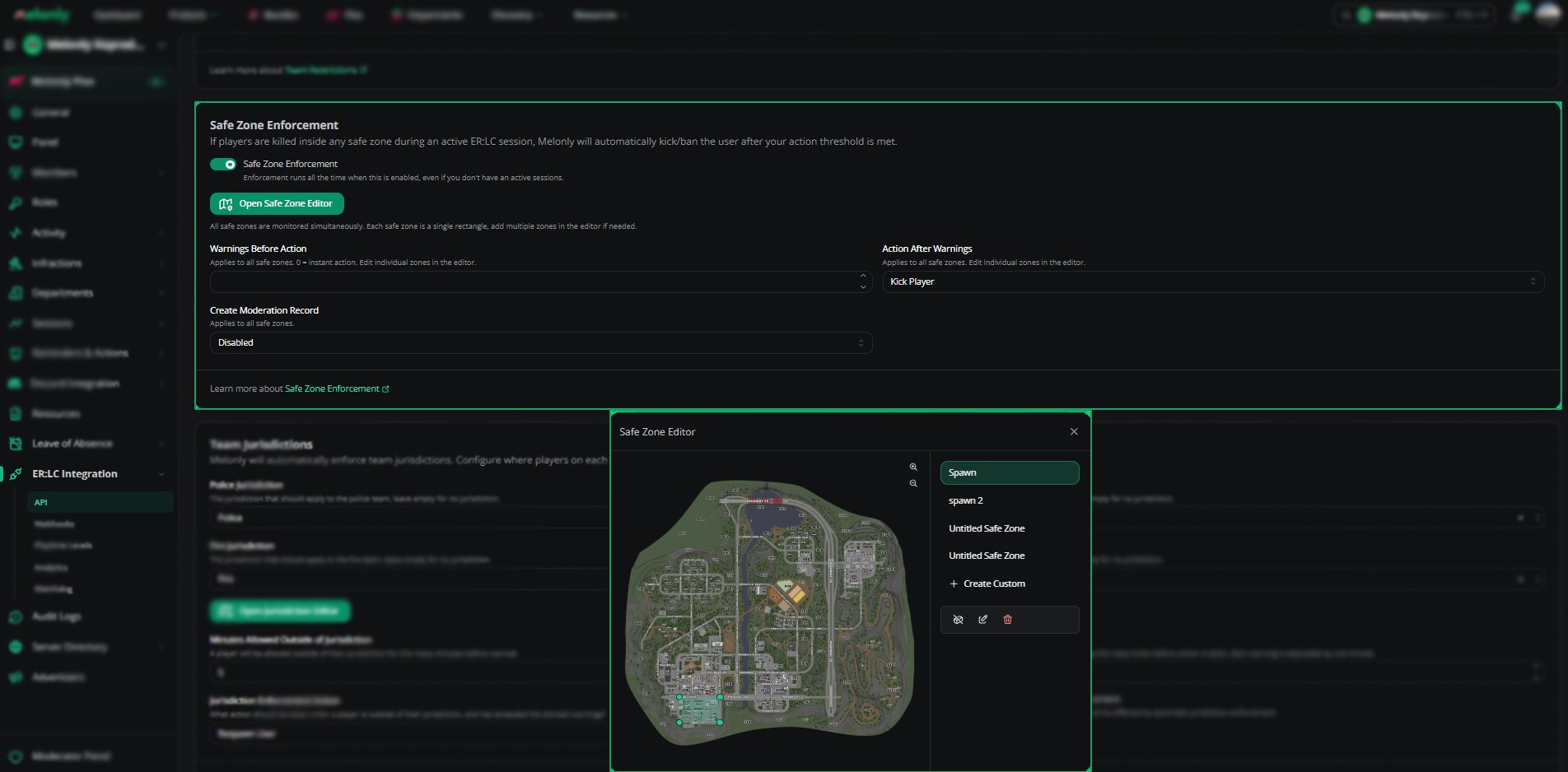
You can configure **Safe Zone Enforcement** from your\
**ER:LC Integration → API** page, located beneath **Team Restrictions**.
### Configuration Options
Toggle this setting to turn the feature on or off.\
When enabled, the system will automatically monitor all safe zones during active sessions.
Set how many warnings a player should receive before the system takes action.\
Setting this to **0** means the action is taken instantly with no warnings.
Choose what happens once the warning threshold is reached.
Decide whether a moderation record should be created when a violation occurs.
* **Enabled** - every violation is logged
* **Disabled** - no logs are created
Click this button to configure the boundaries of your safe zones.\
You can edit existing zones or create custom ones.
***
## Using the Safe Zone Editor
The Safe Zone Editor allows you to visually define and adjust safe‑zone boundaries directly on the ER:LC map.
Choose from predefined zones such as **Spawn**, **Spawn 2**, or previously created custom zones.
Click on any boundary point to move, reshape, or resize the safe zone.\
This gives you full control over protected areas.
Select **+ Create Custom** to draw a new safe zone anywhere on the map.
Click **Save** to apply your updated safe‑zone layout.\
Changes take effect immediately during active sessions.
 ***
## Example Use Cases
* Prevent spawn‑killing by enforcing instant kicks in spawn zones
* Create custom safe zones for events or training sessions
* Log moderation records for safe‑zone violations
***
Still have questions? Join our [Discord server](https://melonly.xyz/discord) for support from the Melonly Team.
***
## Example Use Cases
* Prevent spawn‑killing by enforcing instant kicks in spawn zones
* Create custom safe zones for events or training sessions
* Log moderation records for safe‑zone violations
***
Still have questions? Join our [Discord server](https://melonly.xyz/discord) for support from the Melonly Team.