> ## Documentation Index
> Fetch the complete documentation index at: https://docs.melonly.xyz/llms.txt
> Use this file to discover all available pages before exploring further.
# Channels
> Configure which Discord channels Melonly uses for logs, events, and notifications.
***
## What are Discord Channels?
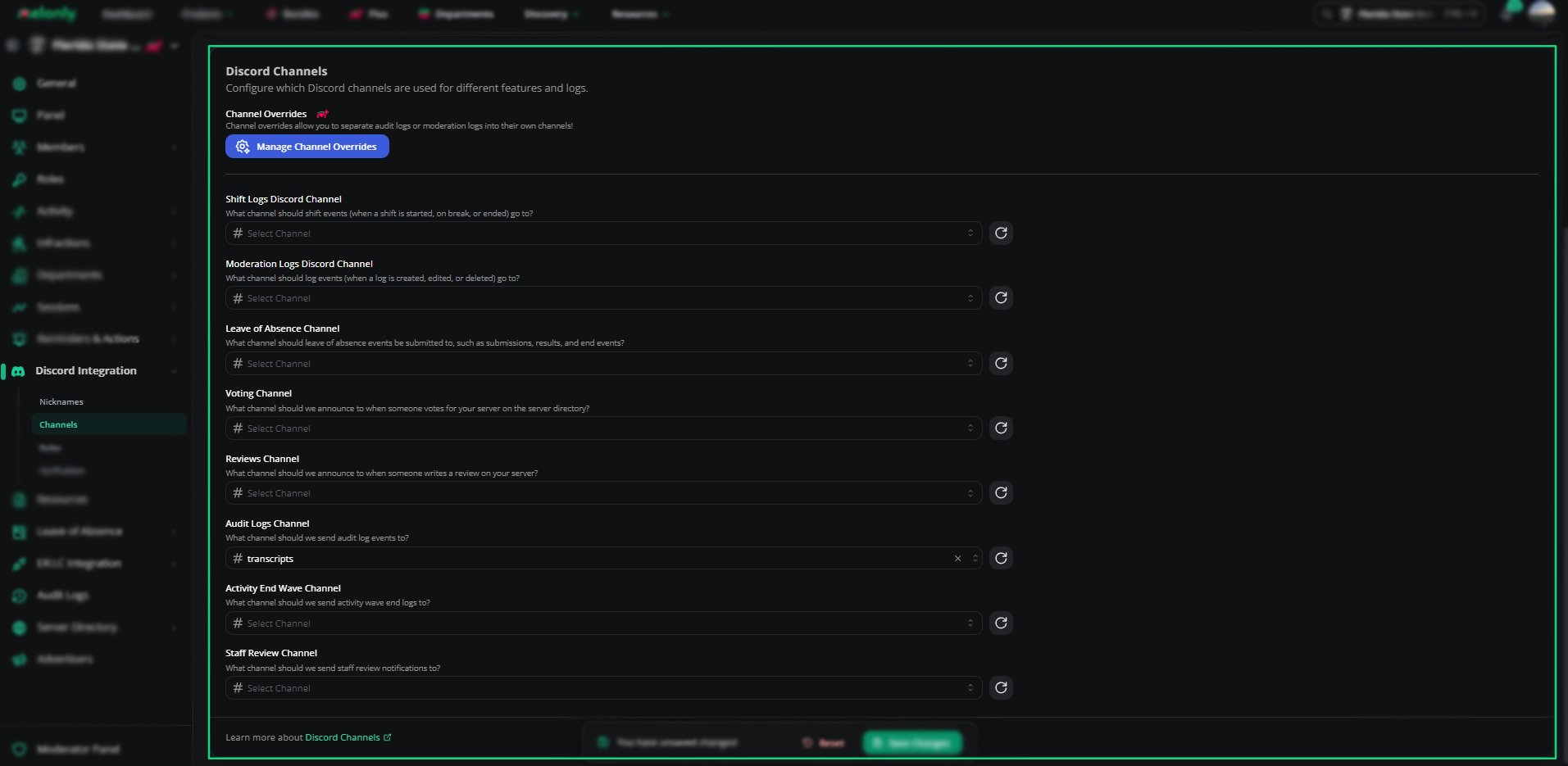
The Channels section allows you to choose where Melonly sends different types of logs, updates, and notifications.\
Each feature can be assigned to a specific Discord channel, giving you full control over how information is organized in your server.
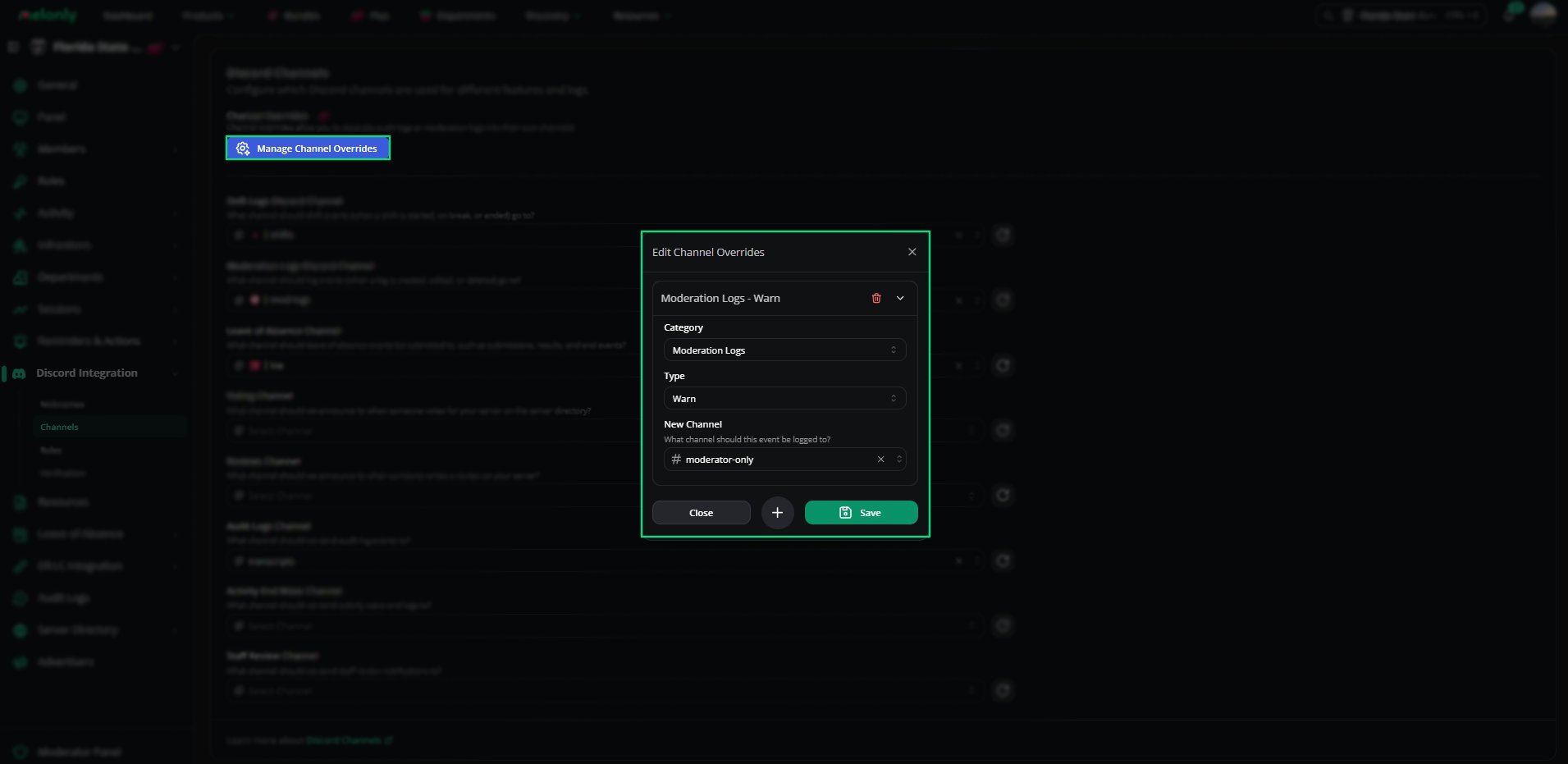
You can configure all channels globally or override them for specific event types.
***
# Available Channels
| Channel | What gets sent |
| ------------------------- | ------------------------------------------- |
| Shift Logs | Every shift event |
| Moderation Logs | Log create, edit, and delete actions |
| Leave of Absences | LOA submissions and updates |
| Voting Channel | Server directory votes |
| Reviews | New reviews and their content |
| Audit Logs | Administrative actions in the Melonly panel |
| Activity End Wave Channel | End of each activity wave |
| Staff Review Channel | Staff review notifications |
***
## Channel Configuration
Each channel option includes a dropdown where you can select the Discord channel you want Melonly to use.
You can also open **Channel Overrides** to configure specific event types individually, such as warnings, bans, settings updates, or role changes.
This gives you full flexibility over how logs are organised in your server.
 This feature requires Melonly Plus. You can find out more about what Plus offers [**here**](https://melonly.xyz/plus?referer=page_header_pc).
***
## Required Discord Permissions
Melonly needs the correct permissions to send messages to your selected channels.
| Requirement | Description |
| ------------- | --------------------------------------------------------------- |
| Send Messages | Melonly must be able to send messages in the selected channels. |
| View Channel | Melonly must be able to see the channel to post logs. |
If these permissions are missing, Melonly will not be able to send logs or notifications.
***
Still have questions? Join our Discord server for support from the Melonly Team.
This feature requires Melonly Plus. You can find out more about what Plus offers [**here**](https://melonly.xyz/plus?referer=page_header_pc).
***
## Required Discord Permissions
Melonly needs the correct permissions to send messages to your selected channels.
| Requirement | Description |
| ------------- | --------------------------------------------------------------- |
| Send Messages | Melonly must be able to send messages in the selected channels. |
| View Channel | Melonly must be able to see the channel to post logs. |
If these permissions are missing, Melonly will not be able to send logs or notifications.
***
Still have questions? Join our Discord server for support from the Melonly Team.