> ## Documentation Index
> Fetch the complete documentation index at: https://docs.melonly.xyz/llms.txt
> Use this file to discover all available pages before exploring further.
# Records
> Create, fill in, file and share CAD records like citations, reports, warrants and BOLOs.
***
## What are Records?
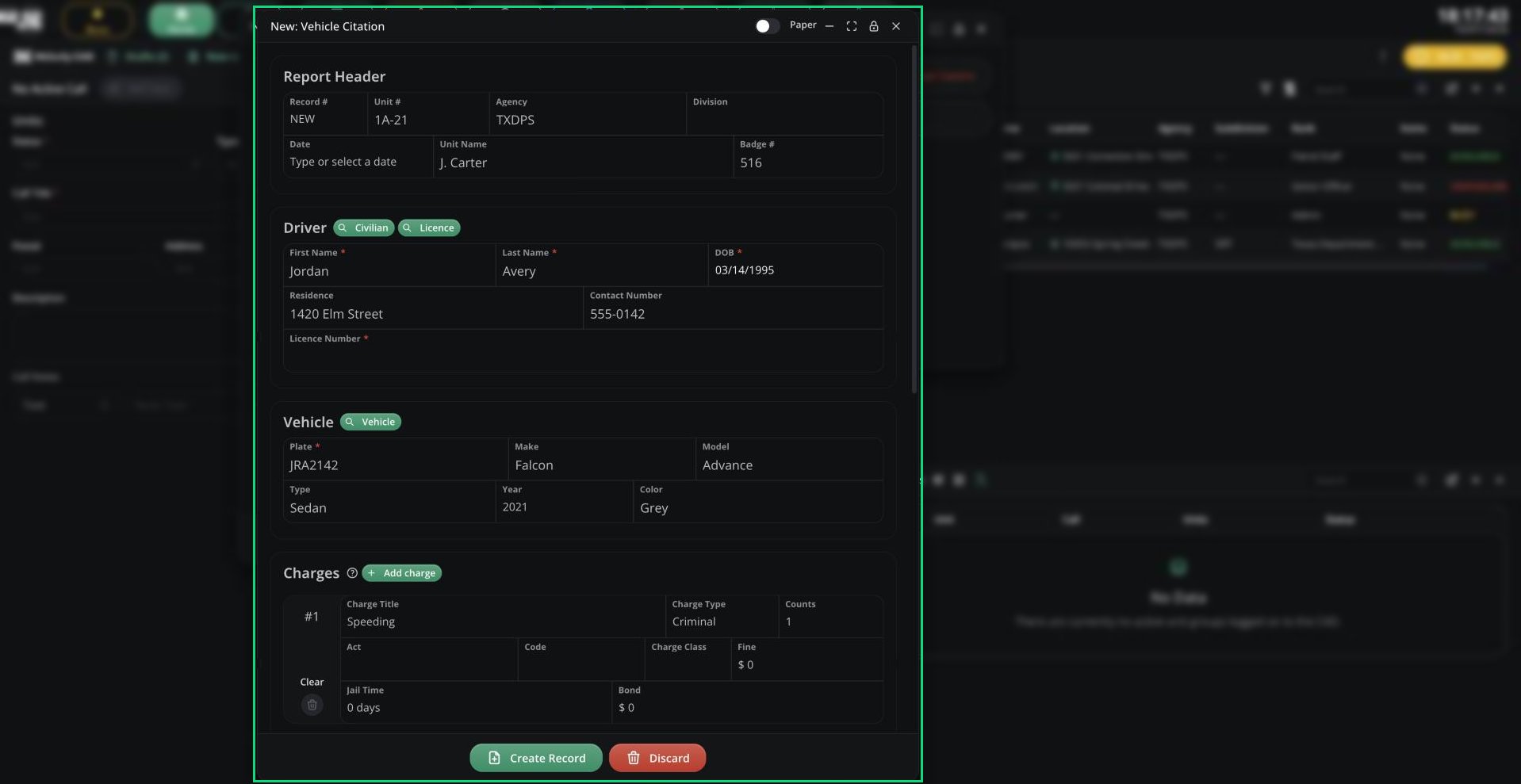
Records are the forms you fill in during roleplay: citations, arrest reports, warrants, BOLOs, patient reports, tow forms and more. Each one is built from a template your CAD admins design, so the forms you see depend on your server.
To search records or run a person or vehicle, see [Lookups & Runs](/CAD/User/lookups).
 ***
## 🧭 Quick Navigation
Start a record, use drafts, file it, and edit or delete it.
Add charges, record speeding and suspend licences from a record.
Your files, the Supervisor Centre, and sharing or exporting records.
Search records and run people, vehicles and licences.
***
## Record Types
| Panel | Records | Reports | Other |
| - | - | - | - |
| Police | Police Record | Police Report | BOLO, Warrant |
| Fire | Fire Record | Fire Report | BOLO |
| EMS | Medical Record | Medical Report | BOLO |
| DOT | DOT Record | DOT Report | None |
| Dispatch | None | None | BOLO |
Law, Civilian and DMV have their own records. See [Law](/CAD/User/law), [Civilian](/CAD/User/civilian) and [DMV](/CAD/User/dmv).
Creating, editing and deleting each type needs that panel's create, edit or delete [permission](/CAD/Intro/permissions). Warrants can be created with Police or Law create. Templates limited to agencies you're not in are hidden.
***
Still have questions? Join our Discord server for support from the Melonly Team.
This documentation is built and hosted on [Mintlify](https://mintlify.com), a developer documentation platform.
***
## 🧭 Quick Navigation
Start a record, use drafts, file it, and edit or delete it.
Add charges, record speeding and suspend licences from a record.
Your files, the Supervisor Centre, and sharing or exporting records.
Search records and run people, vehicles and licences.
***
## Record Types
| Panel | Records | Reports | Other |
| - | - | - | - |
| Police | Police Record | Police Report | BOLO, Warrant |
| Fire | Fire Record | Fire Report | BOLO |
| EMS | Medical Record | Medical Report | BOLO |
| DOT | DOT Record | DOT Report | None |
| Dispatch | None | None | BOLO |
Law, Civilian and DMV have their own records. See [Law](/CAD/User/law), [Civilian](/CAD/User/civilian) and [DMV](/CAD/User/dmv).
Creating, editing and deleting each type needs that panel's create, edit or delete [permission](/CAD/Intro/permissions). Warrants can be created with Police or Law create. Templates limited to agencies you're not in are hidden.
***
Still have questions? Join our Discord server for support from the Melonly Team.
This documentation is built and hosted on [Mintlify](https://mintlify.com), a developer documentation platform.