> ## Documentation Index
> Fetch the complete documentation index at: https://docs.melonly.xyz/llms.txt
> Use this file to discover all available pages before exploring further.
# Calls
> Respond to calls, self-dispatch, add notes and linked records, and find past calls on the Police, Fire, EMS and DOT panels.
***
## What are Calls?
Calls are the incidents your units respond to. They're created by dispatchers, by civilians calling 911, by in-game ER:LC calls, or by units themselves when self dispatching is allowed.
This page is for units on the Police, Fire, EMS and DOT panels. Dispatchers manage calls from the Call Editor, covered in [Dispatch Calls](/CAD/User/dispatch/calls).
***
## 🧭 Quick Navigation
Create, edit and end your own calls, and save call templates.
Add notes to a call, link records and start records from it.
***
## Your Assigned Call
Your assigned call shows on the **Home** tab. You can also add it to any layout as **My Calls**.
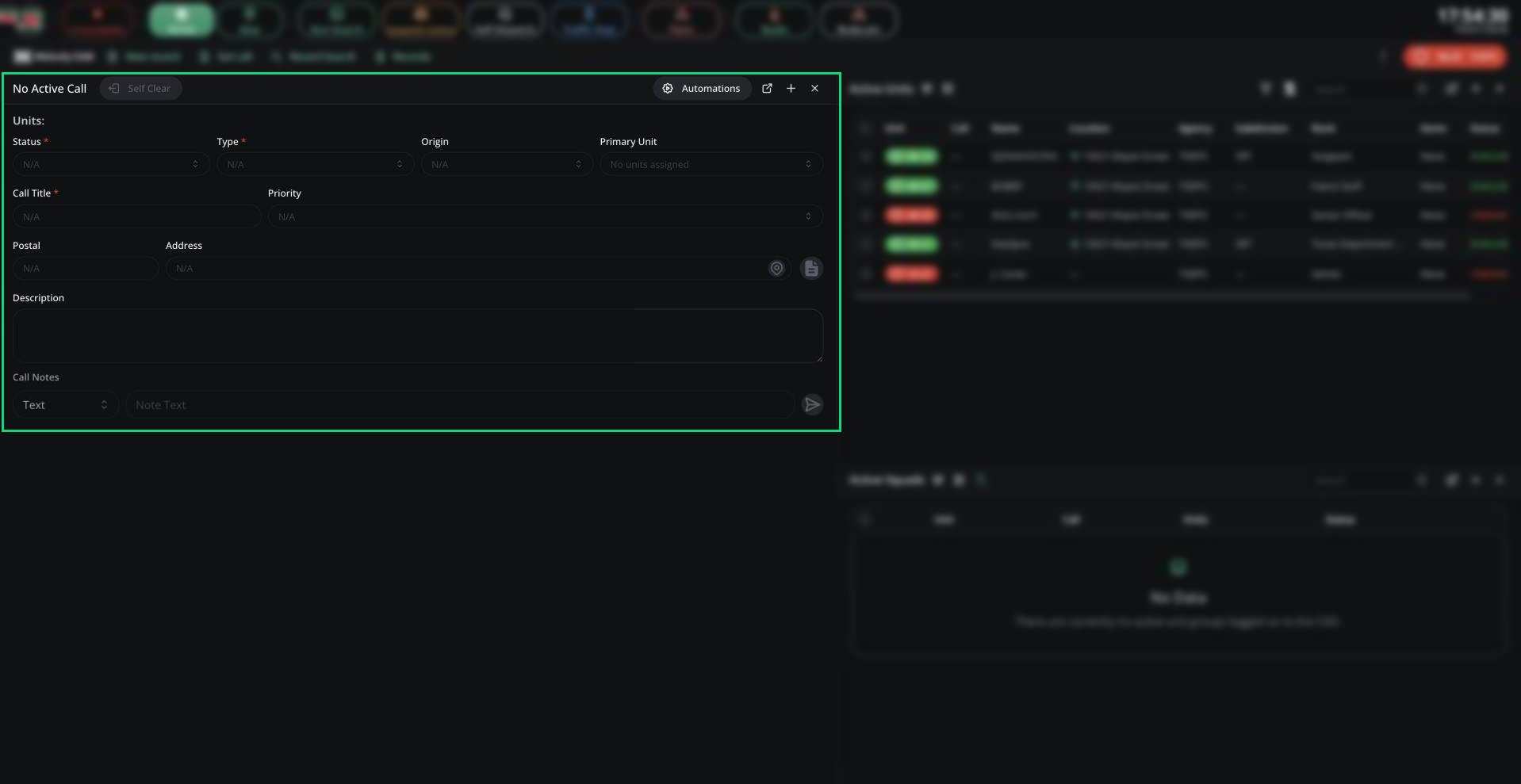 When you're assigned a call, the panel jumps to Home and a tone plays. A unit can only be on one call at a time, so a new assignment takes you off your old one.
| Button | What it does |
| - | - |
| Self Clear | Takes you off the call. In a group, only the lead unit can clear the whole group. |
| Automations | Opens [Auto Status](/CAD/User/units/statuses#auto-status) |
| Open overlay | Desktop app only. A small always-on-top window with your call, status and panic. |
***
## Calls Pane
The Calls pane lists your panel's calls, with an **Active** tab and a **Call History** tab. Add it to your layout from the + button. You only see calls in your agency's jurisdiction that are sent to your panel.
When you're assigned a call, the panel jumps to Home and a tone plays. A unit can only be on one call at a time, so a new assignment takes you off your old one.
| Button | What it does |
| - | - |
| Self Clear | Takes you off the call. In a group, only the lead unit can clear the whole group. |
| Automations | Opens [Auto Status](/CAD/User/units/statuses#auto-status) |
| Open overlay | Desktop app only. A small always-on-top window with your call, status and panic. |
***
## Calls Pane
The Calls pane lists your panel's calls, with an **Active** tab and a **Call History** tab. Add it to your layout from the + button. You only see calls in your agency's jurisdiction that are sent to your panel.
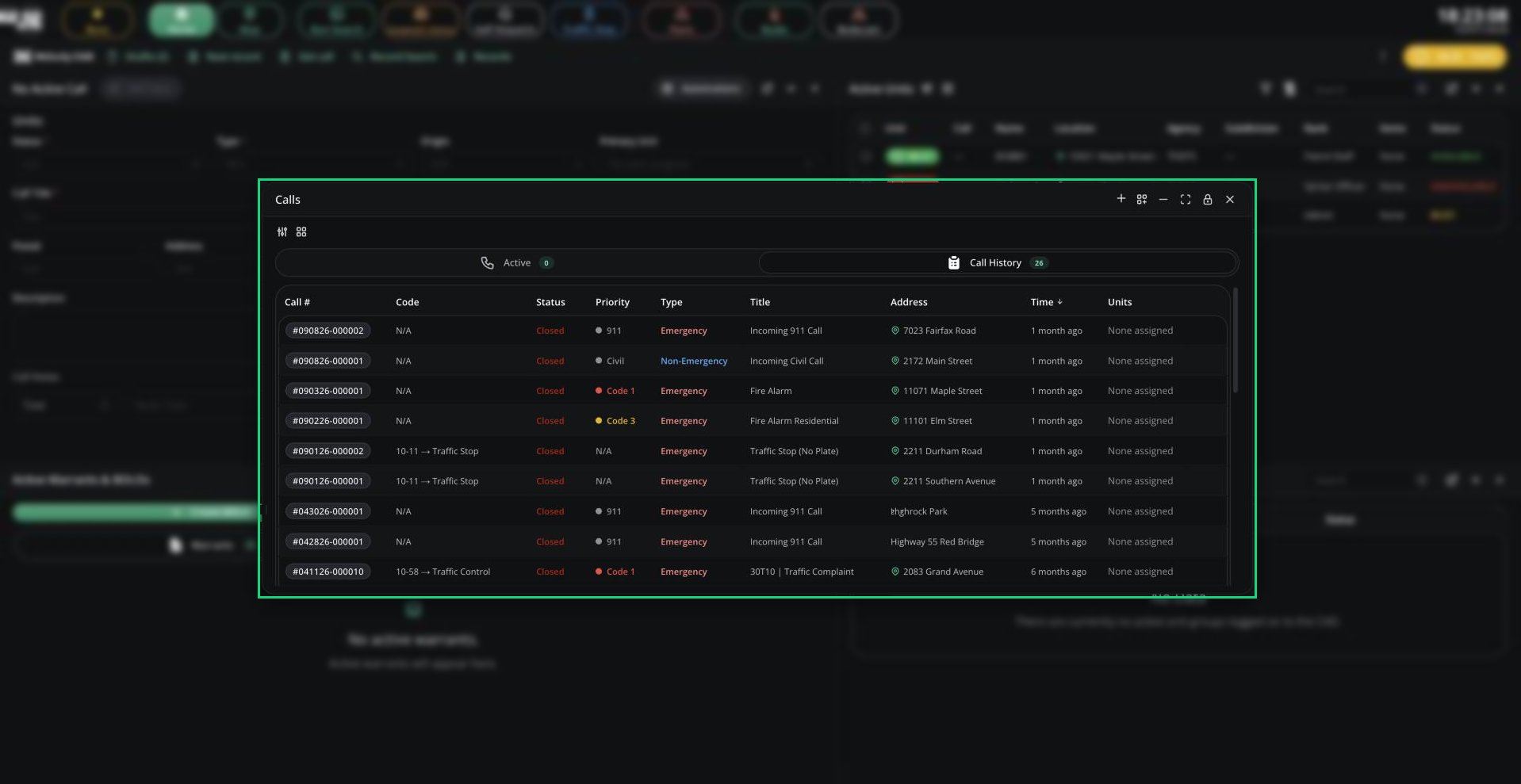 * Click **Join Call** to join a call. You need [Self Dispatch](/CAD/User/calls/self-dispatching) on and no current call. Joining a closed call reopens it.
* Right-click a call to view it on the map, add a note, merge calls, add a timer or tone, or end it. Most actions need self dispatching or supervisor access.
***
## Finding Calls
* **Get call** in the top bar (or Records Centre) opens any call by its incident number.
* **Call history** in the CAD menu lists every call your unit was assigned to, for the last 7 days by default.
***
## Incoming Call Alerts
When no dispatcher is online, units get an alert tone for new 911, in-game and system calls in their jurisdiction and sent to their panel.
Police units also get alerts for civilians waiting on a 911 or 311 voice call, with **Join call** to talk to them. See [Emergency call channels](/CAD/User/radio#emergency-call-channels).
***
Still have questions? Join our Discord server for support from the Melonly Team.
This documentation is built and hosted on [Mintlify](https://mintlify.com), a developer documentation platform.
* Click **Join Call** to join a call. You need [Self Dispatch](/CAD/User/calls/self-dispatching) on and no current call. Joining a closed call reopens it.
* Right-click a call to view it on the map, add a note, merge calls, add a timer or tone, or end it. Most actions need self dispatching or supervisor access.
***
## Finding Calls
* **Get call** in the top bar (or Records Centre) opens any call by its incident number.
* **Call history** in the CAD menu lists every call your unit was assigned to, for the last 7 days by default.
***
## Incoming Call Alerts
When no dispatcher is online, units get an alert tone for new 911, in-game and system calls in their jurisdiction and sent to their panel.
Police units also get alerts for civilians waiting on a 911 or 311 voice call, with **Join call** to talk to them. See [Emergency call channels](/CAD/User/radio#emergency-call-channels).
***
Still have questions? Join our Discord server for support from the Melonly Team.
This documentation is built and hosted on [Mintlify](https://mintlify.com), a developer documentation platform.