> ## Documentation Index
> Fetch the complete documentation index at: https://docs.melonly.xyz/llms.txt
> Use this file to discover all available pages before exploring further.
# Webhooks
> Post a Discord message when CAD events happen, such as panics, new calls, and signals.
***
## What are CAD Webhooks?
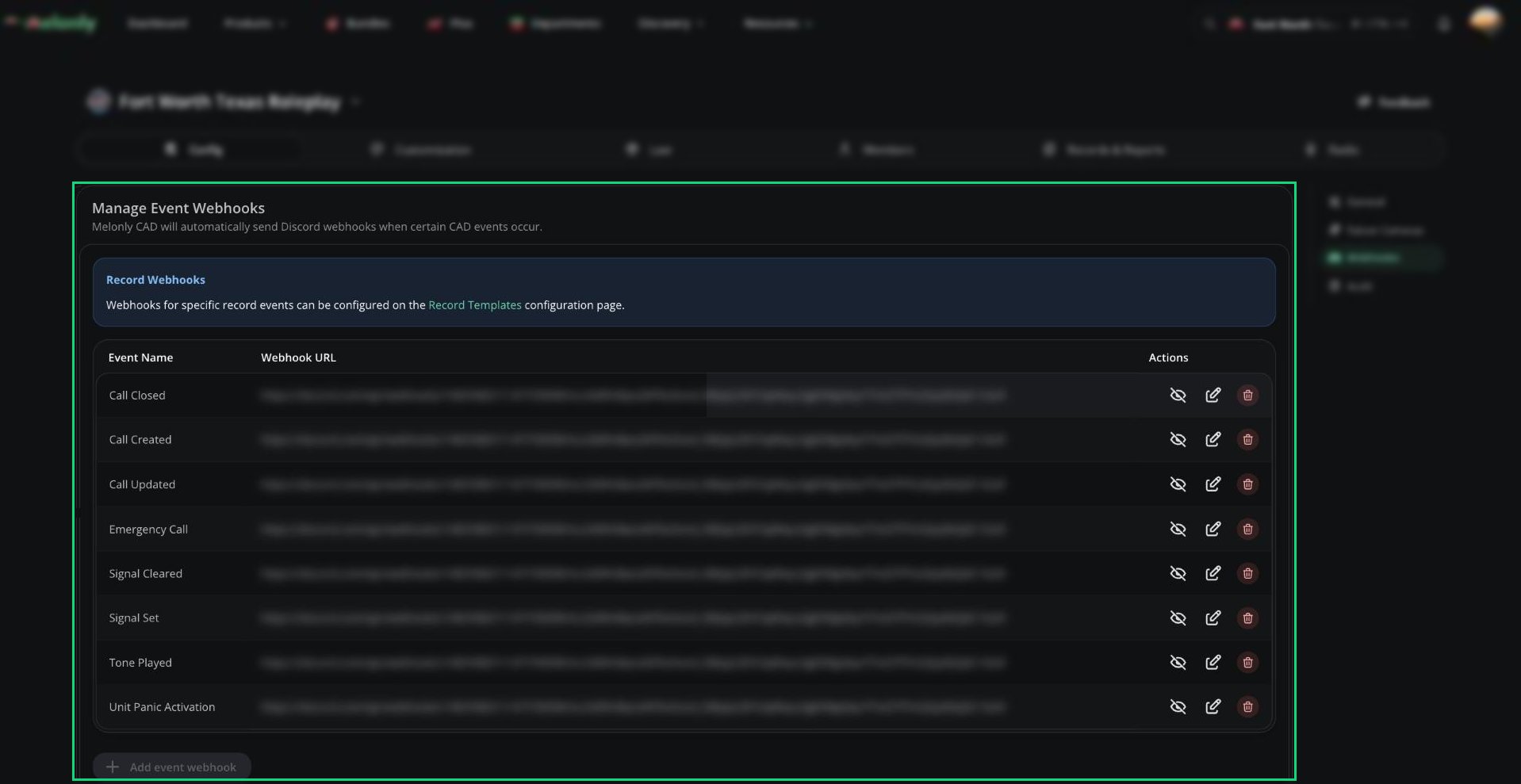
Webhooks post a Discord message when something happens in the CAD, like a unit pressing panic or a call being created. Each event can have one webhook.
 ***
## Adding a Webhook
In Discord, open the channel's settings, go to **Integrations**, create a webhook, and copy its URL.
In the CAD admin panel, open **Config** → **Webhooks** and click **Add event webhook**.
Choose the event and paste the Discord webhook URL.
Click **Save**. The webhook works straight away.
***
## Events
| Event | Sent when |
| - | - |
| Unit Panic Activation | A unit presses their panic button. |
| Call Created / Updated / Closed | A call is created, updated, or closed. |
| Signal Set / Cleared | A signal (such as Signal 100) is set or cleared. |
| Emergency Call | A 911 call is placed. |
| Tone Played | A tone is played. |
Record webhooks are set on each template instead. See [Template Details](/CAD/Admin/template-editor#template-details).
***
Still have questions? Join our Discord server for support from the Melonly Team.
This documentation is built and hosted on [Mintlify](https://mintlify.com), a developer documentation platform.
***
## Adding a Webhook
In Discord, open the channel's settings, go to **Integrations**, create a webhook, and copy its URL.
In the CAD admin panel, open **Config** → **Webhooks** and click **Add event webhook**.
Choose the event and paste the Discord webhook URL.
Click **Save**. The webhook works straight away.
***
## Events
| Event | Sent when |
| - | - |
| Unit Panic Activation | A unit presses their panic button. |
| Call Created / Updated / Closed | A call is created, updated, or closed. |
| Signal Set / Cleared | A signal (such as Signal 100) is set or cleared. |
| Emergency Call | A 911 call is placed. |
| Tone Played | A tone is played. |
Record webhooks are set on each template instead. See [Template Details](/CAD/Admin/template-editor#template-details).
***
Still have questions? Join our Discord server for support from the Melonly Team.
This documentation is built and hosted on [Mintlify](https://mintlify.com), a developer documentation platform.