> ## Documentation Index
> Fetch the complete documentation index at: https://docs.melonly.xyz/llms.txt
> Use this file to discover all available pages before exploring further.
# Agencies & Panels
> Set up agencies, subdivisions, jurisdictions and the panel tiles on your CAD dashboard.
***
## Agencies
Agencies organise units in the CAD. Every unit belongs to an agency, and each agency belongs to one panel (Police, Fire, EMS, DOT or Dispatch). You'll find them under Customization, then Agencies.
Requires the CAD Admin permission. Changes are saved with **Save Changes**, like the rest of [Customization](/CAD/Admin/customization).
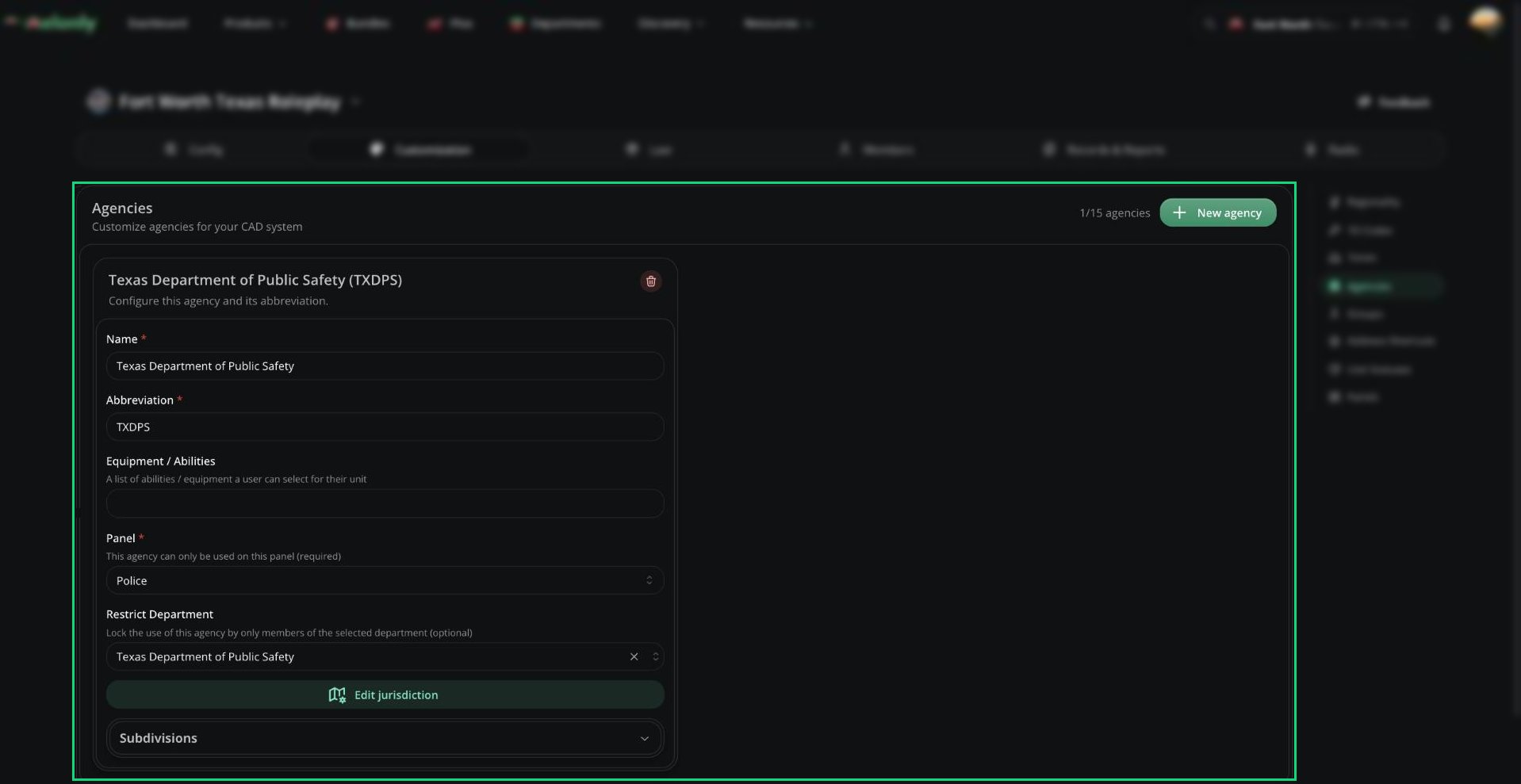 You can have up to 15 agencies. Click **New agency** to add one.
| Agency | Panel |
| - | - |
| River City Police Department (RCPD), with a Traffic Services subdivision | Police |
| Liberty County Sheriff's Office (LCSO) | Police |
| River City Fire Department (RCFD) | Fire |
| Springfield Fire Rescue (SFFR) | Fire |
| Fairview Fire Department (FVFD) | Fire |
| Liberty County Emergency Medical Services (LCEMS) | EMS |
| Liberty County Department of Transportation (LCDOT) | DOT |
| Liberty County Communications Services (LCCS) | Dispatch |
### Agency Fields
| Setting | Description |
| - | - |
| Name | The full agency name, up to 64 characters. Must be unique. |
| Abbreviation | Short form shown across the CAD, up to 8 characters. Must be unique. |
| Equipment / Abilities | Up to 16 tags units can pick, such as Spike Strip or K9. |
| Panel | The panel this agency is used on. |
| Restrict Department | Optional. Only members of this department can use the agency, and their rank is filled in from it. |
| Edit jurisdiction | Draw the agency's area on the map. See [Jurisdiction](#jurisdiction). |
Deleting an agency, or changing its abbreviation or panel, removes it from any record templates and panel restrictions that used it.
### Subdivisions
Subdivisions are specialised units within an agency, like Traffic, SWAT or K9. Each agency can have up to 4. Open Subdivisions on an agency and click **New subdivision**.
| Setting | Description |
| - | - |
| Name | Up to 64 characters, unique within the agency. |
| Abbreviation | Up to 8 characters, unique within the agency. |
| Default Equipment / Abilities | Equipment units start with, picked from the agency's list. |
| Edit jurisdiction | The subdivision's own area. It starts as a copy of the agency's. |
### Jurisdiction
Click **Edit jurisdiction** to open the map. Click **Create Custom** to add an area, then draw it with **Add Rectangle** or **Add Polygon**. Hold `Shift` while dragging to turn off snapping, and `Ctrl` + click a polygon point to delete it.
You can have up to 15 agencies. Click **New agency** to add one.
| Agency | Panel |
| - | - |
| River City Police Department (RCPD), with a Traffic Services subdivision | Police |
| Liberty County Sheriff's Office (LCSO) | Police |
| River City Fire Department (RCFD) | Fire |
| Springfield Fire Rescue (SFFR) | Fire |
| Fairview Fire Department (FVFD) | Fire |
| Liberty County Emergency Medical Services (LCEMS) | EMS |
| Liberty County Department of Transportation (LCDOT) | DOT |
| Liberty County Communications Services (LCCS) | Dispatch |
### Agency Fields
| Setting | Description |
| - | - |
| Name | The full agency name, up to 64 characters. Must be unique. |
| Abbreviation | Short form shown across the CAD, up to 8 characters. Must be unique. |
| Equipment / Abilities | Up to 16 tags units can pick, such as Spike Strip or K9. |
| Panel | The panel this agency is used on. |
| Restrict Department | Optional. Only members of this department can use the agency, and their rank is filled in from it. |
| Edit jurisdiction | Draw the agency's area on the map. See [Jurisdiction](#jurisdiction). |
Deleting an agency, or changing its abbreviation or panel, removes it from any record templates and panel restrictions that used it.
### Subdivisions
Subdivisions are specialised units within an agency, like Traffic, SWAT or K9. Each agency can have up to 4. Open Subdivisions on an agency and click **New subdivision**.
| Setting | Description |
| - | - |
| Name | Up to 64 characters, unique within the agency. |
| Abbreviation | Up to 8 characters, unique within the agency. |
| Default Equipment / Abilities | Equipment units start with, picked from the agency's list. |
| Edit jurisdiction | The subdivision's own area. It starts as a copy of the agency's. |
### Jurisdiction
Click **Edit jurisdiction** to open the map. Click **Create Custom** to add an area, then draw it with **Add Rectangle** or **Add Polygon**. Hold `Shift` while dragging to turn off snapping, and `Ctrl` + click a polygon point to delete it.
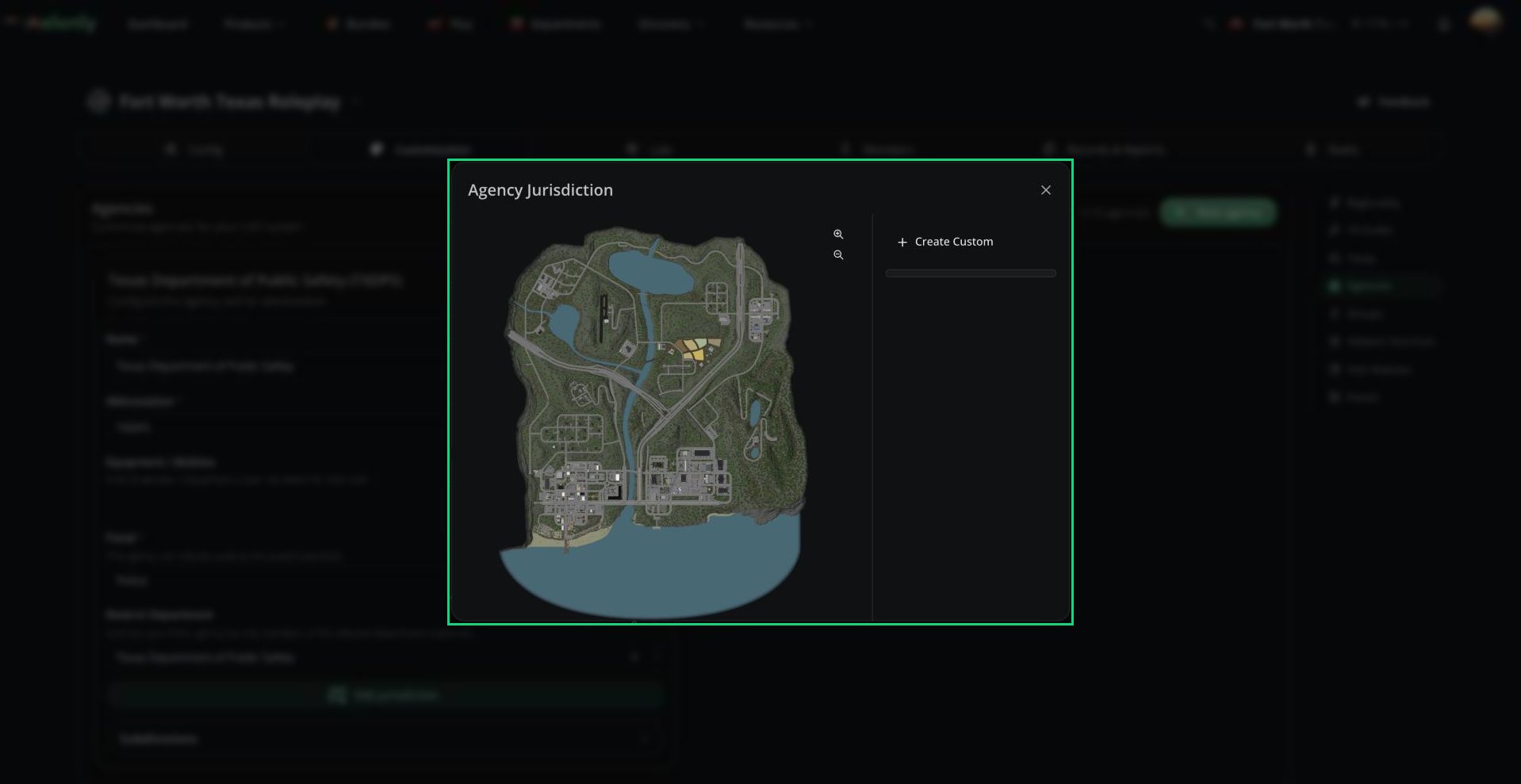 Jurisdictions matter when no dispatcher is online: field units only get the incoming call alert for calls inside their agency's area. Agencies without a jurisdiction get every alert. Unit lists can also be filtered by jurisdiction.
***
## Panels
The Panels page controls the tiles on the CAD dashboard: their names, colours, images and which agencies can use them.
Jurisdictions matter when no dispatcher is online: field units only get the incoming call alert for calls inside their agency's area. Agencies without a jurisdiction get every alert. Unit lists can also be filtered by jurisdiction.
***
## Panels
The Panels page controls the tiles on the CAD dashboard: their names, colours, images and which agencies can use them.
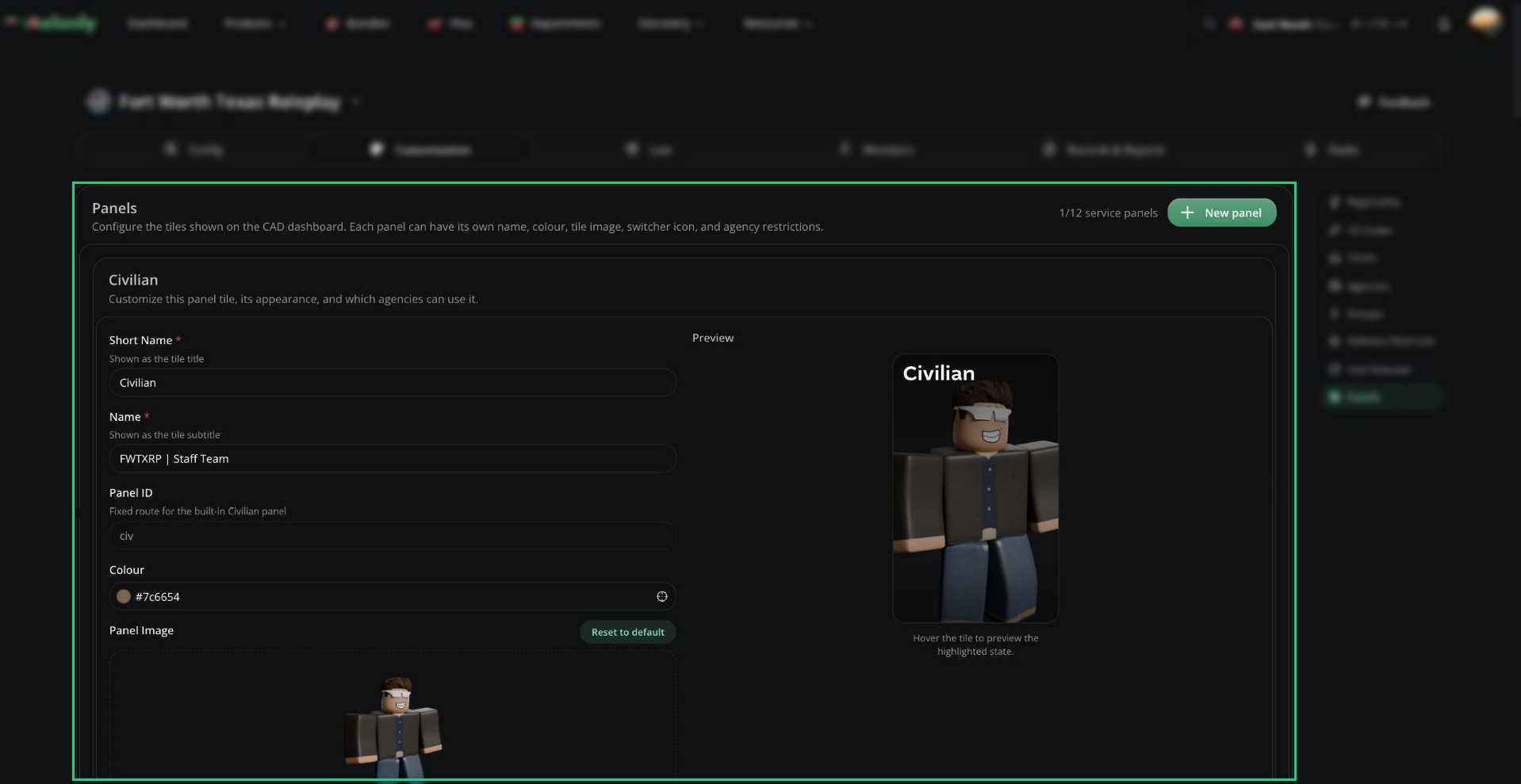 There are two kinds of panel:
* Built-in panels: Civilian, Dispatch, Law and DMV. You can restyle them, but not delete or restrict them.
* Service panels: Police, Fire, EMS and DOT. You can have up to 12, including several of one type, like separate Police and Sheriff tiles. Click **New panel** to add one.
| Setting | Description |
| - | - |
| Short Name | The tile title, up to 24 characters. |
| Name | The tile subtitle, up to 48 characters. |
| Type | Service panels only. Which panel the tile opens. |
| Panel ID | Made from the short name and used in the panel URL. You can't edit it. Built-in panels keep a fixed ID. |
| Colour | The tile's gradient colour. |
| Panel Agencies | Service panels only. Limit the panel to certain agencies of its type. Leave empty to allow all. Changing the type removes agencies that no longer match. |
| Panel Image | The tile image, up to 10 MB. 420 × 680 px works best. |
| Panel Icon | Shown in the panel switcher. 128 × 128 px works best. Leave empty to use the Melonly logo. |
A live preview shows how the tile will look. Tiles appear in this order: Civilian, Dispatch, your service panels, Law, DMV.
With Panel Agencies set, only units from those agencies can join the panel, and users who can't use any of them can't open it. A tile is greyed out if your server has no department of that panel's type.
***
Still have questions? Join our Discord server for support from the Melonly Team.
This documentation is built and hosted on [Mintlify](https://mintlify.com), a developer documentation platform.
There are two kinds of panel:
* Built-in panels: Civilian, Dispatch, Law and DMV. You can restyle them, but not delete or restrict them.
* Service panels: Police, Fire, EMS and DOT. You can have up to 12, including several of one type, like separate Police and Sheriff tiles. Click **New panel** to add one.
| Setting | Description |
| - | - |
| Short Name | The tile title, up to 24 characters. |
| Name | The tile subtitle, up to 48 characters. |
| Type | Service panels only. Which panel the tile opens. |
| Panel ID | Made from the short name and used in the panel URL. You can't edit it. Built-in panels keep a fixed ID. |
| Colour | The tile's gradient colour. |
| Panel Agencies | Service panels only. Limit the panel to certain agencies of its type. Leave empty to allow all. Changing the type removes agencies that no longer match. |
| Panel Image | The tile image, up to 10 MB. 420 × 680 px works best. |
| Panel Icon | Shown in the panel switcher. 128 × 128 px works best. Leave empty to use the Melonly logo. |
A live preview shows how the tile will look. Tiles appear in this order: Civilian, Dispatch, your service panels, Law, DMV.
With Panel Agencies set, only units from those agencies can join the panel, and users who can't use any of them can't open it. A tile is greyed out if your server has no department of that panel's type.
***
Still have questions? Join our Discord server for support from the Melonly Team.
This documentation is built and hosted on [Mintlify](https://mintlify.com), a developer documentation platform.